D292144.9.fm Sensor Adjustments
Chapter 6: Troubleshooting 6-21
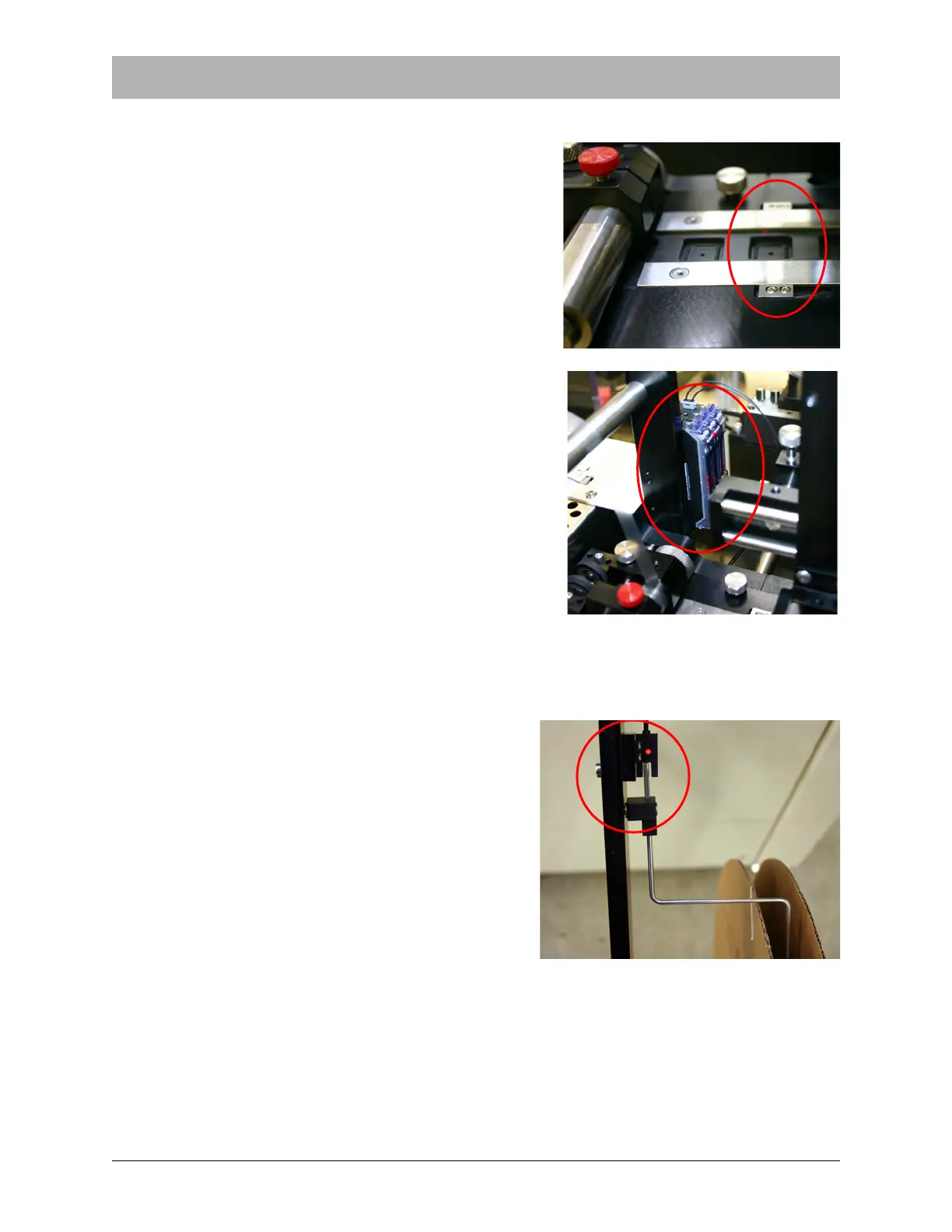
Adjusting the Tape Jam Sensor
The Tape Jam Sensor is one of five sensor options
that are included with the standard TM-500. It is
located on the Taper track just before the Sealer. It
detects if parts are doubled up or incorrectly placed in
a carrier tape pocket so that the part protrudes above
the level of the track and would interfere with cover
tape placement.
The Tape Jam Sensor should be enabled if the Taper
Output Module is being used.
If sensor sensitivity needs to be fine tuned, adjust the
amplifiers at the base of the Cover Tape Arm. For
more information on the sensor/amplifier, refer to
Appendix A: Sensors.
No further setup is required. The Jam In Tape Sensor
is ready to operate.
Adjusting the Carrier Tape Low Sensor
The Carrier Tape Low Sensor is one of five sensors
that are included with the standard TM-500. It is
located on the Carrier Tape Arm. It alerts the opera-
tor at the beginning of a job if there is not enough
carrier tape loaded on the Carrier Tape Reel to com-
plete the job.
The Carrier Tape Low Sensor should be enabled if
the Taper Output Module is being used.



 To Next Page