D292144.8.fm Preparing to Run a Pre-programmed Job
Chapter 5: Operation 5- 13
Setup Pick Head
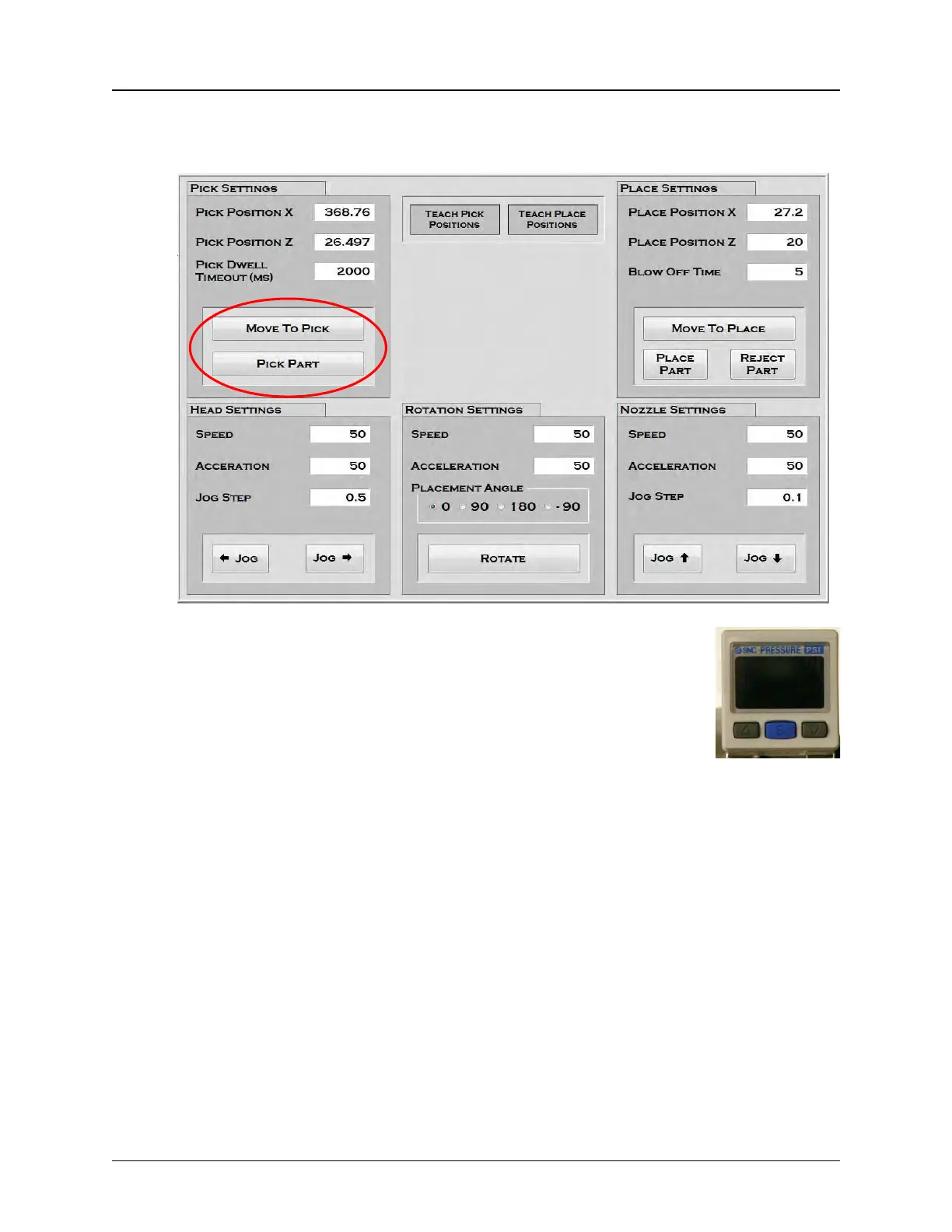
1. Open the Head Tab on the HMI.
2. Press Move To Pick, then press Pick Part. Observe the
vacuum sensor which is located on top of the head to see if it is
set correctly for the current part. The numbers should be lit in
green with components on the nozzle and red if components
are not.
If the sensors require adjustment, increase or decrease the
test levels with the up and down buttons. Adjust them as needed with components
both on and off of the nozzles.
Note: See the Chapter 6: Troubleshooting for vacuum sensor adjustment proce-
dures.
3. Adjust the nozzle size if needed.
Note: See the Chapter 4: Machine Setup for nozzle change procedures.



 To Next Page