4-50 TM-500 User’s Guide
Configure End of Job Options D292144.7.fm
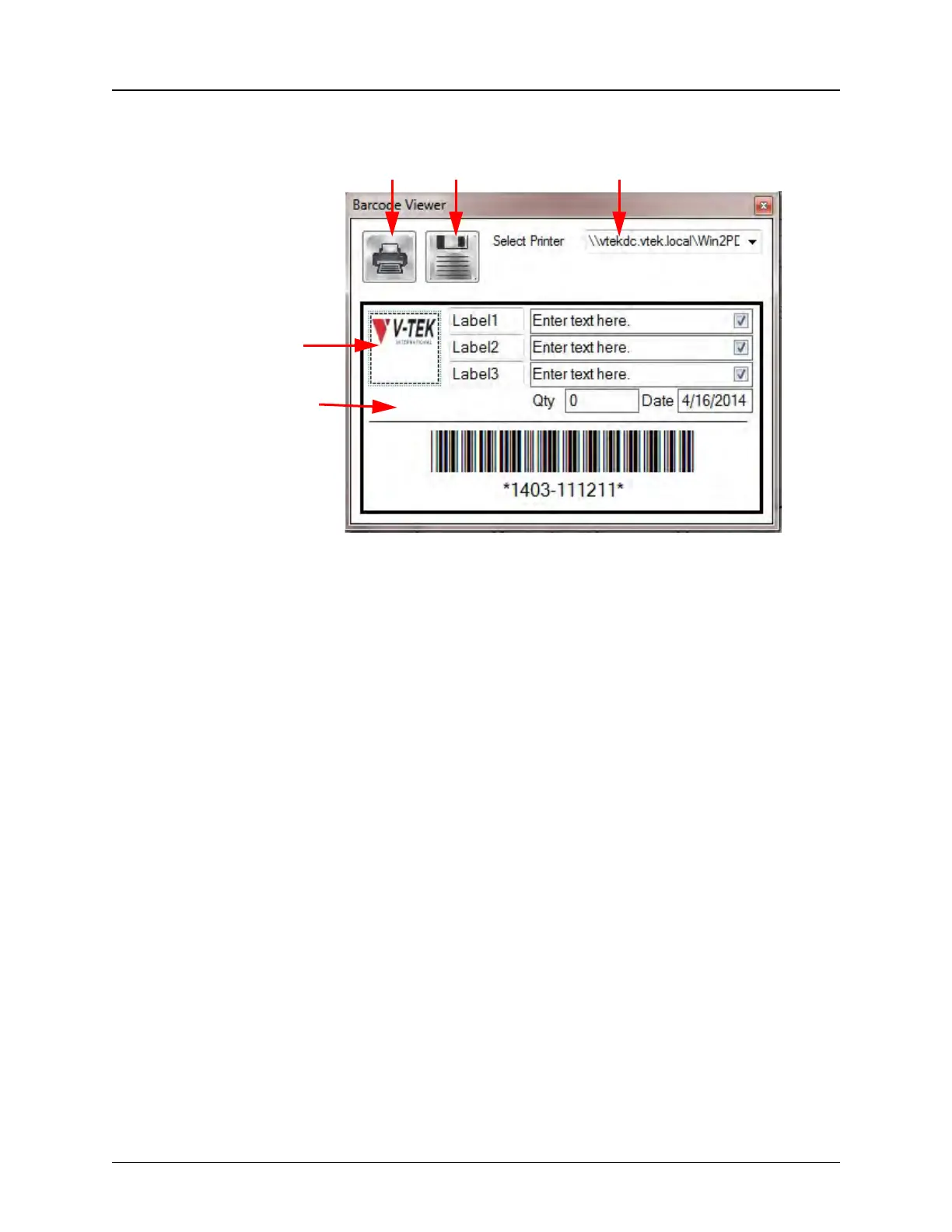
2. Press the Open The Barcode Viewer button to configure the label.
3. Enter label information and set a default printer. If selecting a new printer, press
Save to save printer settings for future labels.
To use a different logo, name the new logo image Logo.jpg and save it under
C:\V-Tek\TM-500\AppData\Statistics Settings replacing the current logo file. To
resize the report logo, click and stretch the logo until it reaches the desired size.
Note: Changing the logo image file will change the logo for all printed reports and
labels.
Step 9:
Configure
End of Job
Options
Print Save Printer
Default
Template
Logo



 To Next Page