Keyence FS-N40 Series Sensor Amplifiers D291511.18a.fm
A-7 Appendix A: Sensors
Initialization
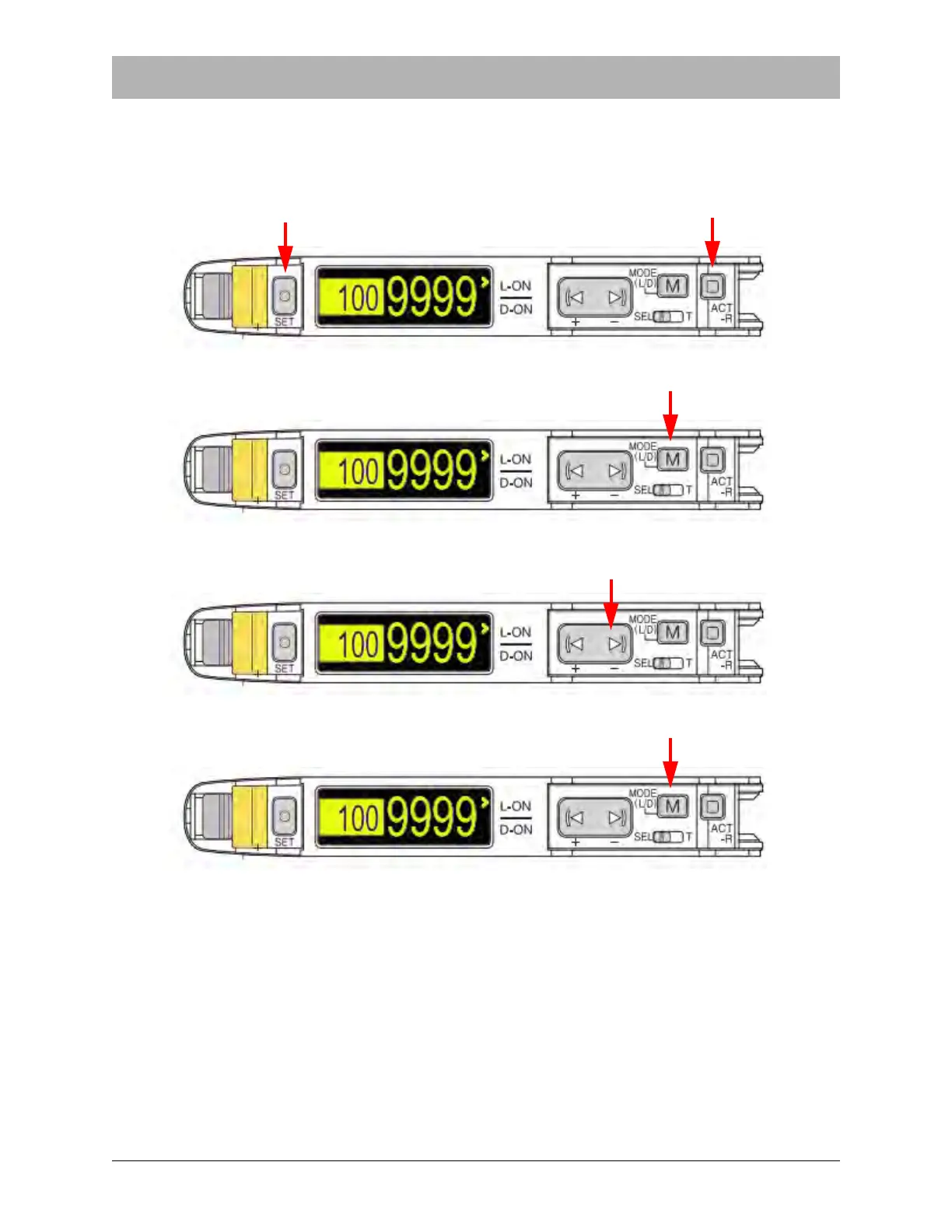
To initialize all the settings and return the sensor to the original Keyence factory default settings,
follow the procedure below.
1. Hold down Set and ACT-R simultaneously for at least three seconds.
2. Press Mode (M) once.
3. Press down the right side of the Manual (< >) button once.
4. Press Mode (M) once.
Note: Portions of this procedure were provided by:
KEYENCE CORPORATION OF AMERICA
500 Park Boulevard, Suite 200, Itasca,
IL 60143, U.S.A.
Phone: 1-888-KEYENCE (1-888-539-3623)
For detailed instructions, visit www.keyence.com and download the Keyence Digital
Fiberoptic Sensor FS-N40 Series Instruction Manual.


 To Next Page