Alpha/Delta (Kinetic Operator) Installation and Maintenance Manual Revision 1 - MAY 2023
31
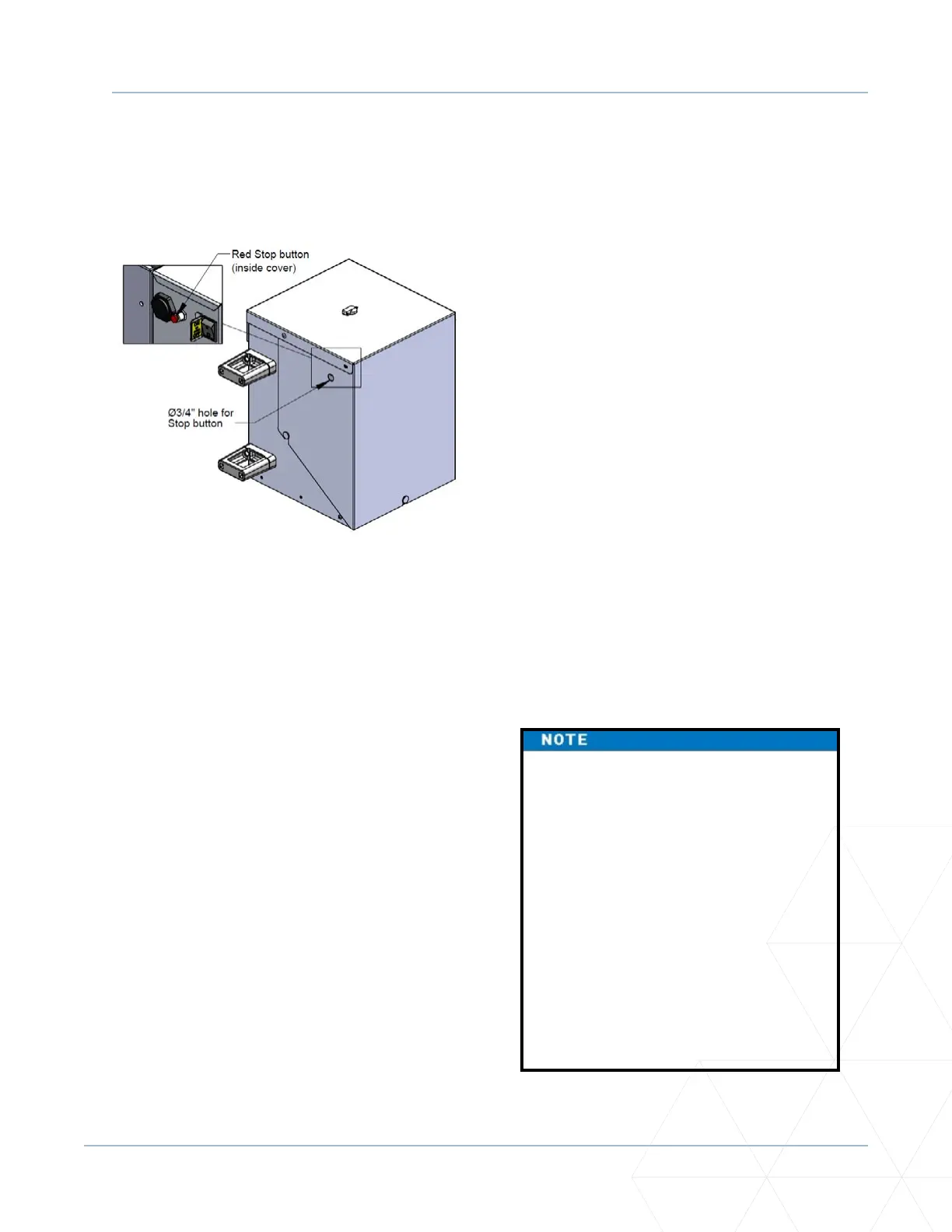
STOP BUTTON
Stop Buon
A stop buon is accessible from the outside of the operator. The red stop buon is located inside a hole
cutout on the Kinec cover.
Pressing the stop buon while the gate is opening
or closing disables the automac close me and
stops gate travel. The gate travel remains stopped
unl the operator receives an open or close signal.
Make sure all users of the gate know where the
stop buon is located.
A screwdriver or hex key can be used to press
lightly on the switch to acvate it.
Manual Release
Make sure to teach all users how to turn o electric power and how to move the gate manually. Kinec
allows a gate to be pushed manually when the operator’s DC power is turned o. (You DO NOT need to
turn AC power o to manually push the gate.) See NOTE.
When you turn the DC power o, the following
occurs:
• The motor disengages which makes it easier
to push the gate open.
• The GATE NO LOAD (FAULT 4) appears on the
display.
• The posion sensor is acve and established
limits are remembered.
To turn DC power on, take the following steps:
1� Make sure the gate is not moving.
2� Flip the DC power switch ON.
3� Clear any faults by pressing RESET.
If you turn OFF both power switches
(AC and DC) and manually move the
gate, the operator will search for the
target to re-establish its limits. When
you turn AC & DC power back ON, the
operator will cycle the gate and search
for the target magnet (its “home”
posion). An operator with the DC
power switch ON and the AC power
switch OFF sll funcons normally,
but “NO AC” ashes in the display. If
you “push” the gate, it will push back
because the posion sensor is acve
and the motor is engaged.



 To Next Page