116
wallaceperimetersecurity.comPhone: 866.300.1110
OVERVIEW OF THE SMARTDC CONTROLLER
Overview of the SmartDC Controller
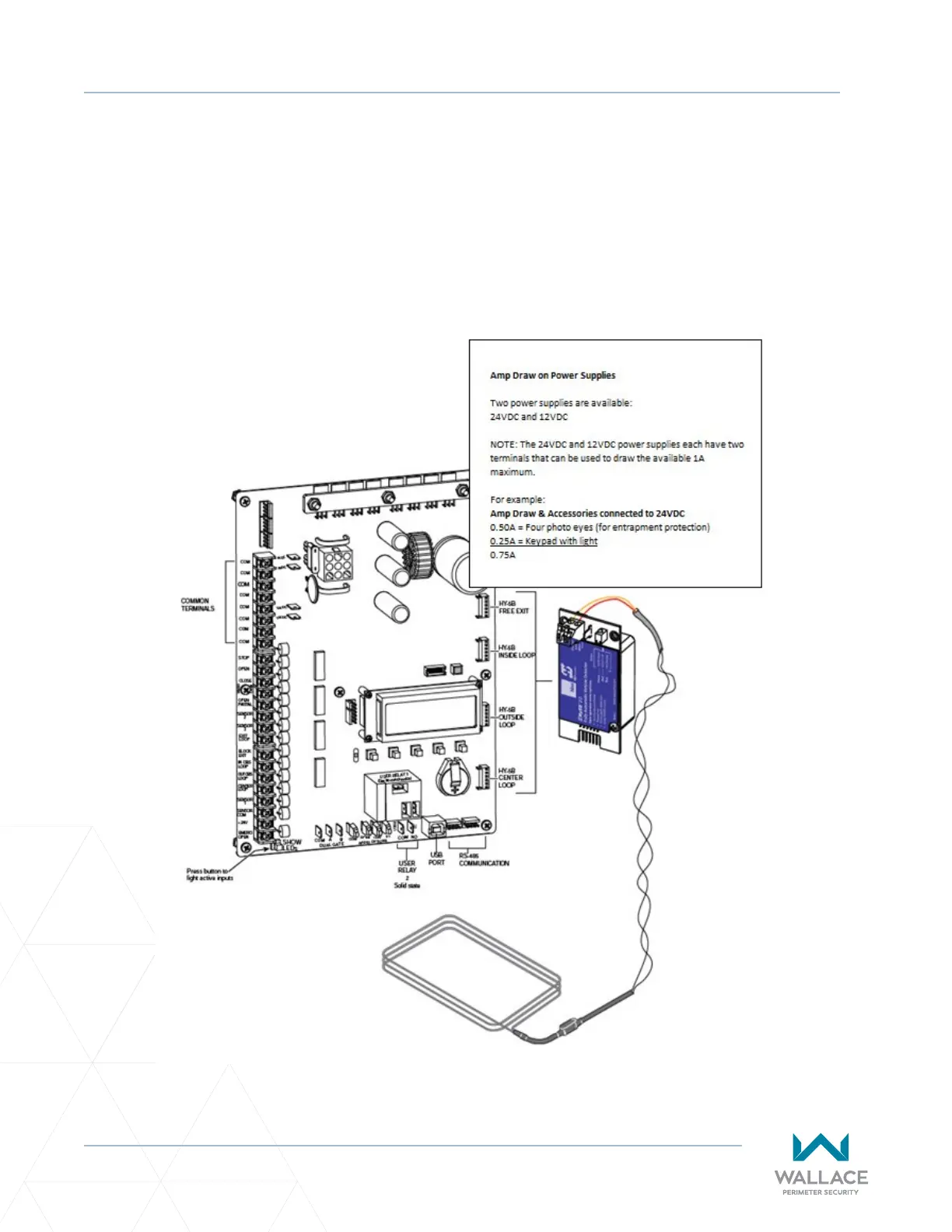
The SmartDC Controller uses LED’s to indicate acve inputs when AC power is present. For operators that
use only DC power, you can push a buon to show the acve inputs. This buon is at the boom le
corner near the EMERG OPEN input.
On a new operator no acve inputs should appear unl external accessories and wiring are aached. If
any inputs are acve before connecng external wiring, refer to “SmartDC Controller Troubleshoong”
on page 151.
Figure 29. SmartDC Controller Board



 To Next Page