100
wallaceperimetersecurity.comPhone: 866.300.1110
ADJUSTING THE GATE SPEED
Adjusng the Gate Speed
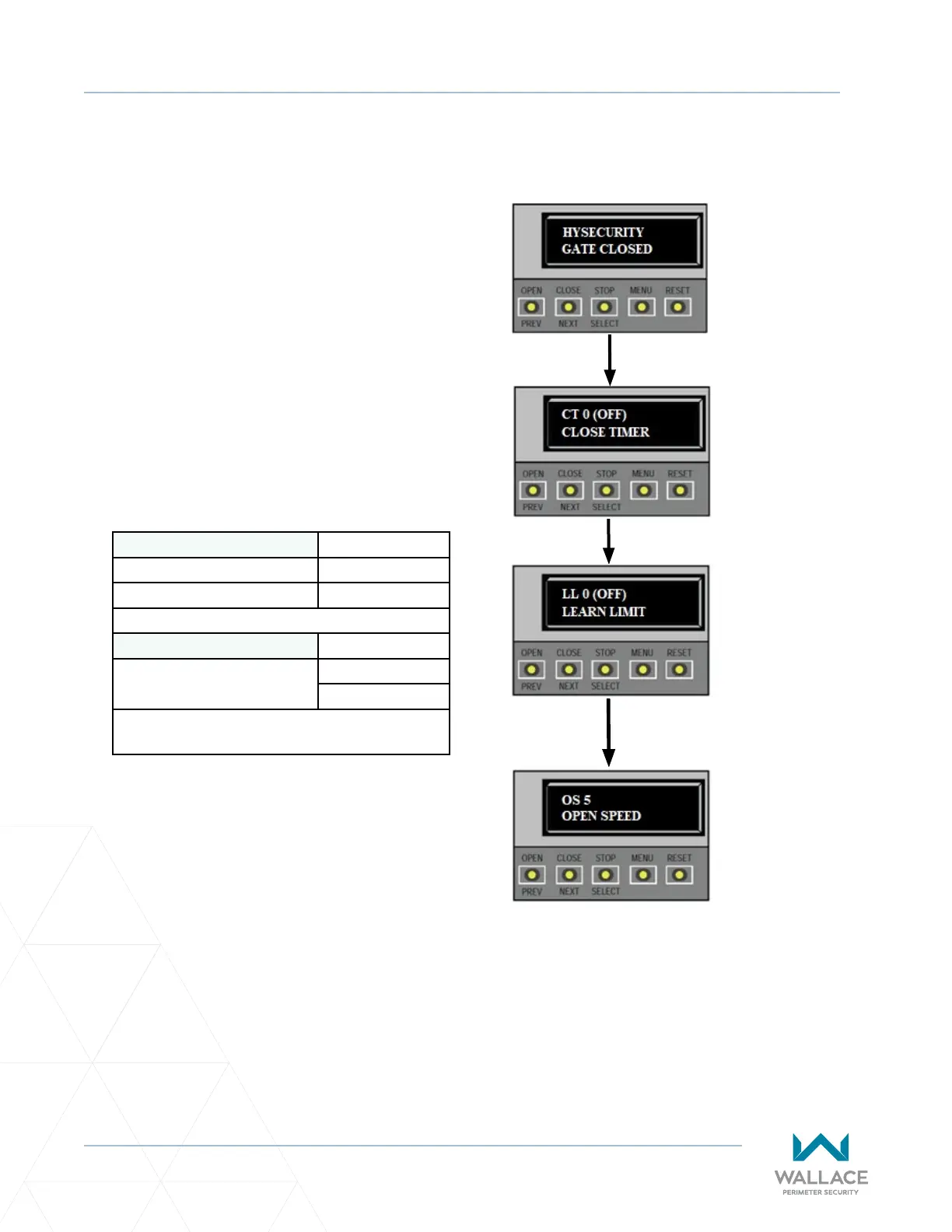
To adjust gate speed, take the following steps:
1. At a gate status display, press the MENU
buon twice. This accesses the User Menu
and the CLOSE TIMER display appears.
2. Simultaneously, press the OPEN and RESET
buons to enter the Installer Menu. Release
the buons and the LEARN LIMITS display
appears. It is the rst item in the Installer
Menu.
3. Press NEXT unl the OPEN SPEED (or CLOSE
SPEED) display appears. Select the desired
seng based on operator type.
Kinec DC 15W - Kinec 1 0 = 0.75 /s
1 = 1.00 /s
(Usage Class 3 & 4 only) 2 = 1.25 /s
Kinec DC 10FW - Kinec 2 4 = 1.75 /s
(The DC 10FW is designed
for Usage Class 3 & 4 only.)
5 = 2.00 /s
6 = 2.25 /s
NOTE: Certain speeds are allowed only when
the operator’s Usage Class is set appropriately.
4. Use the SELECT and NEXT buons to navigate
and change the speed seng on the display.
5. To exit the Installer Menu, press the MENU
buon. The gate status appears in the display
indicang you have returned to Run Mode.
2. Access the
User Menu by
pressing the
MENU buon
twice.
3. Access
the Installer
Menu, by
simultaneously
pressing the
OPEN and
RESET buons.
4. Use NEXT to
navigate to the
menu display.
Change the
seng using
the SELECT and
NEXT buons.
1. Start at a gate
status display.



 To Next Page