Alpha/Delta (Kinetic Operator) Installation and Maintenance Manual Revision 1 - MAY 2023
171
GENERAL MAINTENANCE
General Maintenance
Smart Touch Analyze and Retrieve Tool (S.T.A.R.T.)
HySecurity provides Smart Touch Analyze and Retrieve Tool (S.T.A.R.T.) soware to help Wallace Perimeter
Security gate operator users and installers conduct the following eld service acvies:
• Congure installer and user menu sengs
• View the operator history (event) log
• Display monitored inputs for operator diagnoscs
• Load SmartDC Controller (SDC) operator code
With S.T.A.R.T. soware loaded on your laptop computer, you have an invaluable management tool for all
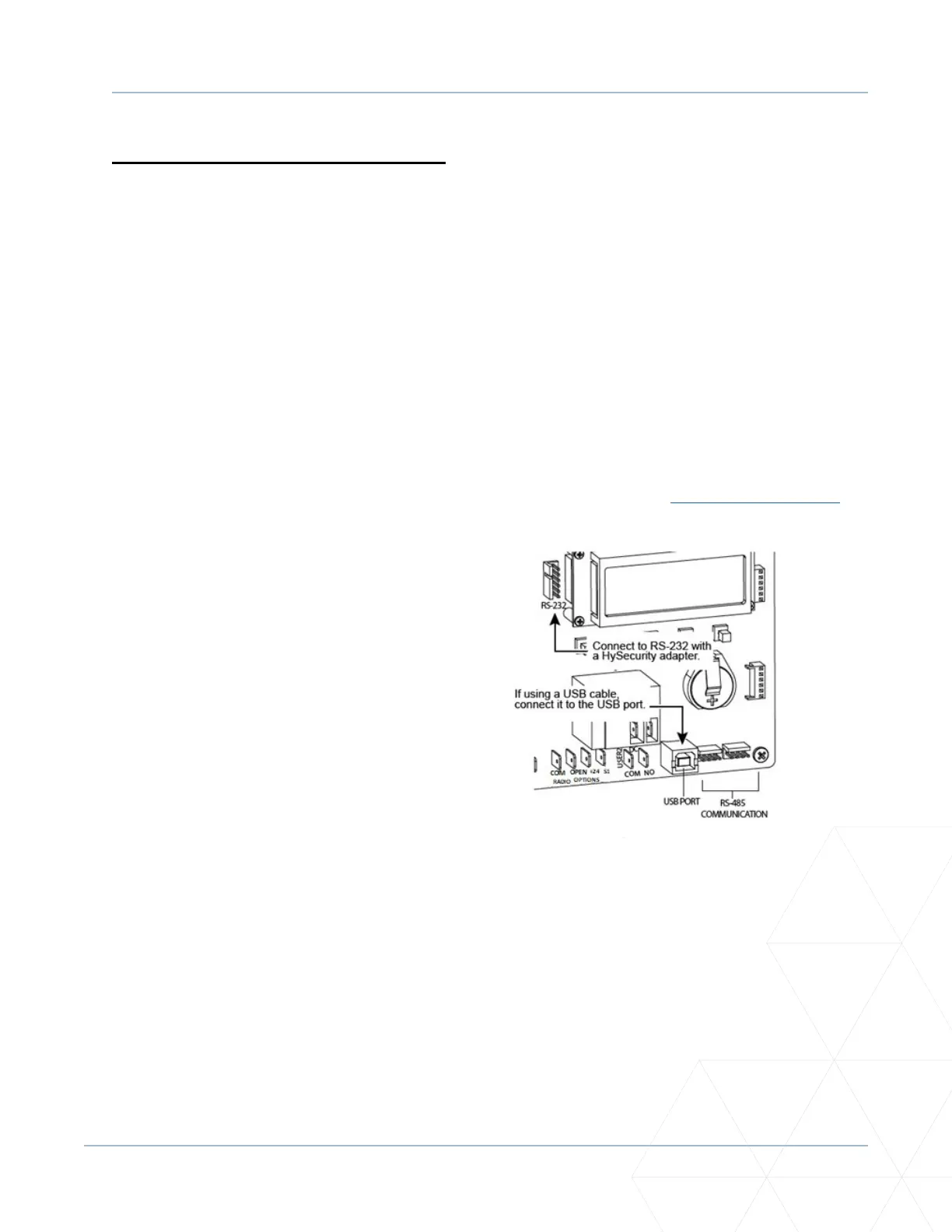
styles of Kinec operators. Either the USB port or the RS-232 serial port, found on the SmartDC Controller
(see Figure 49), allows you to download system diagnoscs and upload system conguraons using the
S.T.A.R.T. soware. The free S.T.A.R.T. soware is conveniently located on the hps://hysecurity.com/
website. Instrucons for downloading S.T.A.R.T. are found on the website, as well.
• Standard USB 2.0 A-B communicaons
cable. If you are using the Wallace Perimeter
Security RS-232 to USB adapter, be sure to
install the USB driver in your laptop.
• Laptop computer with Windows PC operang
system (XP, Vista or Windows 7/8/8.1/10).
• Minimum 128MB of RAM.
• Minimum 5MB of hard drive disk space.
• VGA graphics card (minimum resoluon of
800 x 600).
Figure 49. SmartDC Controller RS-232
and USB Connecon



 To Next Page