58
wallaceperimetersecurity.comPhone: 866.300.1110
INSTALLING THE KINETIC OPERATOR ON GATE POSTS
Installing the Kinec Operator on Gate Posts
RH & LH mounng opons can be congured by the following steps:
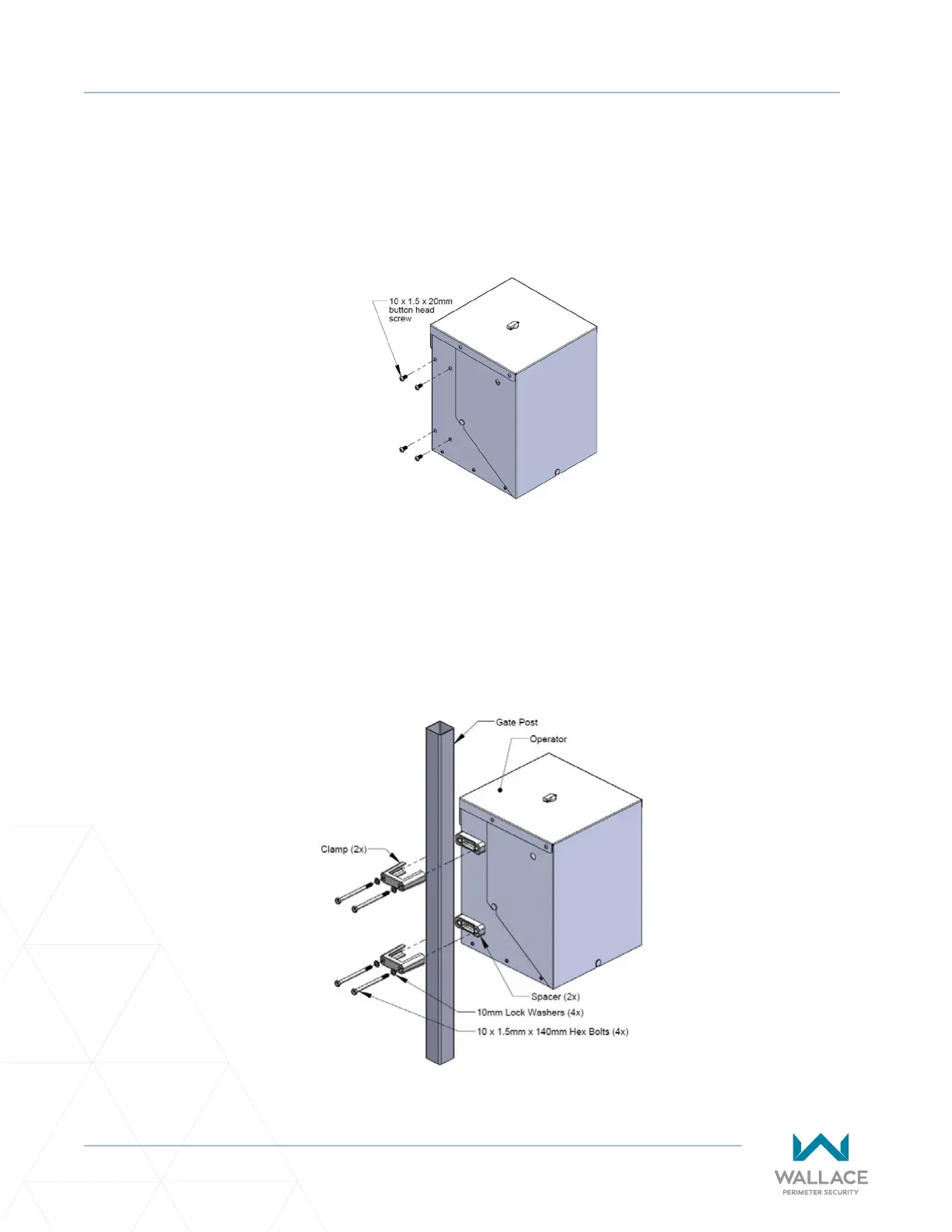
1. Remove the 4 - 10 x1.5 x 20mm buon head screws on the side of the operator that will be mounted
to the gate post. See Figure 2. Discard the screws.
2. Place the Spacers between the operator and gate post. Align the spacers with the mounng holes.
3. Slide the clamps over the gate post.
4. Insert and ghten the 4 – 10x1.5 x 140mm hex bolts to secure the operator to the gate post. See
Figure 3.
Figure 2. Operator Mounng Screws
Figure 3. Mounng Operator on Gate Post



 To Next Page