Alpha/Delta (Kinetic Operator) Installation and Maintenance Manual Revision 1 - MAY 2023
63
ESTABLISHING THE OPEN AND CLOSE LIMITS
Establishing the OPEN and CLOSE Limits
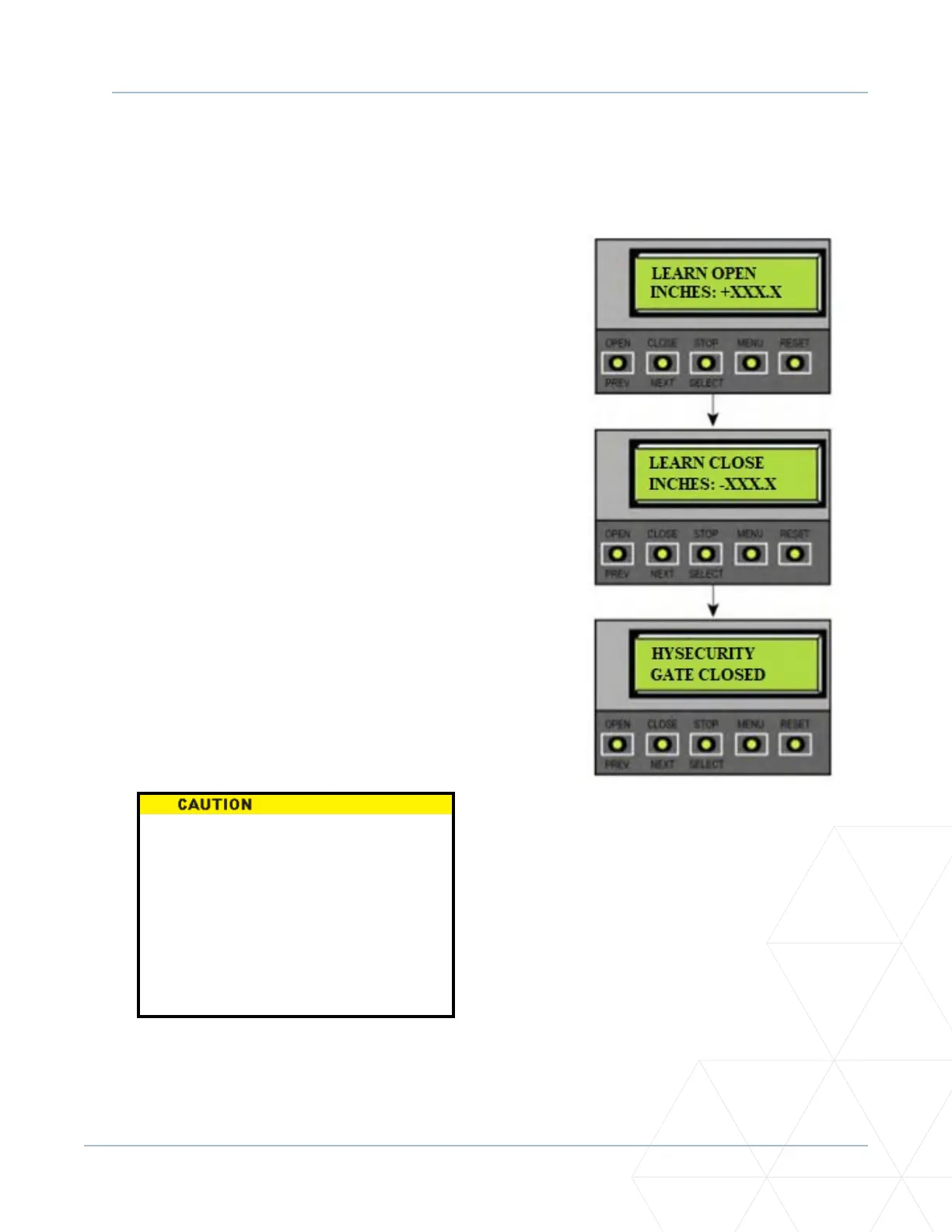
The LEARN LIMITS display automacally appears aer you set the gate weight. To set the open and
close limits, take the following steps:
1. Hold the OPEN buon unl the gate slides
to full open. Release the OPEN buon. Note
that if you go too far, you can press CLOSE to
reverse direcon. Press STOP twice to store
the open stop locaon in memory.
2. Hold the CLOSE buon unl the gate slides to
full close. Release the CLOSE buon, press
STOP twice to store the full close locaon in
memory.
Note: Pressing the OPEN buon will reverse
direcon.
3. GATE CLOSED appears on the display and
ALERT 15 ashes unl the target magnet is
installed and its locaon stored in memory.
See “Installing the Target Magnet” on page
66.
Figure 12. Open and Close Limits
Do not install the target magnet
before seng the OPEN and CLOSE
limits. If the target magnet is installed
before seng the limits, the locaon
of the sensor hole in the beam may
be incorrect and addional holes
or repairs to the gate beam may be
required to relocate the target magnet.



 To Next Page