62
wallaceperimetersecurity.comPhone: 866.300.1110
OPERATOR INSTALLATION AND GATE ADJUSTMENTS
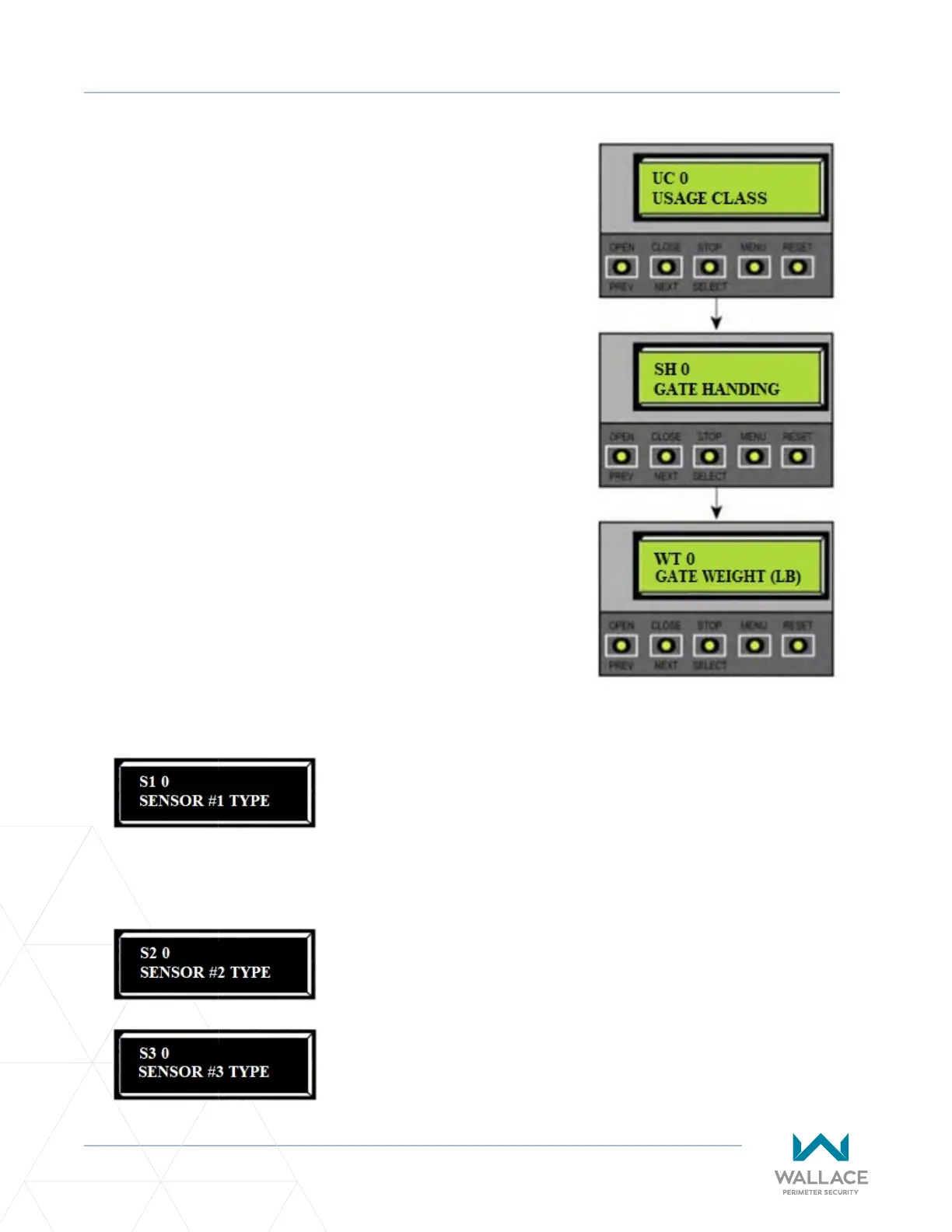
USAGE CLASS SELECTIONS:
0 -No Usage Class set.
1 -Single family residenal up to four units.
2 -Mul-family, hotel etc.
3 -Industrial use, not for general public.
4 -Guarded and monitored facility, not for general public.
GATE HANDING SELECTIONS:
0 -No handing set. Gate will not move unl handing is set.
Looking at gate from secure side:
L -If the gate slides open to the le.
R -If the gate slides open to the right.
GATE WEIGHT SELECTIONS:
0 -Gate weight not set.
Kinec DC 15W [Kinec 1]
1 -Gate weight 0 to 400lbs (0 to 181kg)
2 -Gate weight 401 to 800lbs (181 to 363kg)
3 -Gate weight 801 to 1100lbs (363 to 499kg)
4 -Gate weight 1101 to 1500lbs (499 to 680kg)
Kinec DC 10FW [Kinec 2]
1 -Gate weight 0 to 250lbs (0 to 114kg)
2 -Gate weight 251 to 500lbs (114 to 227kg)
3 -Gate weight 501 to 750lbs (227 to 340kg)
4 -Gate weight 751 to 1000lbs (340 to 454kg)
Once gate weight is set, program Sensor 1, Sensor 2,
Sensor 3:
Figure 11. Inial Setup
Menu Programming
0 = disabled
1 = (NOT USED)
2 = (EYE CLOSE)
3 = (EDGE CLOSE
4 = (EYE OPEN)
5 = (EDGE OPEN)
6 = (EDGE BOTH) – Swing Gates Only
7 = (EYE BOTH) – Solo Slide Gates Only
Same as Sensor 1.
Same as Sensor 1.



 To Next Page