104
wallaceperimetersecurity.comPhone: 866.300.1110
REINSTATING FACTORY DEFAULTS
Reinstang Factory Defaults
Thirteen menu conguraons are available in the User Menu. Several other items in the Installer Menu
let you customize the operator depending on the number of aached accessories and your customer’s
needs.
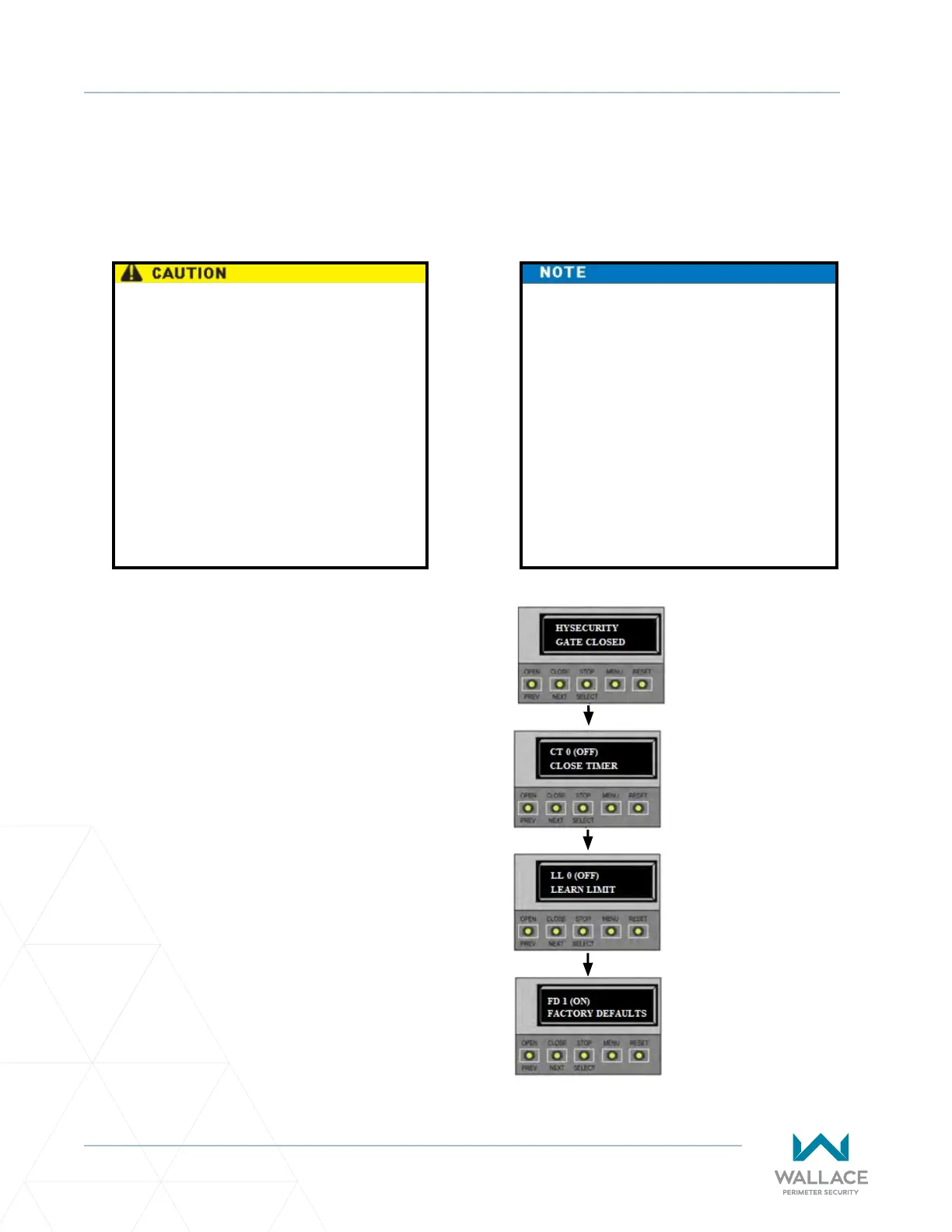
To reinstate factory defaults, take the following
steps:
1. At a gate status display, press the MENU
buon twice. This accesses the User
Menu and the CLOSE TIMER display
appears.
2. Simultaneously, press the OPEN and
RESET buons to enter the Installer Menu.
Release the buons and the LEARN LIMITS
display appears.
3. Press NEXT unl the FACTORY DEFAULTS
display appears. The factory default
seng is 0.
4. Use the SELECT and NEXT buons to
navigate and change the number on the
display to 1.
When you press SELECT to accept FD
1, the factory sengs are reinstated
immediately and the menu display
returns to the inial Setup Menu. The
gate operator will not run unl the
three menu parameters are entered:
Usage Class, Gate Handing, and Gate
Weight. The limits will also need to
be relearned. Refer to “Programming
the Inial Setup Menu” on page 61
and “Establishing the OPEN and CLOSE
Limits” on page 63.
Reinstang factory default clears ALL
menu sengs stored in the operator
and returns them to factory defaults.
It is recommended that you save
the menu sengs before reinstang
factory defaults. You can write the
sengs in a notebook or, if you
have a laptop computer, you can use
HySecurity’s S.T.A.R.T. soware and
download the menu sengs and
save them to a le to upload to the
operator at a later date.
1. Start at a gate
status display.
2. To access the User
Menu, press MENU
twice.
3. To access the
Installer Menu,
simultaneously press
OPEN and RESET.
4. Use NEXT to
navigate to the menu
display. Change the
seng using the
SELECT and NEXT
buons.



 To Next Page