Alpha/Delta (Kinetic Operator) Installation and Maintenance Manual Revision 1 - MAY 2023
105
ENABLING THE FIRE DEPARTMENT OVERRIDE
Many counes and cies require a Fire Department
override system for gate operators. The re
department’s alert system is a separate unit that
must be connected to the Smart DC Controller. The
FIRE DEPARTMENT OPEN opon must be properly
congured through the Installer Menu before the
operator will recognize the alert system.
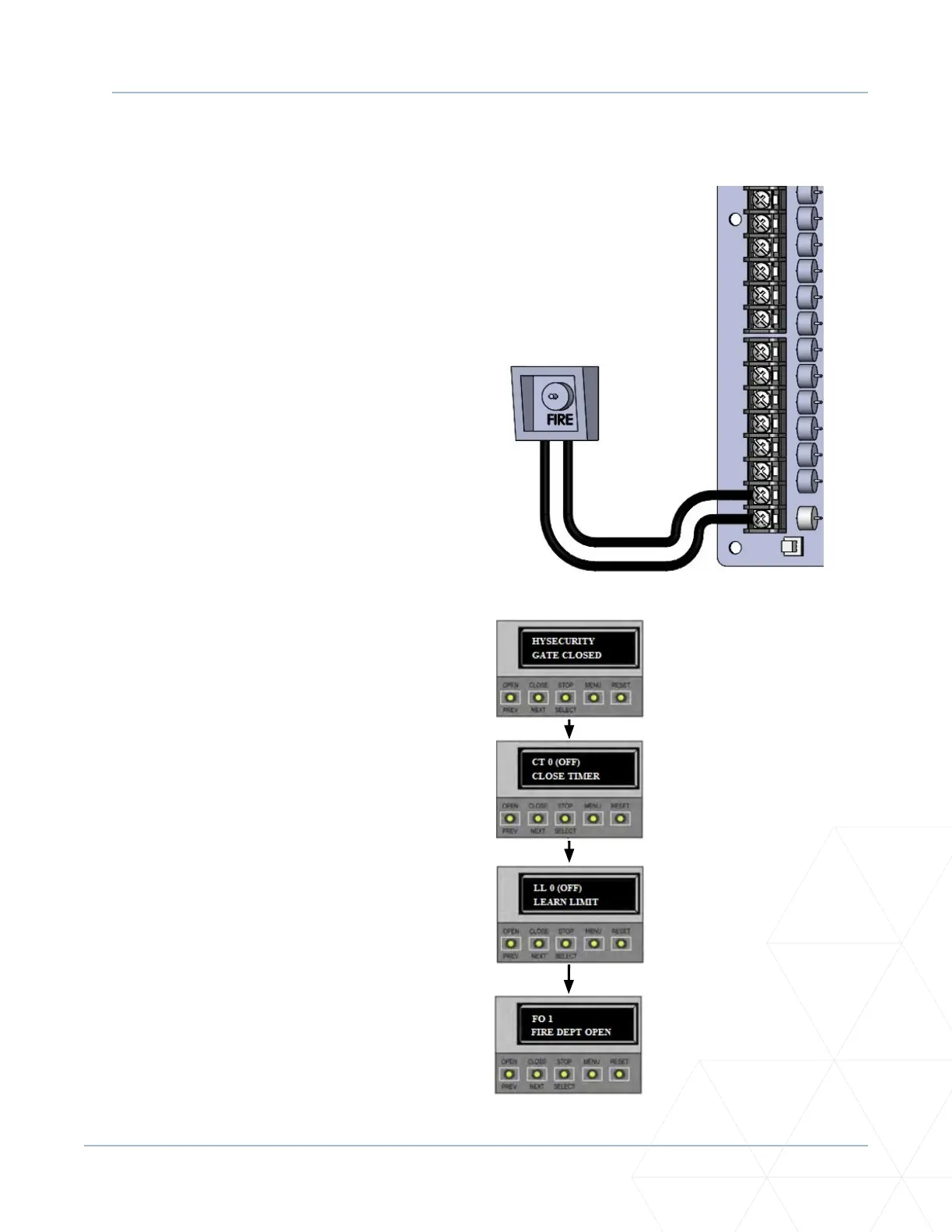
To adjust the Fire Department Override, take the
following steps:
1� Connect the contact NO from the alert system
or key switch to the following SmartDC
Controller terminals:
EMERG OPEN
+24V
2� Congure the Installer Menu.
At a gate status display, press the MENU
buon twice. This accesses the User Menu
and the CLOSE TIMER display appears.
3� Simultaneously, press the OPEN and RESET
buons to enter the Installer Menu. Release
the buons and the LEARN LIMIT display
appears.
4� Press NEXT unl the FIRE DEPARTMENT
OPEN display appears. The factory default
seng is 0.
5� Use the NEXT buon to change the number
on the display to 1 and then press SELECT.
6� To exit the Installer Menu, press the MENU
buon. The gate status appears in the display
indicang you have returned to Run Mode.
Enabling the Fire Department Override
1. Start at a gate status
display.
2. To access the User
Menu, press MENU
twice.
3. To access the Installer
Menu, simultaneously
press OPEN and RESET.
4. Use NEXT to navigate
to the menu display.
Change the seng using
the SELECT and NEXT
buons.



 To Next Page