EasyManua.ls Logo

Watlow F4T - User Manual

Watlow F4T
331 pages
Print Icon
To Next Page IconTo Next Page
Loading...
1680-2414 Rev. A Made in the U.S.A.
December 2018
User’s Guide
Registered Company
Winona, Minnesota USA
ISO 9001
TOTAL
3 Year Warranty
CUSTOMER
SATISFACTION
F4T Controller
Setup and Operations
1241 Bundy Boulevard., Winona, Minnesota USA 55987
Phone: +1 (507) 454-5300, Fax: +1 (507) 452-4507
http://www.watlow.com/F4T.cfm

Table of Contents

Other manuals for Watlow F4T

Questions and Answers

  • A
    Angela HorneAug 31, 2025
    What to do if my Watlow Controller has no display?
    • T
      Tina MaldonadoSep 1, 2025
      If your Watlow Controller has no display, there could be several reasons: * The power to the controller might be off, so turn the power on. * A fuse might be open, in which case you should replace the fuse. * The breaker might be tripped, so reset the breaker. * The safety interlock switch might be open, so close the interlock switch. * A separate system limit control might be activated, so reset the limit. * There may be a wiring error; correct the wiring issue. * The voltage to the controller may be incorrect; apply the correct voltage and check the part number.
  • K
    Kimberly RossSep 3, 2025
    Why doesn't my Watlow F4T process control to the set point?
    • C
      Courtney WhiteSep 3, 2025
      If the process doesn’t control to the set point on your Watlow Controller, it could be due to the following reasons: * The controller might not be tuned correctly. Perform autotune or manually tune the system. * The control mode might be incorrectly set. Set the control mode appropriately (Open vs Closed Loop). * The control set point might be incorrect. Set the control set point in the appropriate control mode and check the source of the set point: remote, idle, profile, closed loop, open loop.
  • C
    christopher50Sep 3, 2025
    What to do if the alarm on my Watlow F4T Controller is not working?
    • R
      Robert ColeSep 3, 2025
      If the alarm on your Watlow Controller won’t occur, consider these potential causes: * Alarm silencing might be active. Disable alarm silencing, if required. * Alarm blocking might be active. Disable alarm blocking, if required. * The alarm might be set to an incorrect output. Set the output to the correct alarm source instance. * The alarm might be set to an incorrect source. Set the alarm source to the correct input instance. * The alarm set point might be incorrect. Set the alarm set point to the correct trip point. * The alarm might be set to an incorrect type. Set the alarm to the correct type: process, deviation, or power.
  • S
    Sheila WatsonSep 5, 2025
    How do I clear or reset the limit on my Watlow F4T Controller?
    • S
      Steven JonesSep 5, 2025
      If the limit on your Watlow Controller won’t clear or reset, it could be due to: * The sensor input being out of the limit set point range. Correct the cause of the sensor input being out of the limit range. * The limit set point being incorrect. Set the limit set point to the correct trip point. * The digital input function being incorrect. Set the digital input function and source instance.
  • C
    Craig HigginsSep 5, 2025
    What causes an alarm error on a Watlow F4T Controller?
    • D
      dennishernandezSep 6, 2025
      An alarm error on your Watlow Controller can be caused by: * A sensor improperly wired or open. Correct the wiring or replace the sensor. * An incorrect setting of the sensor type. Match the setting to the sensor used. * A corrupt calibration. Check the calibration of the controller.
  • M
    Michael YoungSep 6, 2025
    What does error input mean on my Watlow F4T?
    • T
      Tracey PattonSep 6, 2025
      An error input on your Watlow Controller can occur due to: * A sensor improperly wired or open. Correct the wiring or replace the sensor. * An incorrect setting of the sensor type. Match the setting to the sensor used. * A corrupt calibration. Check the calibration of the controller.
  • K
    Katherine WoodsSep 7, 2025
    What does limit error mean on my Watlow Controller?
    • A
      andreadeanSep 7, 2025
      A limit error on your Watlow Controller can be caused by: * A sensor improperly wired or open. Correct the wiring or replace the sensor. * An incorrect setting of the sensor type. Match the setting to the sensor used. * A corrupt calibration. Check the calibration of the controller.
  • B
    Brooke HernandezSep 8, 2025
    What does alarm low mean on my Watlow F4T Controller?
    • W
      wrightedwardSep 8, 2025
      An alarm low on your Watlow Controller can indicate: * The temperature is less than the alarm set point. Check the cause of the under temperature. * The alarm is set to latching and an alarm occurred in the past. Clear the latched alarm. * The alarm set point is incorrect. Establish the correct alarm set point. * The alarm source is incorrect. Set the alarm source to the proper setting.
  • E
    Erica PerezDec 3, 2025
    Why is there no serial communication with my Watlow Controller?
    • E
      elizabeth92Dec 3, 2025
      How to clear or reset the alarm on a Watlow Controller?

      Summary

      Chapter 1: Overview

      Available F4 T Literature and Resources

      Lists available documentation and resources for the F4T controller.

      Technical Assistance

      Provides contact information and steps for obtaining technical support.

      Document Overview and Purpose

      Explains the scope and purpose of the F4T User's Guide.

      A Conceptual View of the F4 T System

      Provides a high-level overview of the F4T controller's architecture and functionality.

      Chapter 2: Composer Software

      Installing Composer Software

      Step-by-step guide for installing the Composer software on a PC.

      Using Composer Software

      Instructions on connecting to the controller and navigating Composer's interface.

      Configuring Pluggable Flex Modules

      Details on how to configure and manage Flex Modules installed in the controller.

      Creating and Editing Profiles Using Composer

      Guide to creating, editing, and managing profiles for the F4T controller.

      Chapter 3: Using the F4 T Front Panel

      Navigating and Understanding the User Interface (UI)

      Explains the structure and navigation of the F4T's front panel menus.

      Home Screen Described

      Details the components and layout of the F4T's configurable home screen.

      Data Logging

      Instructions for setting up and initiating data logging on the F4T controller.

      Chapter 4: Application Examples

      Single Loop Control

      Demonstrates a basic single loop control configuration using the F4T controller.

      Heat and Cool Control Loop

      Explains a heat and cool control loop application example.

      Cascade Control

      Details how to configure and use cascade control for improved process management.

      Compressor Control

      Explains how to coordinate compressor demands for cooling/dehumidification.

      Chapter 5: Function Block Reference

      F4 T Functions Described

      Overview of function blocks, signals, and error status within the F4T system.

      Alarm

      Explains how to use the alarm block to monitor signals and trigger outputs.

      Control Loop

      Details how to use control loop blocks for temperature or other process value manipulation.

      Math

      Describes various mathematical operations available for signal processing.

      Chapter 6: Appendix

      Communications

      Information on communication protocols like Modbus TCP and SCPI.

      F4 T Base Ordering Information

      Provides details on how to order F4T base units and their configurations.

      Flex Modules and Limit I;O Specifications

      Technical specifications for Flex Modules, including I/O capabilities and limits.

      Declaration of Conformity

      Lists the product's compliance with various electrical and safety directives.

      Watlow F4T Specifications

      General IconGeneral
      InputsThermocouple, RTD, mA, V
      OutputsRelay, SSR, mA, V
      CommunicationEthernet, Modbus RTU
      Data LoggingYes
      CertificationsCE, UL, cUL, RoHS
      Control ModesPID, On/Off
      Power Supply100 to 240 VAC
      Operating Temperature0 to 50°C
      Enclosure RatingIP65
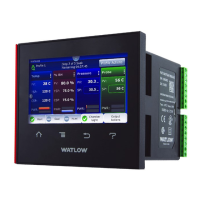
      Display4.3 in. (109 mm) color touch panel LCD
      Control LoopsUp to 4

      Related product manuals