17
Before Using the Transceiver
Names and Functions of Controls
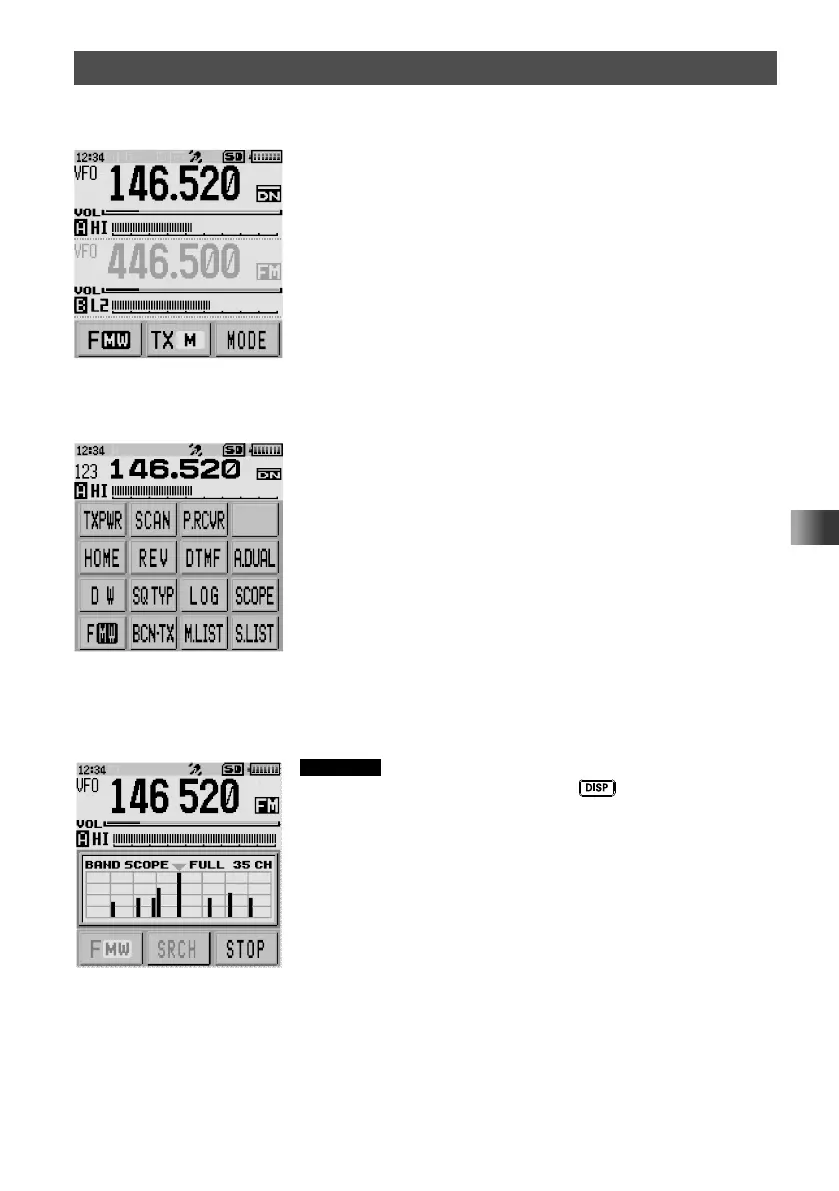
y Dual Band Screen
A-band and B-band are displayed in a top-down fashion.
• Touching [F MW] displays the function menu screen.
• Touching [TX M] enables the communication mode to be
fixed on the transmission side.
• Touching [MODE] each time switches the operation
mode.
y Function Menu Screen
Touching [F MW] displays the function menu screen.
y Band Scope Screen
The band scope screen can be displayed by touching [SCOPE] from the function menu
screen.
Reference You can change the number of band scope channels
by pressing and holding the
key for over one
second to enter Set mode, then select [DISPLAY] → [3
BAND SCOPE] to select the desired number of channels
(17ch/35ch/71ch).



 To Next Page