3-38
CL5 Display calibration
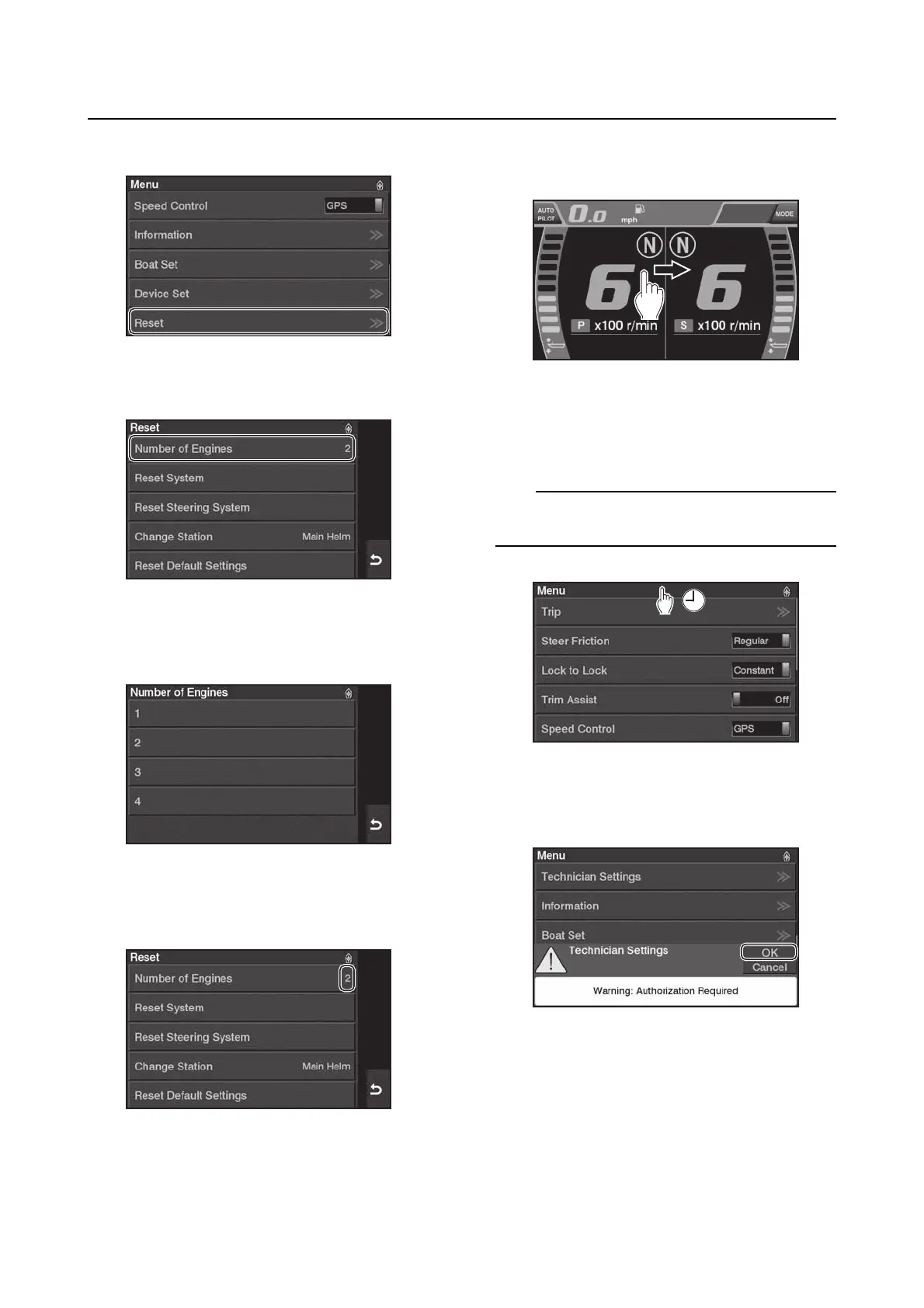
3. Tap “Reset”.
4. Tap “Number of Engines”.
5. Select the number of outboard motors
mounted on the boat.
6. Tap “Reset” to confirm that the number of
outboard motors has been changed.
Accessing the calibration menu
1. Open the menu screen by swipe.
2. Tap and hold the “Menu” bar for 10 sec-
onds. The “Technician Settings” menu will
be added to the menu.
Tap while the screen is scrolled all the way to
the top.
3. When the “Technician Settings” message
appears, tap “OK”.



 To Next Page