Stratus OCT User Manual PN 2660021134133 A
Data Management
7-3
To create a new patient record in the database, follow these steps:
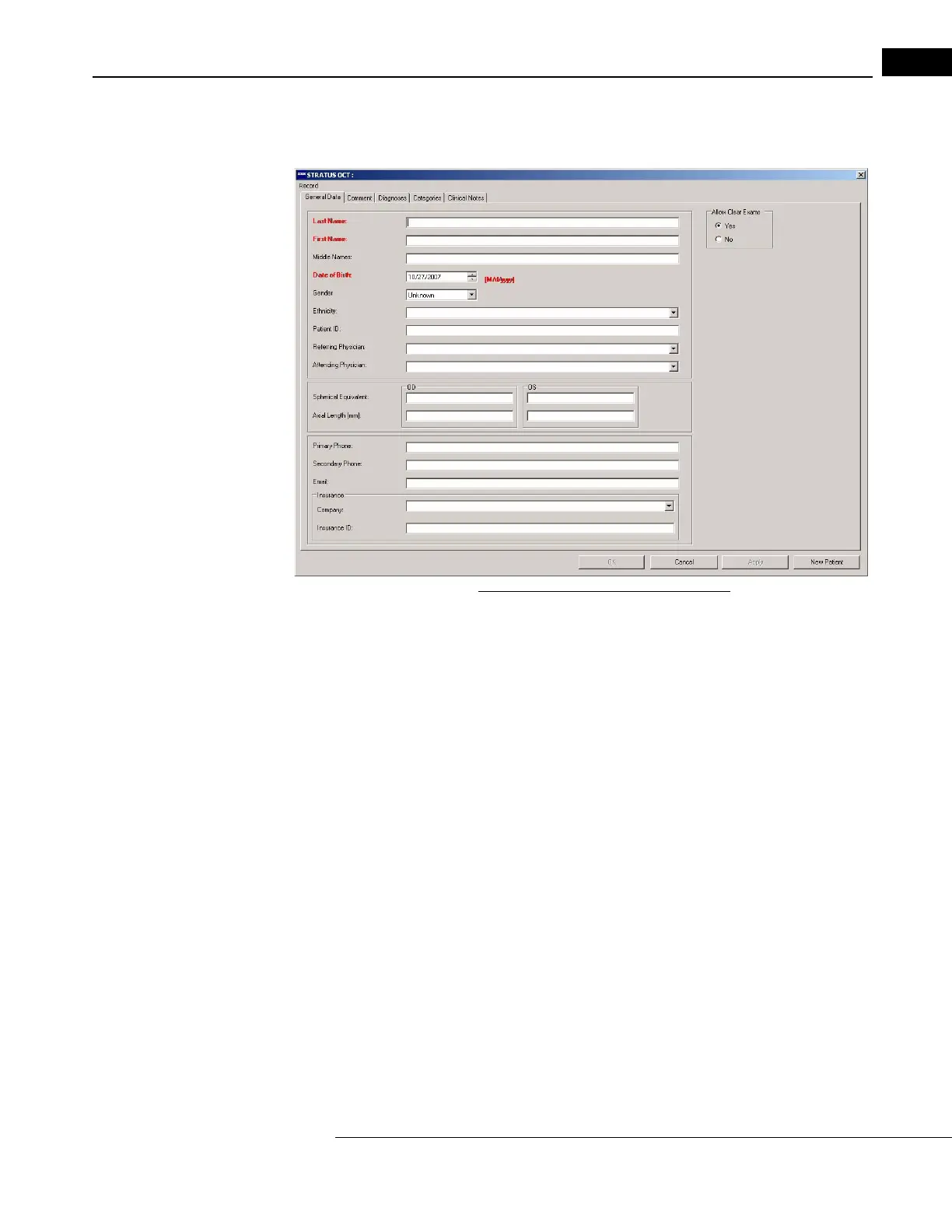
1. From the MAIN WINDOW, click the Add button. The PATIENT RECORD WINDOW appears,
Figure 7-1 The Patient Record Window
2. Only the fields in red are required to save a record. These are Last Name, First
Name and Date of Birth. You can enter information on all tabs in the P
ATIENT
R
ECORD WINDOW. After entering the desired data, click the OK button to accept the
changes and close the window, or click the Apply button to apply the changes
without closing the window. Click the Cancel button to discard the changes and close
the window.
Allow Clear Exams
When the Stratus OCT database reaches capacity
, you must make space by clearing scan
data that has been archived. However, you can prevent the exam records of any patient
from being among those cleared, if you click the No radio button in the Allow Clear
Exams area on the right. The Yes radio button is selected by default, allowing the Stratus
OCT to clear this patient’s exams when necessary, and only if they have been archived
(copied) first. See the section Clear Archived Exams on page 8-14 for more
information.



 To Next Page