Archive, Retrieve & Backup
Stratus OCT User Manual PN 2660021134133 A
8-14
7. The Retrieve Options dialog gives you the option to remove references to the source
archive media, which will enable you to re-archive the exams to a new or different
archive volume. To enable re-archiving, select the Remove reference to the archive
media checkbox. When you retrieve with this option selected, the Stratus OCT will no
longer recognize that the exam data is on the source archive, although a copy of the
data remains. Instead, the Stratus OCT will treat the retrieved exams as un-archived.
Click OK to begin retrieval, or click Cancel to cancel retrieval.
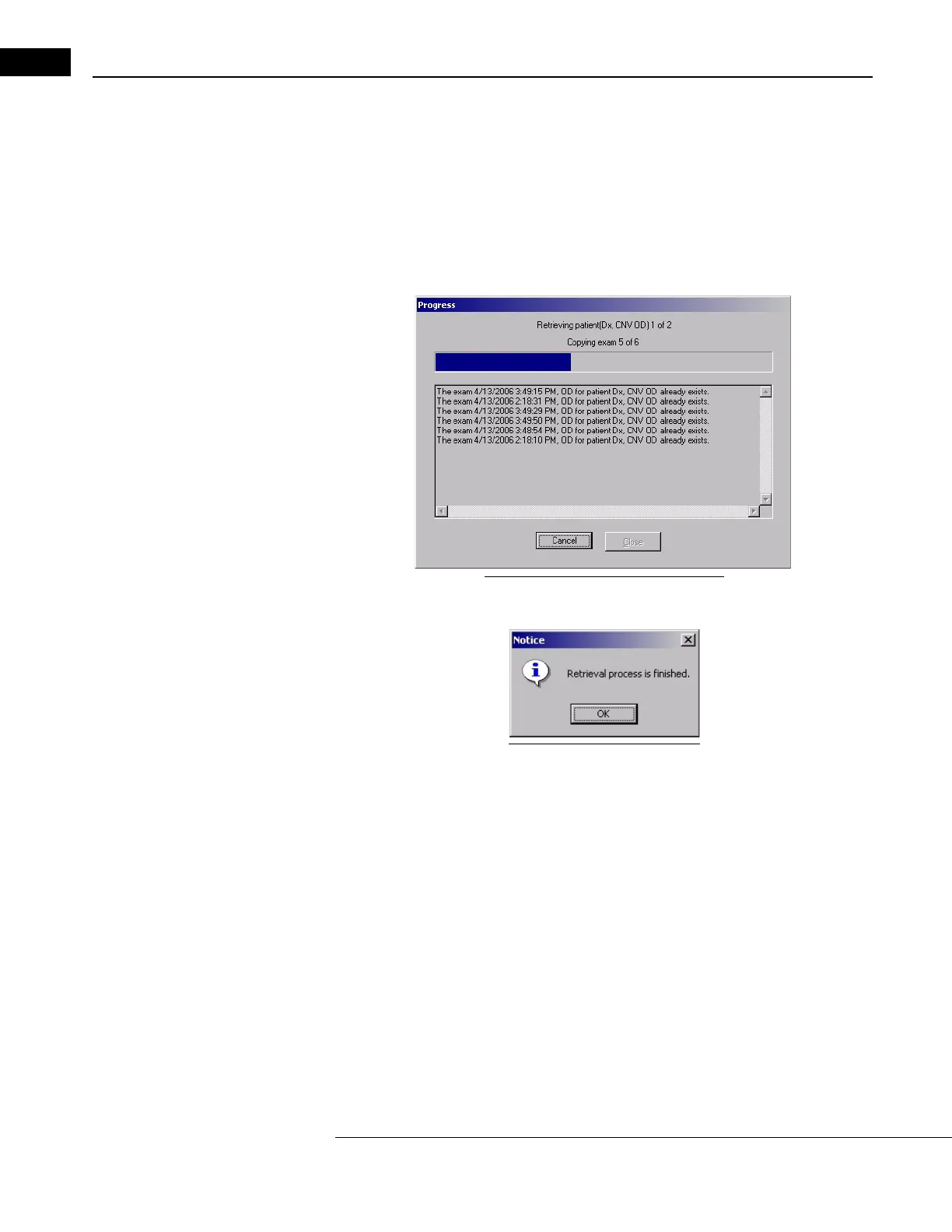
8. When you click OK, r
etrieval begins and a Progress dialog appears.
Figure 8-18 Retrieval Progress Dialog
• When retrieval is complete, the Stratus OCT notifies you.
Figure 8-19 Retrieval finished
Clear Archived Exams
Manual clearance of hard disk space is not required if you follow the
Recommendations For Automated Data Maintenance. If you have opted not to
use the automated clearance feature, follow the instructions below to clear hard disk space
manually
.
Scan data remains on the instrumen
t hard drive as long as possible, or until you choose to
remove it. With a new instrument, it takes many months up to a few years before the
Stratus OCT prompts you to clear scan data. If you do not clear (delete) scan data when
prompted, eventually the hard disk will reach capacity and prevent you from saving new
scans. At that point, you must clear scan data to save new scans.



 To Next Page