Analyze Scans
Stratus OCT User Manual PN 2660021134133 A
5-4
• Scan selection is optional, and you can do the same by using the Scan Group
Images Tab, as explained on page 5-2.
If you try to run an incompatible analysis, a message will so inform you.
Selection Window
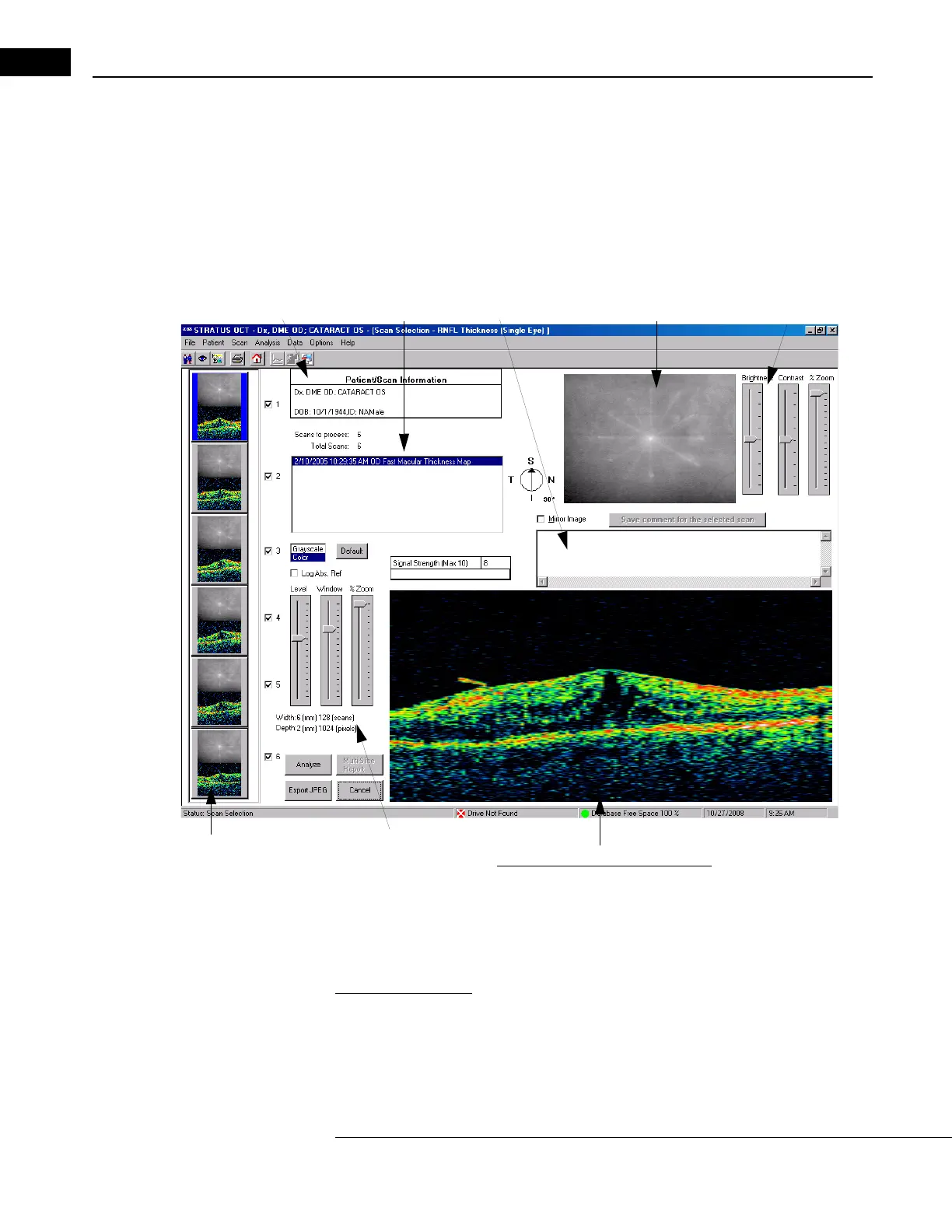
When you click the Scan Selection button at the bottom of the Analyze Tab, the SELECTION
W
INDOW appears.
OCT scan image
Fundus video image
Video image
adjustment controls
Scan image
adjustment controls
Thumbnail
scan images
Exam list
Patient Data
Scan comments field
Figure 5-4 The Selection Window
This window permits you to select which exams and scans to include in the analysis and to
enter individual scan comments. The window displays the scan image of the highlighted
thumbnail (first scan by default). Click on a thumbnail to display that scan.
Image Adjustment
Adjustments that you make to the scan image Level and Window, and to the fundus image
Brightness and Contrast affect the images here and on the resulting analysis output
window and printouts. You can make the following adjustments.



 To Next Page