Stratus OCT User Manual PN 2660021134133 A
Analyze Scans
5-3
Note: Some analyses assume or require a predetermined number of scans for
analysis. Deselecting scans may prevent the analysis from working. Some analyses
may work with less than the optimal number of scans, but yield output that relies
more on interpolation and may be less accurate in interpolated areas.
Select an Analysis Protocol
When you select a scan group for analysis, the Str
atus OCT disables (grays out) all
incompatible analysis protocols, leaving only compatible analyses available for selection.
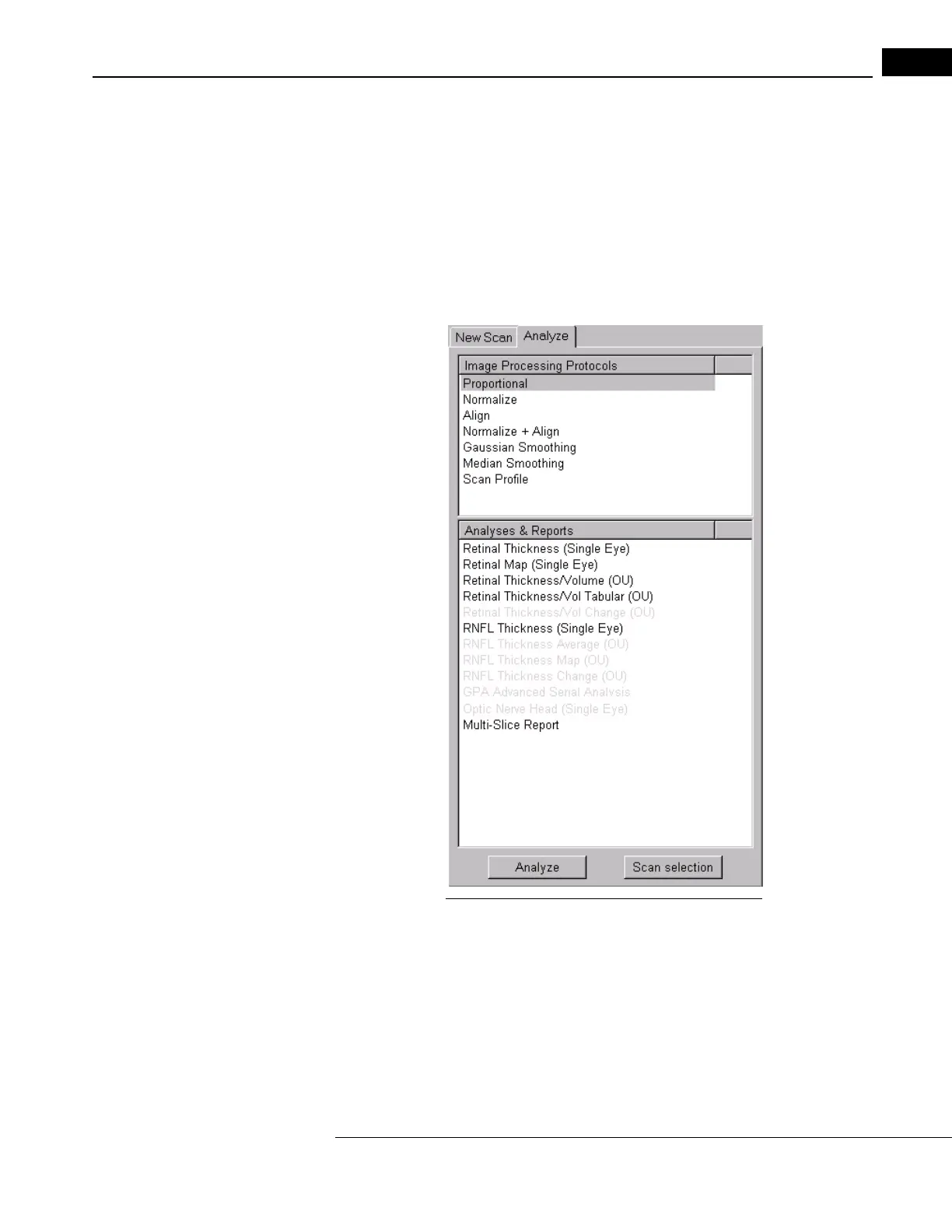
Select an analysis protocol using the Analyze Tab, pictured below.
Figure 5-3 The Analyze Tab in the Main Window
Click Analyze or Scan Selection
When you have selected a protocol, you can either:
1. Start the analysis immediately by clicking the An
alyze button or by double-clicking the
protocol;
Or:
2. Click the Scan S
election button to inspect one or more scans for exclusion from the
analysis. This leads to the Selection Window, described on page 5-4.



 To Next Page