Archive, Retrieve & Backup
Stratus OCT User Manual PN 2660021134133 A
8-6
• We recommend you keep your DVD archives in a cabinet. Do not expose them to
bright light or sunlight for extended periods.
• To protect them from spills and other office acciden
ts, do not leave them out on desks
for extended periods.
• Do not stack DVD-RAM disks on top of each other, nor place anything else on top of
a D
VD-RAM, especially cups containing liquids.
Duplicate Full DVD Archives
For added security, duplicate the full DVD archive
disk. Keep the original archive disk in a
secure location for use with the instrument as needed. Store the duplicate copy off-site in a
secure location.
Format DVD-RAM Disks
To archive, backup or export requires a DVD-RAM cartridge formatted in the Universal Disk
Format (UDF1.5). Carl Zeiss Meditec provides unformatted DVD-RAM cartridges that must
be formatted correctly to work in your DVD-RAM drive.
Brand: Carl Zeiss Meditec has qualified the following brands to work with the Stratus OCT:
• Verbatim 4.7 GB DVD-RAM Type 2
• Panasonic 4.7 GB DVD-RAM Type 2
• OptoDisk 4.7 GB DVD-RAM Type 2
• Imation 9.4 GB double-sided DVD-RAM
We recommend that you use one of these brands.
WARNING: Formatting erases any data currently on the disk. Be sure that the
disk is empt
y before formatting. Formatting a disk that contains archive or
backup data will permanently destroy that data!
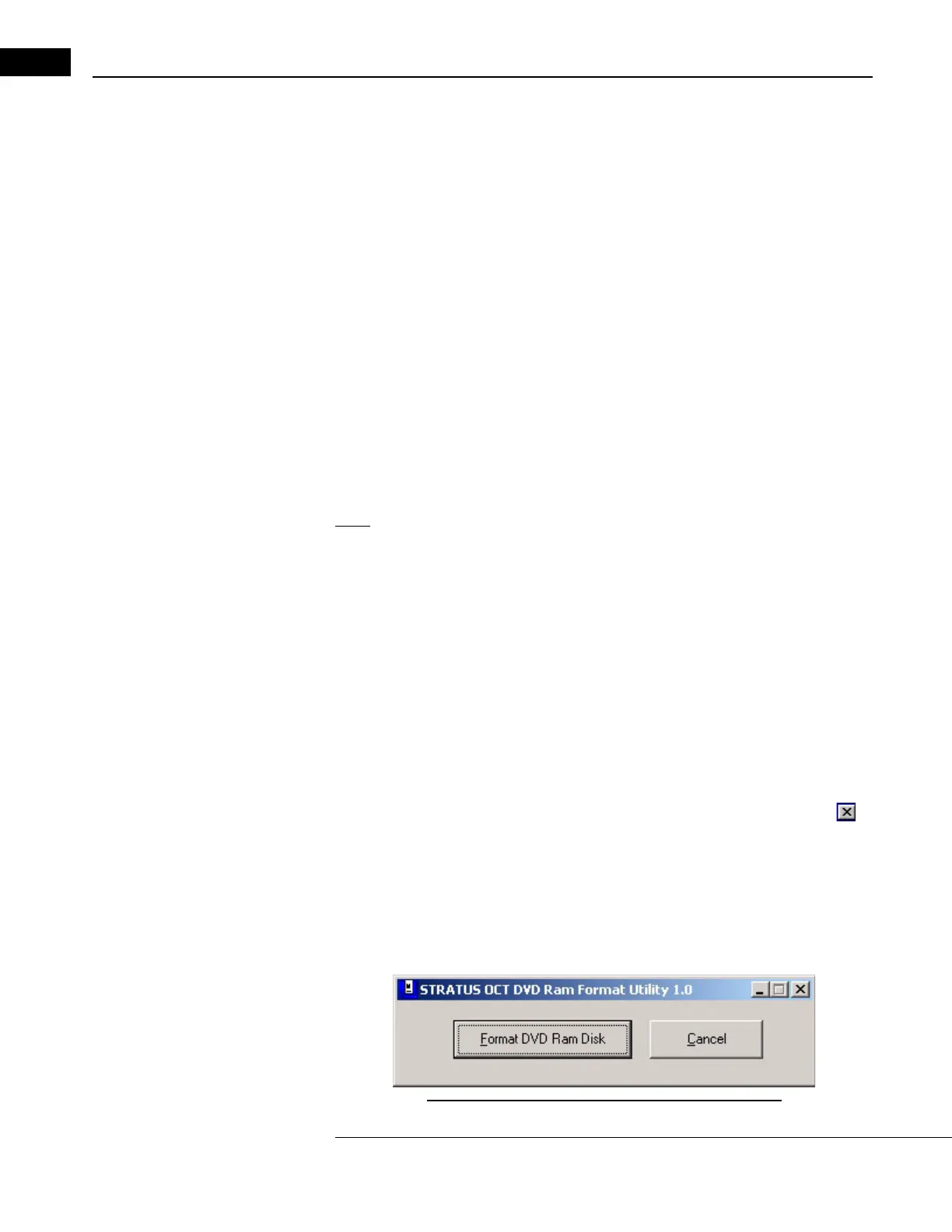
Follow these steps to format a DVD-RAM disk:
1. Power up the system. Exit the Stratus OCT program (click File > Exit or cl
ick the at
upper right) to enter the Windows desktop. Be sure that the new DVD-RAM disk
ca
rtridge is not write-protected: Check the switch near the lower left of the cartridge.
Install the new disk cartridge into the DVD drive.
2. Double-click the STR
ATUS DVD Formatter desktop icon, or click Windows Start >
Programs > Stratus OCT > STRATUS DVD Formatter. The Stratus OCT DVD Ram
Format Utility appears.
Figure 8-4 The Stratus OCT DVD Ram Format Utility



 To Next Page