Data Transfer Using CDs and DVDs
Stratus OCT User Manual PN 2660021134133 A
D-4
CD–RW and DVD–RW Format Options
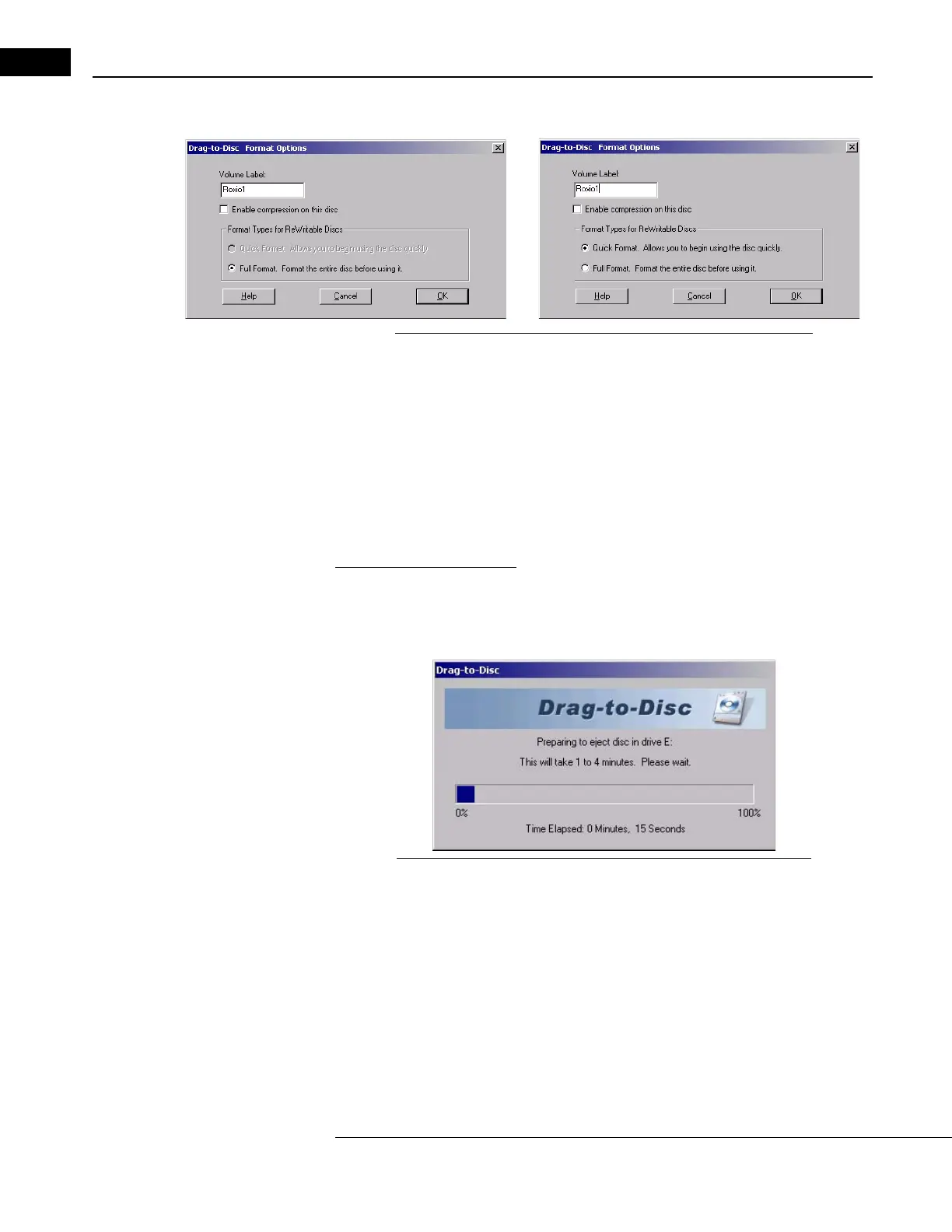
Figure D-4 CD-RW (left) and DVD-RW (right) Format Options
For a new, blank CD–RW, you have only the option to perform a full format. If the CD–RW
was previously formatted, you can perform a quick or full format. A full format requires
25-45 minutes.
For a DVD–RW you can perform a full format or a quick
format at any time. A full format
requires 40 to 90 minutes; a quick format requires a few minutes.
Note: Both quick and full formatting effectively erase any data currently on
the disk. Use these options with care to prevent loss of patient data.
The Advantage of Full Format
For both CD–RW and DVD–RW, full format has this advantage: the disk ejects immediately
when you eject it. If the disk is quick formatted, it requires 1 to 4 minutes for the disk to
eject, as illustrated below.
Figure D-5 Waiting to Eject a Quick Formatted Read/Write Disk
Erasing Read/Write Disks
You can erase or re-format both CD–RW and DVD–RW disks. Use these options carefully:
O
nce you erase or re-format, you will no longer have access to the data that was present.
If you erase CD–RW or DVD–RW disks, you must re-format them to use them again.
Roxio Software Configuration—Eject Settings
To successfully import Stratus OCT data from a CD or DVD, the importing instrument or PC
must be able to write to the CD or DVD (as well as read it). Therefore, when ejecting the CD



 To Next Page