Using a Network Storage Device
Stratus OCT User Manual PN 2660021134133 A
E-6
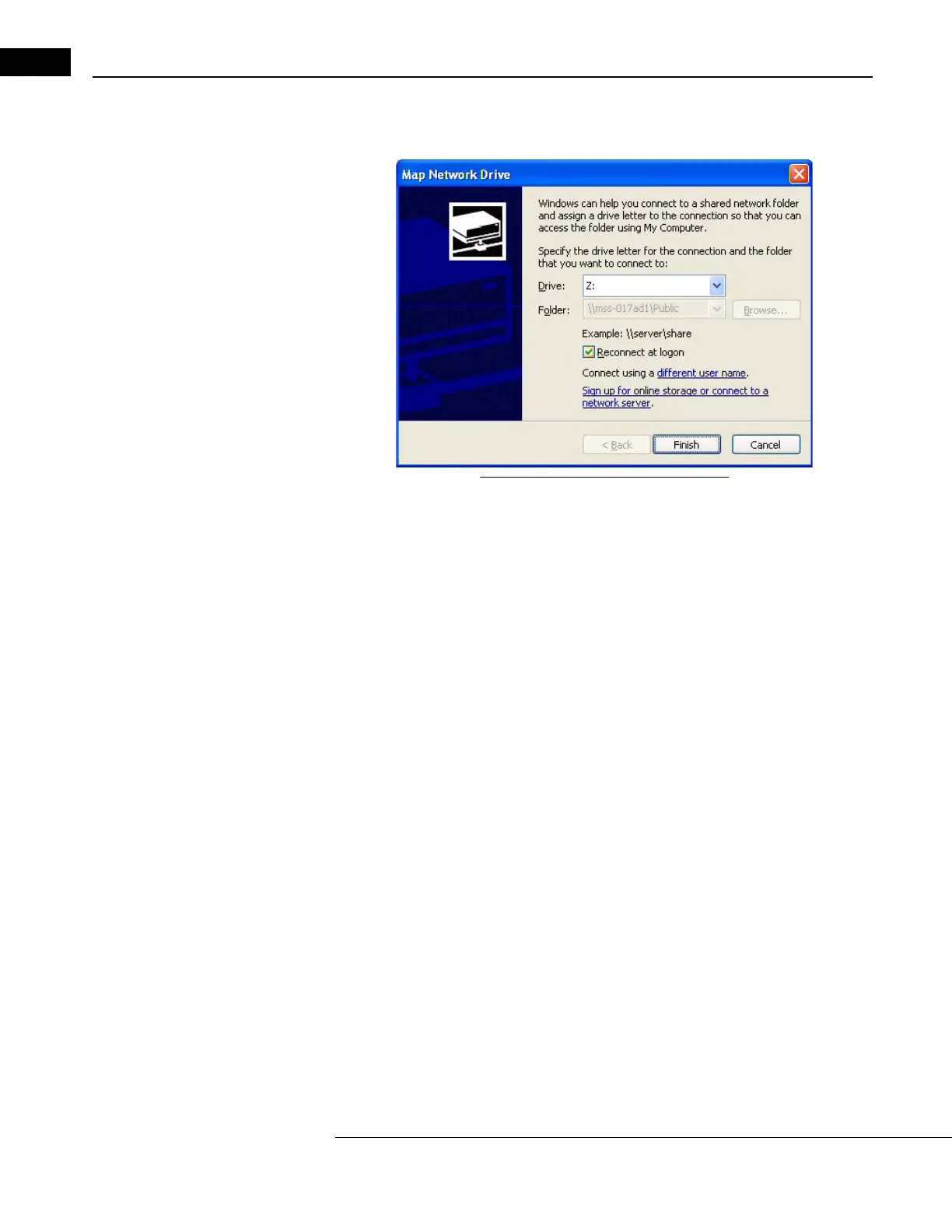
4. Click to select the correct storage folder. Then click Tools > Map Network Drive. The
Map Network Drive dialog appears.
Figure E-3 Map Network Drive Dialog
5. In the Drive field, select any available network drive letter, using the down-arrow on
the right. You may, for example, choose N: for network storage device.
•In the Folder fie
ld, note that the folder name is already selected and
unavailable to be changed.
• Do not clear the Re
connect at logon check box.
6. Click Finish.
You have now completed configuration. To archive to the NAS device,
register the drive letter assigned to the NAS device as an archive volume. See
Archive Registration and Management on page 8-4 for details.
Cleaning the NAS Device
Regular periodic cleaning of the NAS device is not required. However, if the device
becomes dusty, you may clean it using a soft bristle brush such as a keyboard brush. Do
not use liquid cleaners unless specifically directed by the manufacturer, since they may drip
into the device and cause it to malfunction.



 To Next Page