Data Management
Stratus OCT User Manual PN 2660021134133 A
7-14
4. Click the OK button to accept the diagnosis changes and close the window, or click
the Apply button to apply the changes without closing the window. Click the Cancel
button to discard the changes and close the window.
Register, Edit and Assign Medical Staff
Stratus OCT enables you to create and edit medical staff records and assign staff to patient
records. Besides its record-keeping function, once you assign staff to patient records, you
can search for patients by staff using the advanced Record Search function during export
and retrieve. See Advanced Search on page 7-2 for more information.
Note: Medical staff names are not case-sensitive. For example, “Richards” and
“richards” would be treated as the same name in a search.
Register (Create), Edit and Delete Staff Records
To register (create) and/or edit medical
staff records, follow these steps:
1. From the M
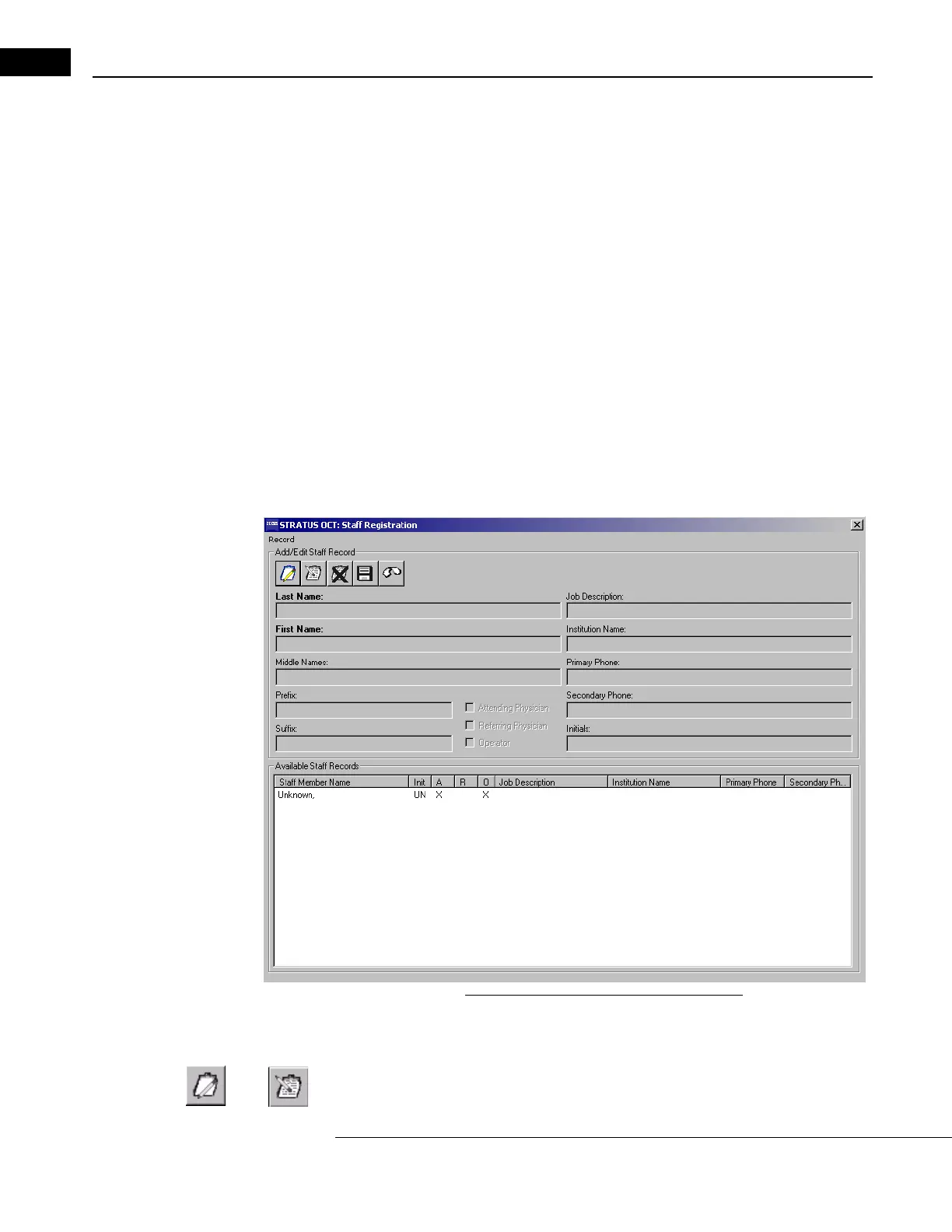
AIN WINDOW, click Options > Register > Staff. The STAFF REGISTRATION
W
INDOW appears:
Figure 7-11 The Staff Registration Window
2. In the STAFF REGISTRATION WINDOW, you can create (register), edit and delete staff
records.
• To create a new staff record, click the Cr
eate New Staff Record button.



 To Next Page