Stratus OCT User Manual PN 2660021134133 A
Data Management
7-13
description will read “Glaucoma,” as if the record were created on importing
instrument B.
To delete a diagnosis and remove references to it in
all records, click the diagnosis you wish
to delete and then click the
Delete Selected Diagnosis Forms button. You must confirm your
choice in the C
ONFIRM dialog box.
Assign Diagnoses to Patients
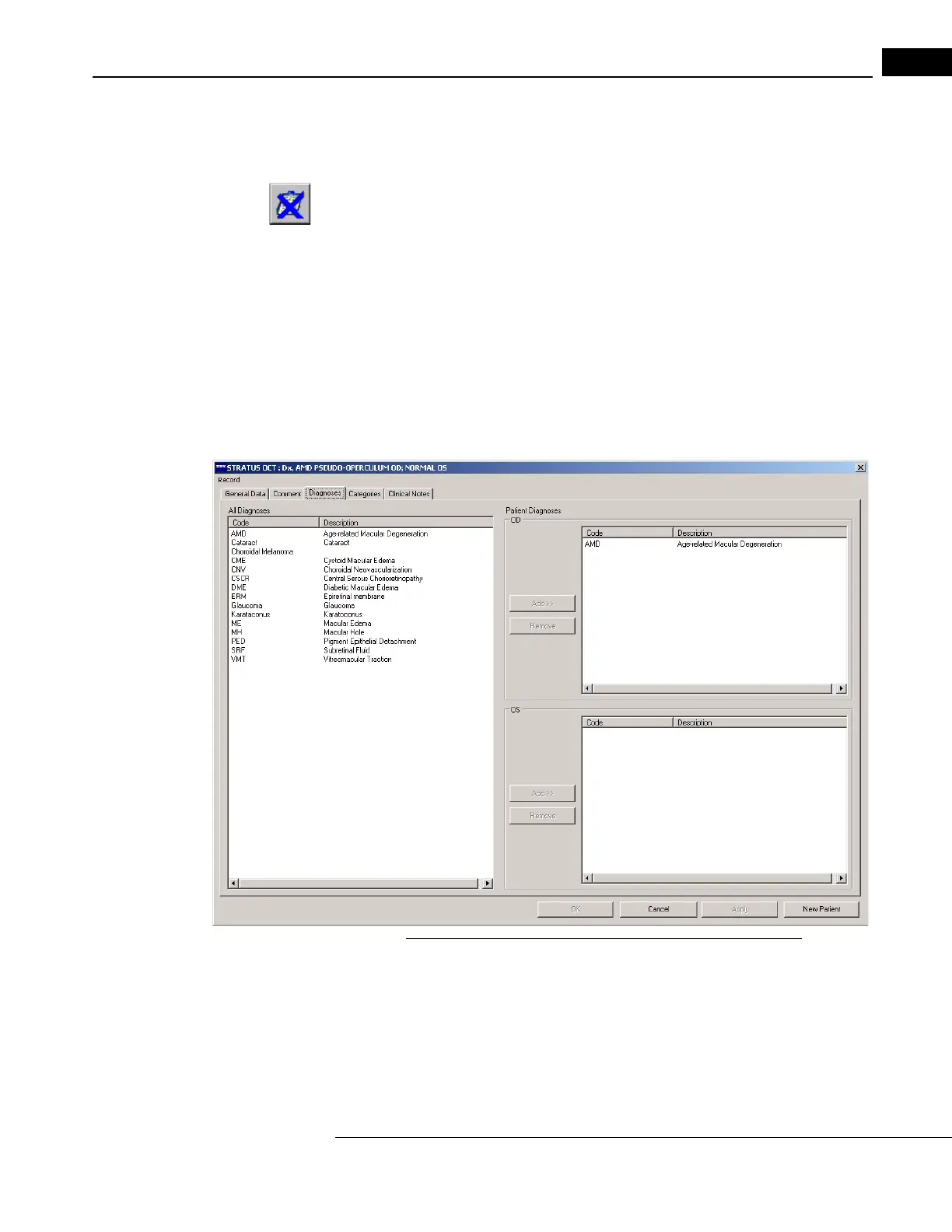
You can assign diagnoses to patients and revoke them in the Diagnos
es Tab of the
P
ATIENT RECORD WINDOW while creating or editing a patient record. To do so, follow these
steps:
1. In the M
AIN WINDOW, select the desired patient and click the Edit button, or select Edit
Patient from the Patient menu (click Patient > Edit Patient). The P
ATIENT RECORD
W
INDOW appears.
2. In the P
ATIENT RECORD WINDOW, click the Diagnoses Tab to bring it to the front.
Figure 7-10 The Diagnoses Tab of the Patient Record Window
3. Select one or more diagnoses from the list of All Diagnoses on the left and then
click the Add button for the applicable eye, either OD above or OS below.
• To remove diagnoses currently assigned to an eye, select one or more from the
OD or OS list on
the right and then click the Remove button.



 To Next Page