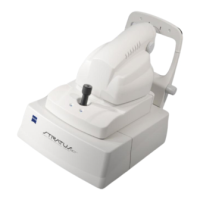
Stratus OCT User Manual PN 2660021134133 A
Configuration Guide
B-1
(B) Configuration Guide
Overview
This document provides configuration instructions to enable transfer of Stratus OCT data
from a Stratus instrument to a personal computer (PC) running Stratus Review Software (a
Stratus review station) via network connection or removable media. It provides an overview
of data transfer methods, and addresses two kinds of network connection, as follows:
• Data Transfer Overview: Import or Retrieve Data, starting on page B-2
• Configuration for Export via Preexisting Office Network, starting on page
B-3.
• Stratus to Review Station Direct Network Connection (Crossover Cable)
Instructions, starting on page B-13
Note: Import Data to Complete Process. To access exported data in Stratus Review
Software, you must complete the process by importing the data from the local
shared folder you will create as part of these instructions. See On the Review
Station PC: Import Data from the Lo
cal Shared Folder on page B-13.
Once Stratus OCT data is in the database of a revie
w station PC, it is possible to transfer it
among Stratus network endpoints (Stratus instruments or PCs running Stratus Review
Software) via networking or any type of removable media compatible with both systems.
However, this document does not directly address any method of data transfer among PCs,
which is at the user’s discretion.
Note: Carl Zeiss Meditec offers for sale a network attached storage device (network
drive or NASD) for archive and data transfer with Stratus OCT, and a network switch
kit for those with Stratus OCT systems that require retrofitting to use the NASD.
Instructions to install and use each of these items accompany them in their
respective kits.
Note: Carl Zeiss Meditec offers for sale a kit with a USB hub you can attach to the
Stratus OCT to enable data transfer using a USB key (flash drive or jump drive). To
use this method, refer to the Stratus OCT USB Hub & Key Configuration Instructions
that accompany the kit.
WARNING: Users are responsible for network setup and maintenance,
including installation and configuration of all necessary hardware and
soft
ware. Carl Zeiss Meditec Technical Support is limited to testing network
connectivity of the Stratus OCT. Technical Support cannot troubleshoot or
repair problems with network connectivity. Please refer to Appendix (A)
Networking Guidelines for more information on the capabilities and
limitations of Stratus networking.


 To Next Page