Archive, Retrieve & Backup
Stratus OCT User Manual PN 2660021134133 A
8-4
Note: The Stratus OCT hard drive can hold several thousand scans before it will
prompt you to clear scan data. Scan data clearance is for long-term database
maintenance.
To preserve it and ensure fast access to it, th
e Stratus OCT tries to retain exam data, and
clears only enough exams to forestall the reappearance of the yellow or red indicator for
several days or weeks, depending on the acquisition rate of new exams. Exams are cleared
by last modification date, oldest first. For detailed information, see Clear Archived
Exams on page 8-14.
Archive Registration and Management
Archive registration is the process used to create and manage archive volumes. Each
archive volume on a network file server must have a unique name. When an archive is
registered, its name is added to a list of archives your Stratus OCT can access.
Access Archive Registration
You can access the Archive Registr
ation dialog in two ways:
1. From the M
AIN WINDOW, select Register > Archive from the Options menu (click
Options > Register > Archive).
2. On startup, the Stratus OCT checks the remaining disk space of the current archive
volum
e. When an archive volume nears capacity, the Stratus OCT prompts you to
create a new one. If you click Yes to proceed, the Archive Registration dialog appears.
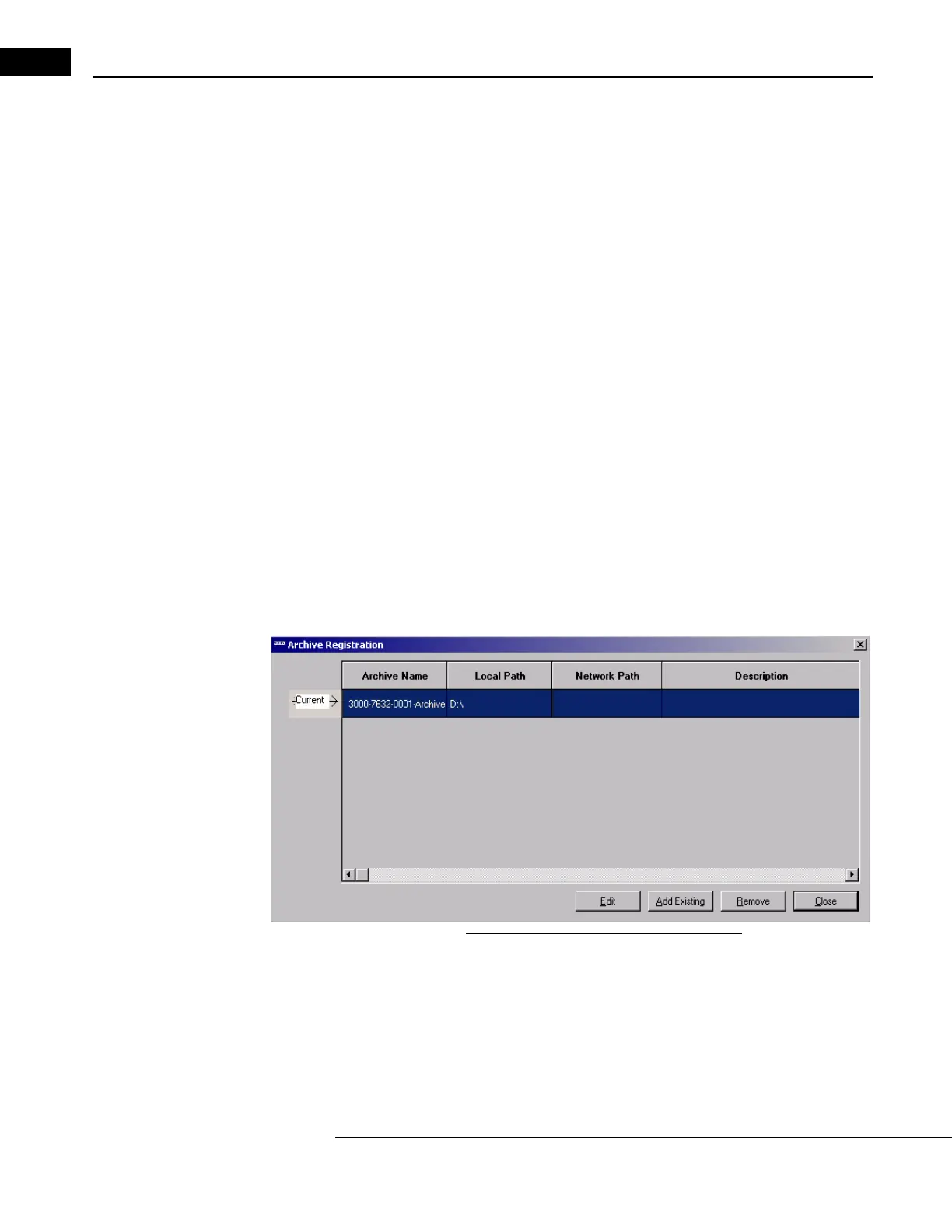
Figure 8-2 The Archive Registration Dialog
It shows all registered archives, both network and DVD archives. (DVD archives have a local
path, not a network path.) The current archive is indicated on the left with an arrow.
Register Existing Network Archive(s)
If archive volumes created on different Stratus OCT instrumen
ts exist on the same network
file server, any Stratus OCT can access the scans of any other Stratus OCT instrument. This



 To Next Page