Export and Import Scan Data
Stratus OCT User Manual PN 2660021134133 A
9-6
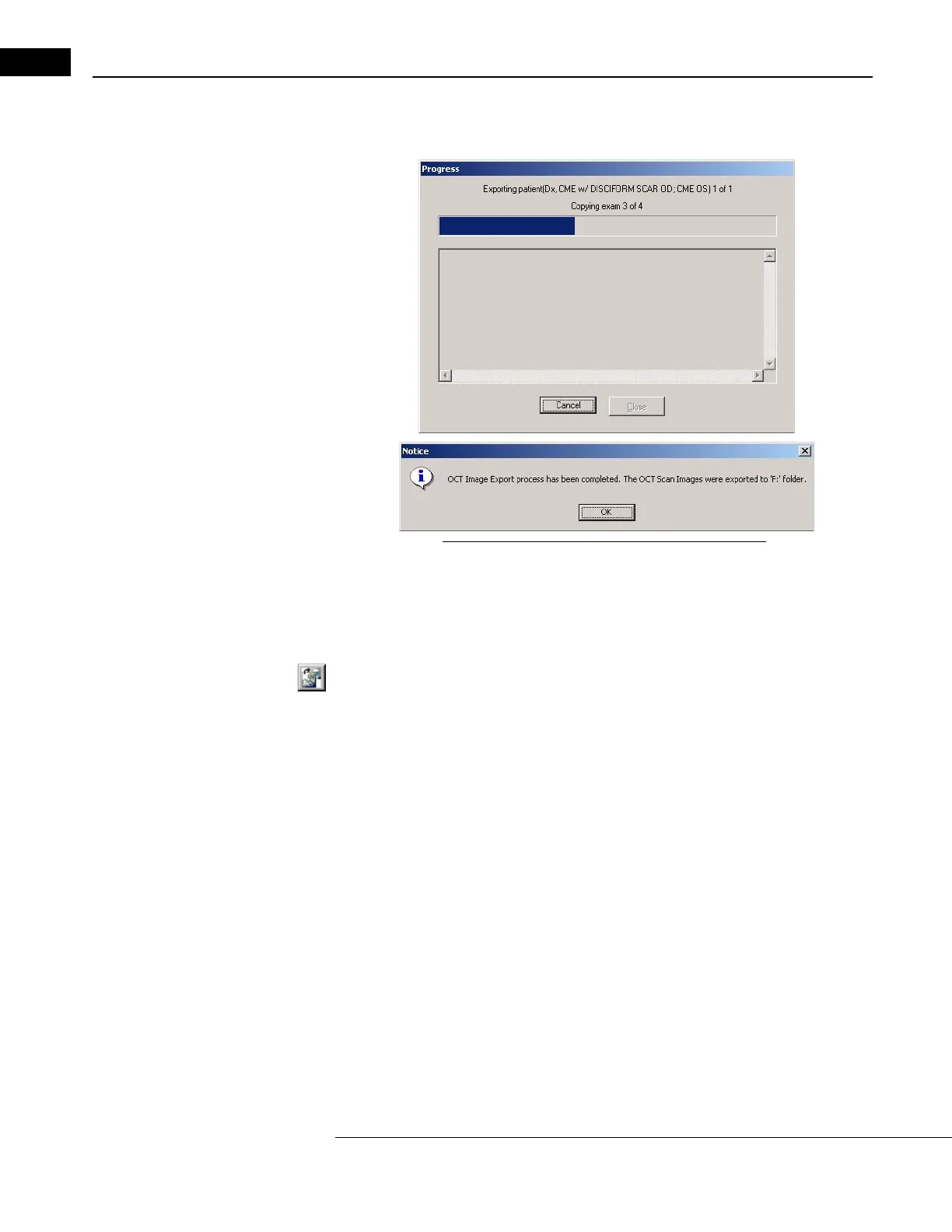
5. When finished making your selections, click OK to start export. A Progress dialog
appears and shows export progress. A Notice dialog tells you when export is finished.
Figure 9-4 Export Progress and Completion Notice
From the Main Window
Follow these steps to use OCT Image Export from the M
AIN WINDOW:
1. In the M
AIN WINDOW, select one patient, all of whose scan images you will export.
2.
Click the OCT Image Export button on the toolbar, or select OCT Image Export from
the Da
ta menu. The OCT Image Export Options dialog appears. (See Figure 9-3
above.)
3. From this point, follow steps 4. and 5. starting on page 9-5. The options are
identical.
Database Export
The Stratus OCT offers the ability to export data to another Stratus OCT instrument. Unlike
OCT image export, this method exports all available Stratus OCT data for the patients and
exams you select. You have the option to obscure patient data.
Note: You must create a Clinical Site ID to successfully export images and data,
because exported data must be associated with the source clinic. See Site ID and
Logo on page 7-19.
Export Media & Methods
It is possible to export data:
1. T
o removable media. Compatible removable media can include optical media
(DVD-RAMs, CDs and DVDs) as well as USB devices, depending on your equipment.



 To Next Page