Stratus OCT User Manual PN 2660021134133 A
Data Management
7-17
Delete Patient, Visit and Exam Records
Delete Patient Records
Stratus OCT permits you to delete a patient recor
d and all its associated visit and exam
records at once. You must delete one patient record at a time. To do so, follow these steps:
1. In the M
AIN WINDOW, select the patient record (name) you wish to delete.
2. Select Edit P
atient from the Patient menu (click Patient > Edit Patient) to open the
P
ATIENT RECORD WINDOW.
3. In the P
ATIENT RECORD WINDOW, click the Record menu at top left and select Delete.
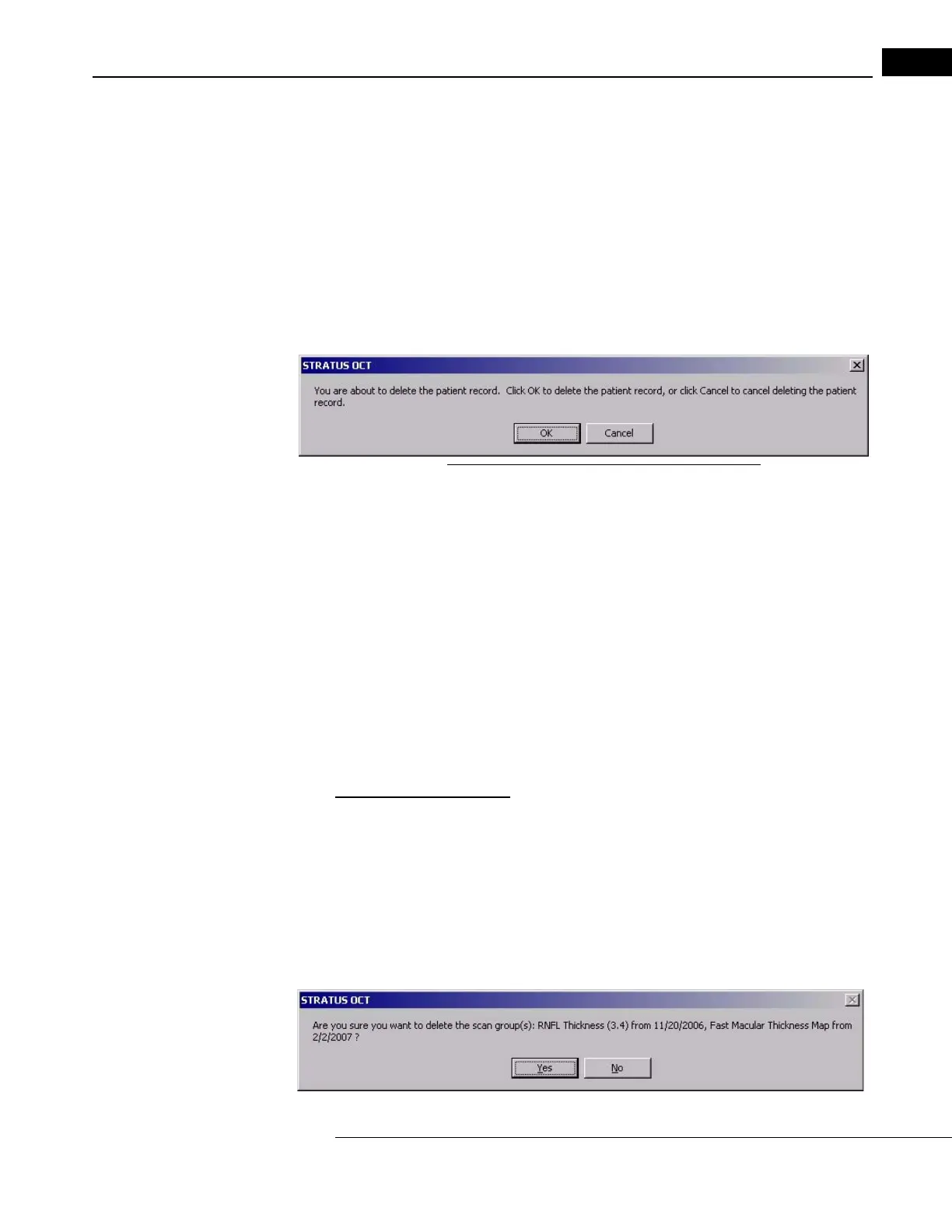
You must confirm your choice in the dialog box that appears.
Figure 7-13 Confirming a patient record deletion
•Click OK to confirm deletion or Cancel to cancel deletion.
In the M
AIN WINDOW, you can verify that deleted patients no longer appear in the list.
Delete Exam Records
Note: An exam record is a single item, named by scan type, under OD Scan Group
or OS Scan Group in the central list in the M
AIN WINDOW. An exam record is the
same as a scan group, although an exam may consist of only one scan. The terms
“exam,” “exam record” and “scan group” are used interchangeably.
You can delete one exam record at a time by opening the E
XAM RECORD WINDOW, or you can
delete one or more exam records (scan groups) at once using the Delete Scan Group(s)
option in the Patient menu.
Recommended Method
The simpler and therefore recommended method to delete one or more scan groups is to
use the Delete Scan Group(s) option in the Patient menu. Follow these steps:
1. Select any number of exam records from any visit for the current patient. Hold the Ctrl
k
ey and click (Ctrl-click) to select multiple exams.
2. Select De
lete Scan Group(s) from the Patient menu (click Patient > Delete Scan
Group(s) to delete the selected exams. You must confirm your choice in the dialog box
that appears.


 To Next Page