Archive, Retrieve & Backup
Stratus OCT User Manual PN 2660021134133 A
8-8
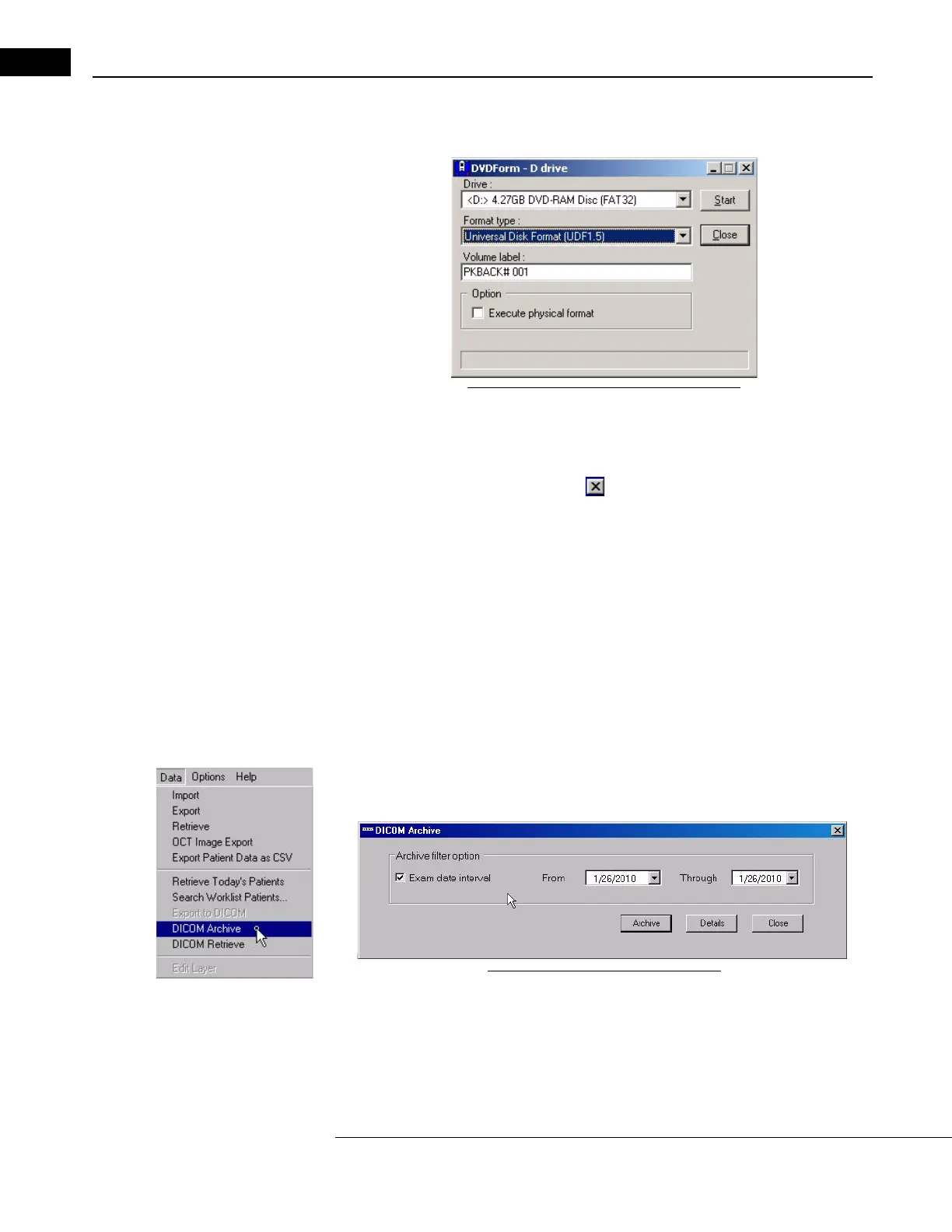
5. Click on the down-arrow next to the Format Type field and select Universal Disk
Format (UDF1.5).
Figure 8-9 Select the UDF1.5 Format Type
6. Click Start. Formatting will begin. The progress bar across the bottom will indicate
formatting progress. A dialog will notify you when formatting is complete.
7. Click OK to dismiss it. The D
VDForm dialog reappears.
8. When finished, click Close or
on the to exit the program.
DICOM Archive and Retrieve Workflow
Overview
Features include: Archive to DICOM server and Retrieve from DICOM server. DICOM
A
rchive and Retrieve is only available with the DICOM2 Integration license. Native archive
is not available when DICOM2 is designated for use with Archive and Retrieve.
Archive to DICOM Server
The auto archive feature is not present when the DICOM2 Integration license is activated.
W
ith DICOM2, the user must manually archive each exam individually.
From the MAIN WINDOW, click on Data and find DICOM Archive on the pull down menu,
as shown at left. The DICOM A
rchive dialog appears:
Figure 8-10 DICOM Archive Dialog
You can define a time range for exam dates to archive by checking the Exam Date
Interval box and filling in the desired date range in the From and Through boxes. In
order to archive the exams taken today, it is recommmended that you check the Exam
Date Interval box and leave the From and Through dates as today. Press Archive to



 To Next Page