Stratus OCT User Manual PN 2660021134133 A
Archive, Retrieve & Backup
8-3
Recommendations For Automated Data Maintenance
To maximize data security and long-term database performance with minimal effort, we
recommend that you automate data maintenance. To do this, use the Data
Management Tab of the Preferences dialog, as described next.
WARNING: It is the user’s responsibility to protect their exam data from loss.
New scans acquired since your last archive,
and changes to the scan index
database since your last backup are subject to permanent loss in case of
computer malfunction. We recommend that you automate data
maintenance, as described in this section.
Data Management Preferences
Follow these steps to automate data maintenance:
1. In the M
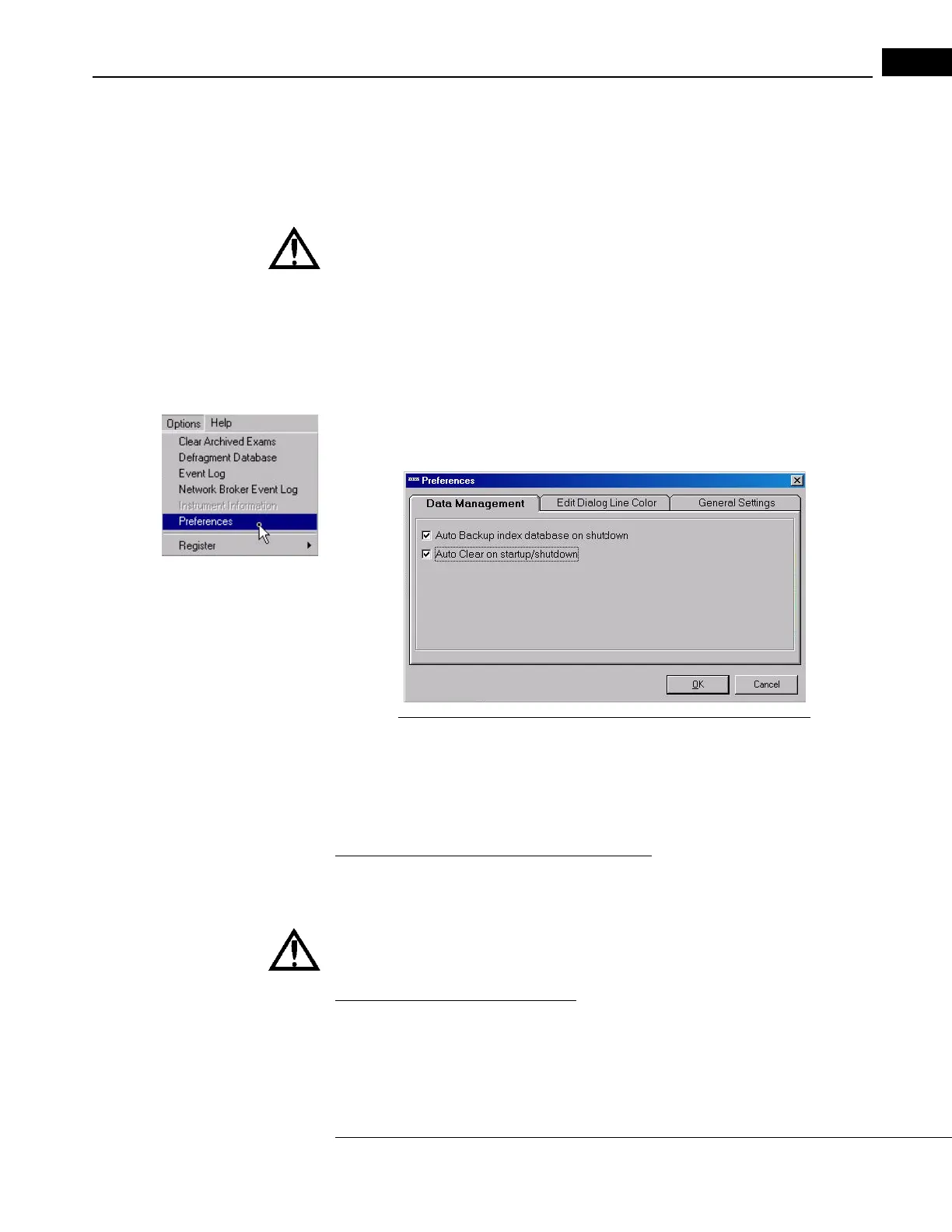
AIN WINDOW, select Preferences from the Options menu (click Options >
Preferences). The Preferences dialog opens to the Data Management Tab:
Figure 8-1 The Data Management Tab in the Preferences Dialog
2. By default the checkboxs are empty. Select both checkboxes, as in Figure 8-1 above.
These selections have the effects described next.
Automated Data Maintenance Behavior
Auto Backup index database on shutdown
When selected, on shutdown the Stratus OCT will automatically backup (copy) the index
database to the current archive location.
WARNING: Failure to select this option to perform automatic backup may
result in the loss of medical exam data.
Auto Clear on startup/shutdown
When selected, on startup and shutdown the Stratus OCT checks the hard disk space
indicator. If it is not green, a dialog will inform you that the Stratus OCT will clear—
delete—archived exams. Un-archived exams will not be cleared. Click OK to proceed with
deletion of archived scan images, or Cancel to not clear.



 To Next Page