Stratus OCT User Manual PN 2660021134133 A
Prepare To Scan
2-3
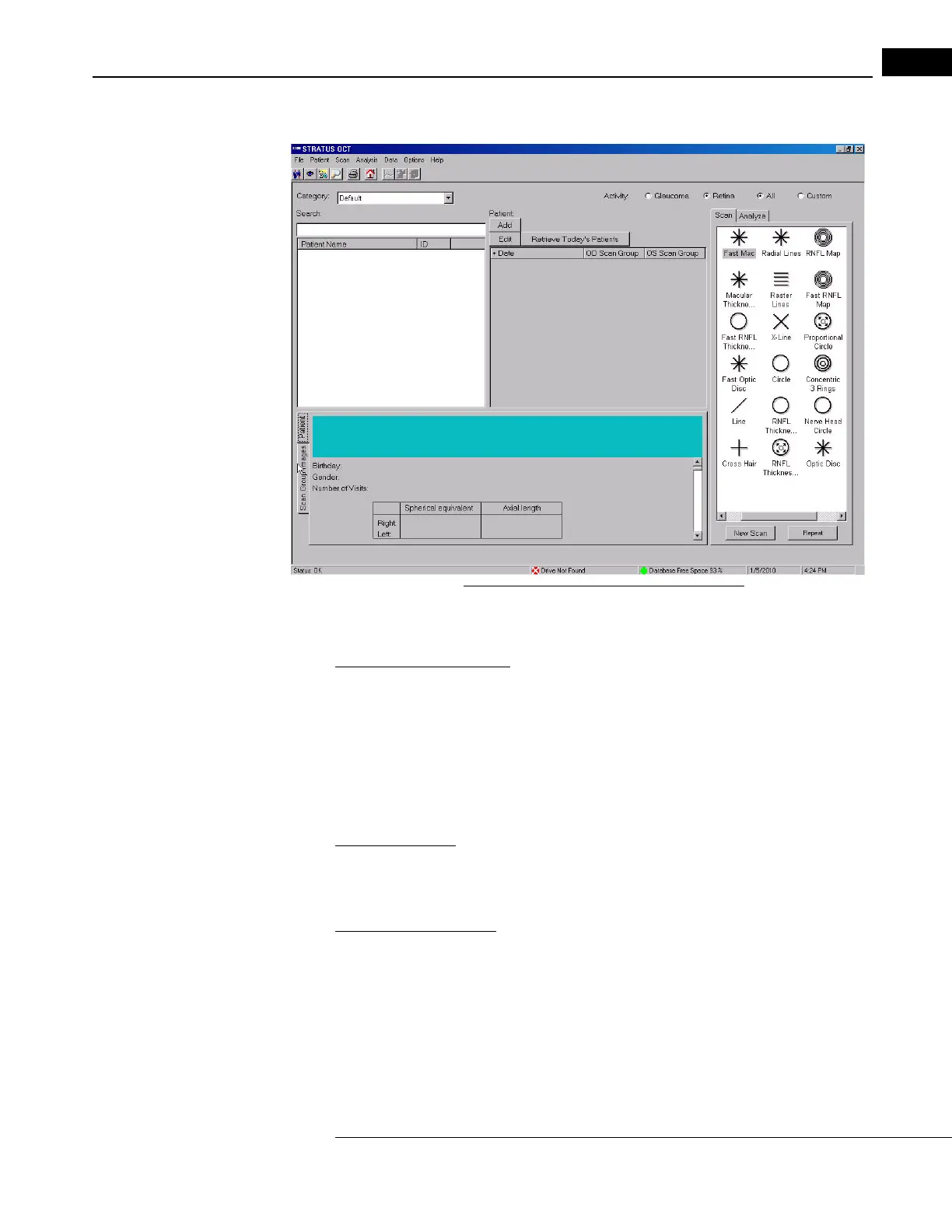
•The Patient and Scan Group Images Tabs (lower left)
Figure 2-3 The Stratus OCT Main Window
Each area has its own functionality, which the manual describes in the context of its use.
Resize Functional Areas
• You can resize any area by placing the pointer over its interior edge until the
two-headed arrow appears. Then click and drag to resize.
Navigation in General
To navigate among alternatives on the screen, use the mouse to move the screen pointer.
O
nce you reach your selection, click the mouse.
Text Convention
• This manual means “left-click” when it says, “click,” except where “right-click” is
specified.
Access Menu Options
To access the options offered through each menu, click on the menu headings. Then click
on an option to select it. Click outside all menu options to make the options disappear.
• Some menus are fields tagged with a down-arrow (drop-down lists). To access these
menu opti
ons, click on the down-arrow.
• Grayed-out menu options or buttons are not available.



 To Next Page