Prepare To Scan
Stratus OCT User Manual PN 2660021134133 A
2-6
Note: The DICOM workflow for Modality Worklist is available if DICOM1 Integration
is licensed and activated.
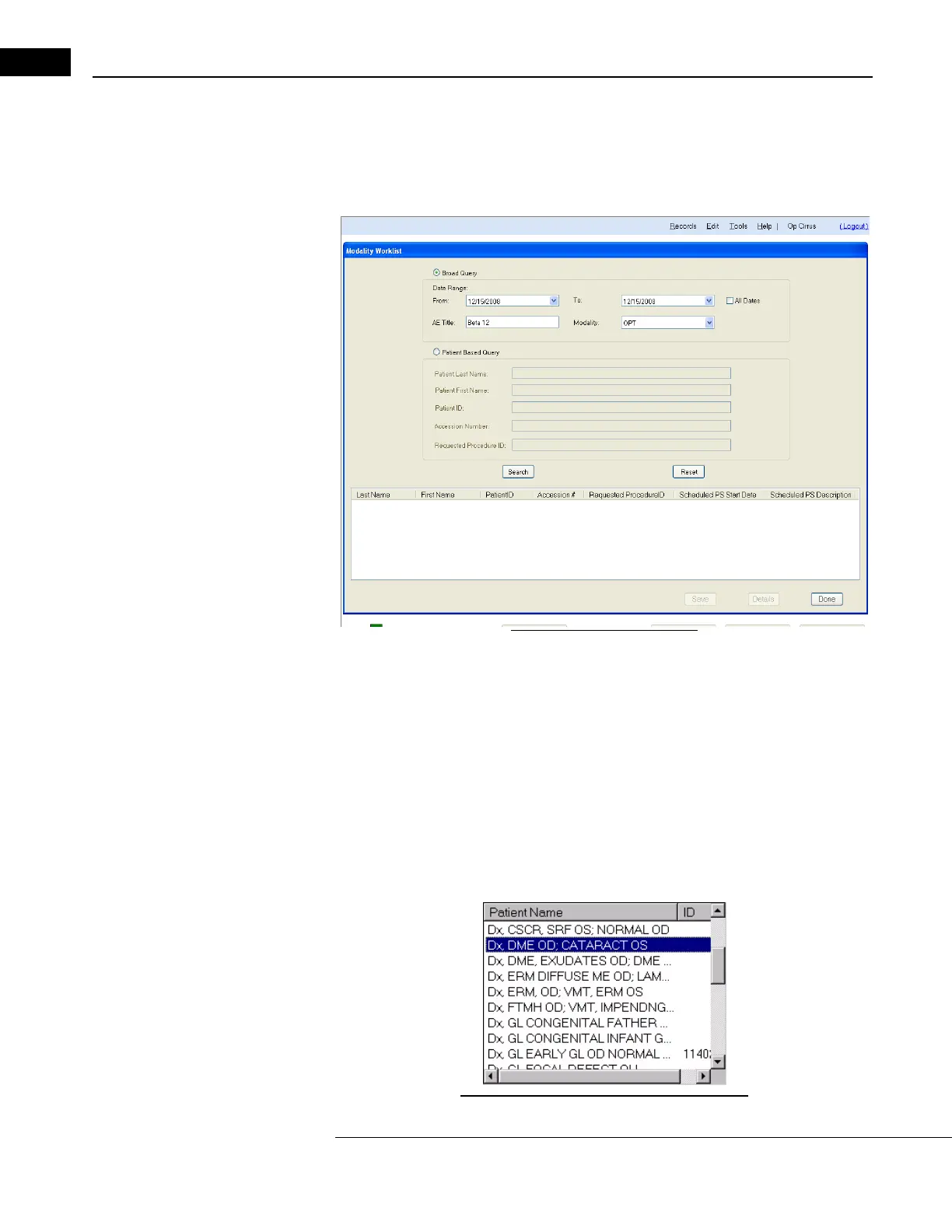
To display a list of scheduled patients, click on Sea
rch Worklist Patients. The MODALITY
W
ORKLIST dialog appears.
Figure 2-4 Modality Worklist
By default, the Date Range will be the current date. Click on the Search button to see a list
of all patients scheduled for the date range. Select the desired studies, click Save, then
click Done. The patients will appear in the Patient List of the M
AIN WINDOW. The patient
records you selected will be saved to the local database. You will not see a confirmation
message after successfully saving the study to the local database.
You can also access today’s patien
ts by clicking on the Retrieve Today’s Patients button on
the Main Screen. This bypasses the Modality Worklist dialog.
The Patient List
The patient list is on the upper left side of the M
AIN WINDOW.
Figure 2-5 The Patient List in Main Window



 To Next Page