153 XFC G4 2103335 Rev AB
7.3.8.4 Warm Start
A warm start does not clear the data stored in RAM. The warm start will only reset the microprocessor and not disturb any data
that has been stored in RAM. A warm start should be used when taking a unit out service to perform maintenance or
troubleshooting. A warm start can be used when a power or communication interruption caused the microprocessor to lock-up.
Tools needed:
— Slotted screwdriver
7.3.8.5 Warm Start Procedures (Hardware)
To perform a warm start procedure (hardware):
IMPORTANT NOTE: Pressing the Reset button with the Memory Backup Enable jumper in the enabled position
performs a warm start.
Disconnect any connected external charging source, if applicable.
Slide the external battery pack charger, CHGR INPUT +/- terminal block J5, (Figure 96:) from the circuit board green
terminal block.
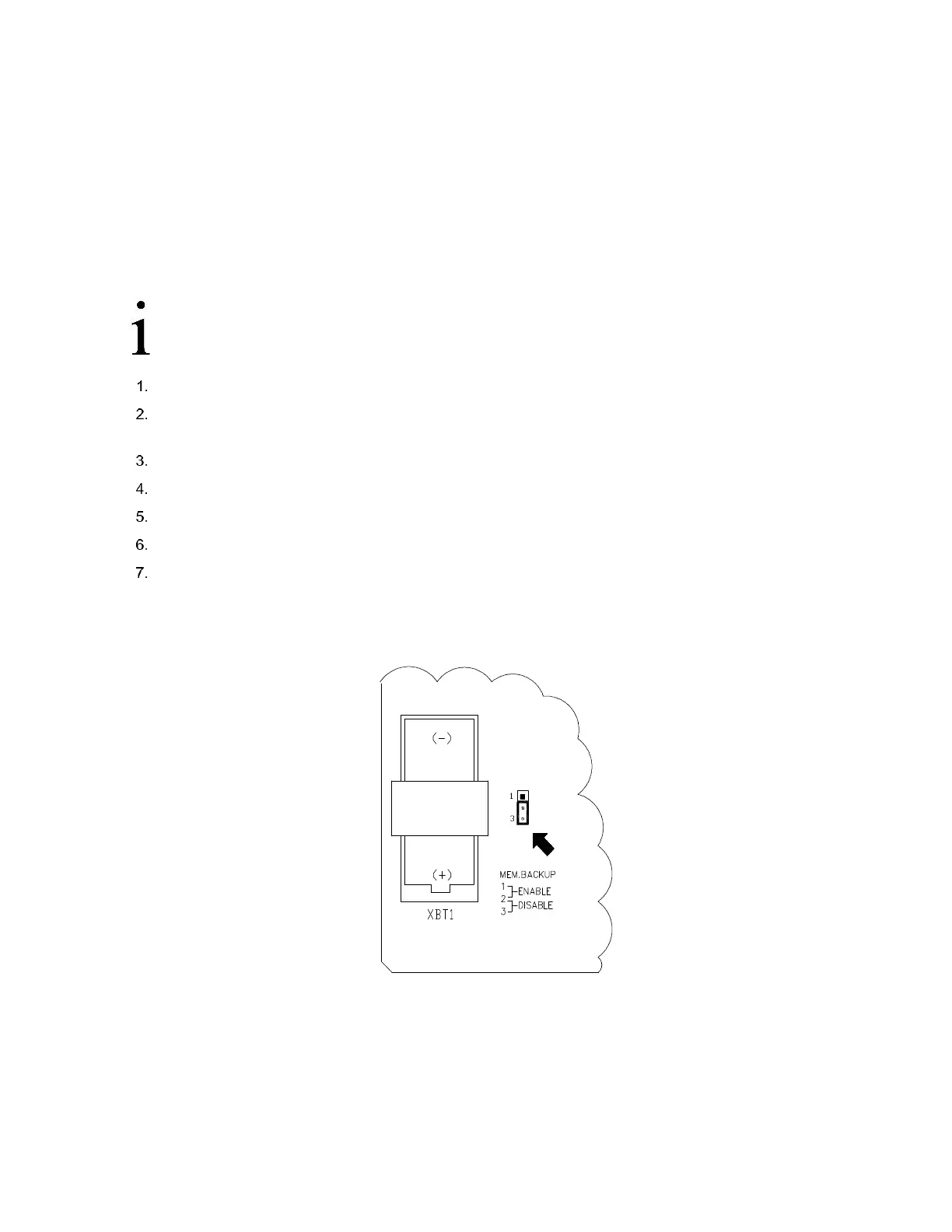
Move the memory backup jumper to pins 1 and 2 at J13 (Figure 101:).
Disconnect the battery pack connector from the circuit board BATT CONN connector J1 (Figure 96:).
Connect the battery pack connector J1 (Figure 96:).
Connect the CHGR INPUT +/- terminal block J5 (Figure 96:).
View the screen during startup to verify that the unit warm starts and begins cycling
a. If the display moves through the startup screens and begins cycling correctly, the warm start was successful.
b. If the display does not begin cycling correctly or locks on one of the startup screens, contact technical support for
additional instructions
Figure 101: Lithium Battery Backup Enable/Disable
7.3.9 SLEEP Mode
A unit will go into Sleep mode, and display SLEEP on the LCD, if the main power source drops below 10.9 volts and stays there
for a period of 2 minutes. Sleep Mode will preserve the unit’s historical data that was collected prior to it going to sleep. The
date/time will also be kept during the time the device is in Sleep Mode. An event record will be recorded in the System Log
indicating when sleep mode is entered and exited. The unit can be awakened by simply connecting to the flow computer locally



 To Next Page