91 XFC G4 2103335 Rev AB
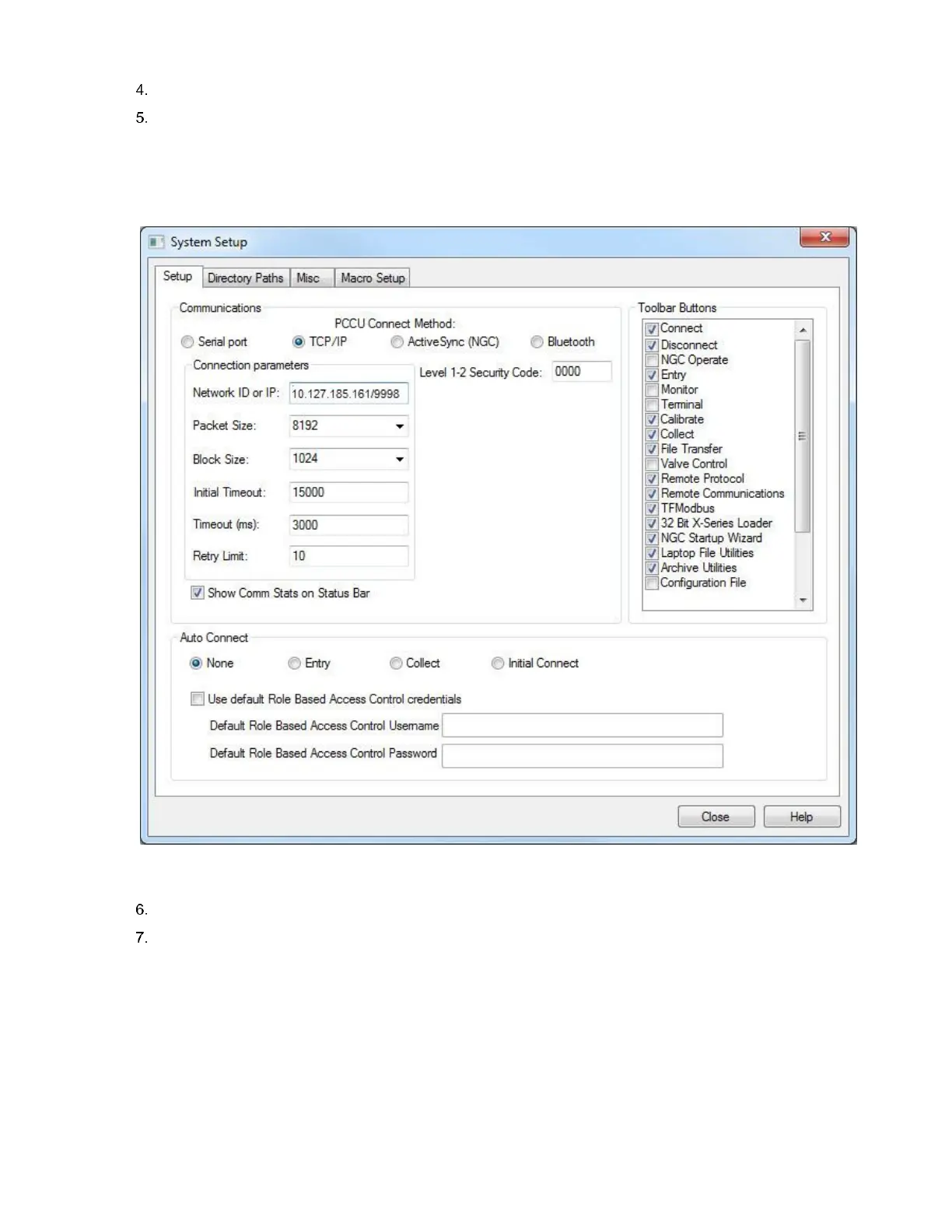
Under Communications, select TCP/IP as the PCCU connect method.
In the Network ID field type. Configure one of the following:
a. The IP address of the XFC and the TCP port for the connection (in the following format: xxx.xxx.xxx.xxx/TCP port
number). See Figure 70.
b. The IP address of the onsite router/cell modem and the TCP port for the connection (in the following format:
xxx.xxx.xxx.xxx/TCP port number).
Figure 70: Connection setup over Ethernet using non-default TCP port
Click Close to exit setup and return to the PCCU main screen.
Click Entry from the toolbar. When the Entry screen displays, the Ethernet connection over the network is successful.
5.5 Setting up the XFCG4
Once physically connected to the flow computer, the software must be instructed by the programming device to connect. The
software will read the device default values programmed at the factory. These preset values are based on the type of product
ordered and programmed for the most widely used configuration.
Depending on the programming device you are using, the following are the minimum required entries. Specific information
required to complete each step is discussed in the PCCU32 help files.



 To Next Page