85 XFC G4 2103335 Rev AB
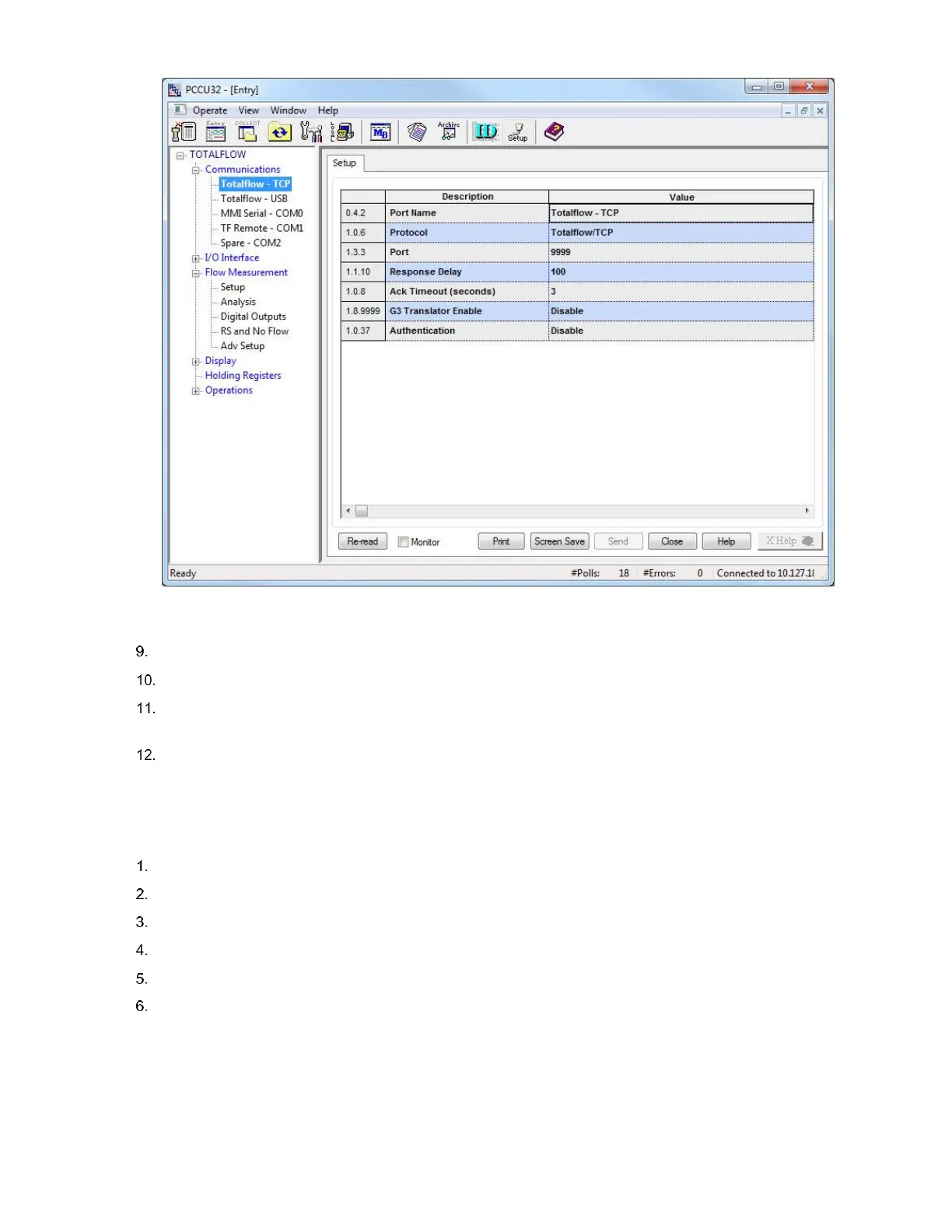
Figure 65 Communication Setup: Totalflow /TCP Protocol
Click Send to save changes.
Open the door to the flow computer.
Press the Reset button on the board. This restarts the XFC with the Ethernet port enabled. The current PCCU
connection to the XFC over the serial or USB port may terminate as the XFC resets.
When the XFC completes its startup sequence, connect to the XFC using Ethernet as described in section 5.4.2,
Establish local point-to-point connection over Ethernet.
5.4.2 Establish local point-to-point connection over Ethernet
To establish an Ethernet connection:
Make sure the Ethernet cable is connected to both the XFC and laptop Ethernet ports.
Restart PCCU.
Click Setup from the toolbar. The Setup screen for communication displays (Figure 66).
Under Communications, select TCP/IP as the PCCU connect method.
In the Network ID field type either the Network ID or the IP address of the device (169.254.0.11).
Click Close to exit setup and return to the PCCU main screen.



 To Next Page