63 XFC G4 2103335 Rev AB
4.5 Direct Mount Installation for Gas Orifice
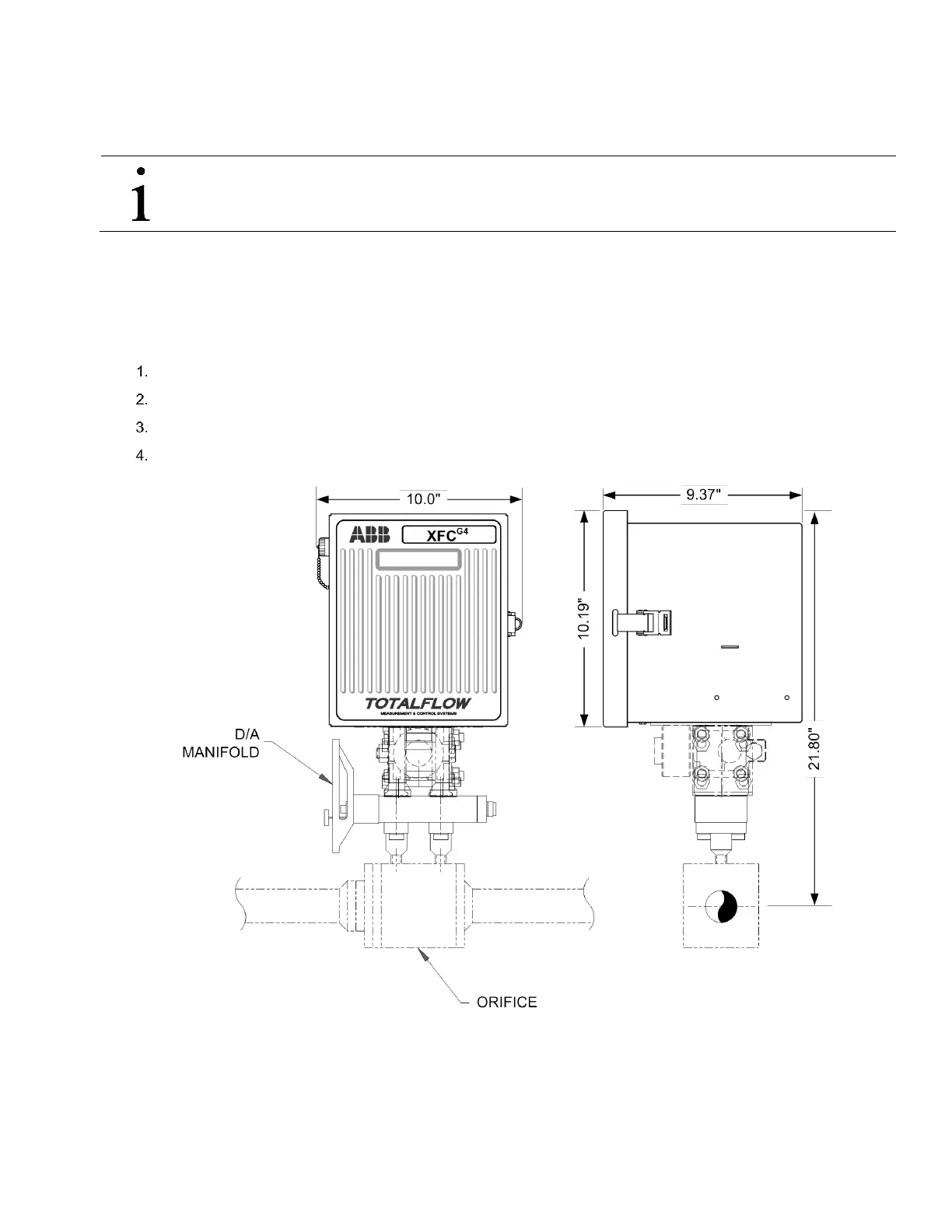
If installing the flow computer directly to an instrument manifold, use the following procedure. Before beginning, review the
procedure and the direct mount drawings. See Figure 2–23 through Figure 2–25.
IMPORTANT NOTE: All required hardware for mounting the flow computer to the manifold is to be supplied by the
customer.
4.5.1 Step-by-Step Instructions
Tools needed
— 7/16” combination wrench or socket with drive.
To perform a direct mount installation:
Attach the XIMV to the manifold, to Figure 45 through Figure 47.
Ensure that the Teflon seal rings are in place around the two process ports, before aligning with the manifold.
Secure the XIMV to the manifold, using the four 7/16-inch bolts supplied with the manifold.
Refer to Figure 45 through Figure 47, and complete the installation.
Figure 45 Model XFC
G4
6410, Direct Mounted with D/A Manifold (for illustrative purposes only)



 To Next Page