38 XFC G4 2103335 Rev AB
Making a local connection to the meter may be accomplished one of two ways. Traditionally, local connections have been made
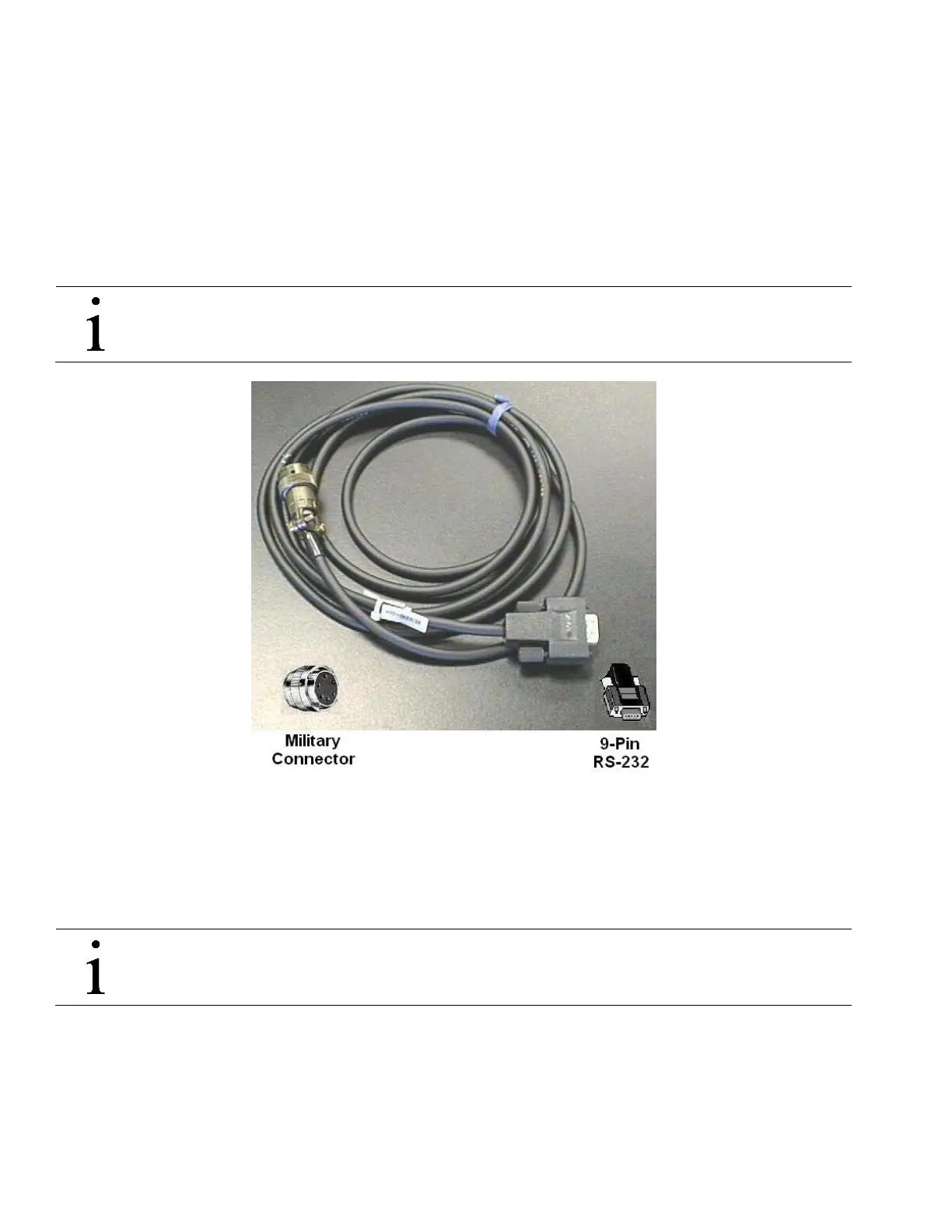
using the RS-232 PCCU cable with the round military connector on one end and a serial port connector on the other. The
second method involves the local connection being made using a USB cable.
3.12 Local PCCU Connections
3.12.1 RS-232 Serial PCCU Cable (Round Military Connector)
The local connection (serial military connector) requires an RS-232 serial port on the host computer (generally a laptop). A
PCCU cable is required to connect the host computer to the meter’s round military connector. Connecting the PCCU cable to the
meter will cause an annunciator in the LCD to display an upper case letter “L” for local connect.
IMPORTANT NOTE: The flow computer must be ordered to include serial communication capability. A change
over kit may be purchased to adapt the flow computer to USB capability.
Figure 15 RS-232 Local Communication Cable
3.12.2 PCCU32 USB Connection
The local USB connection requires the use of a USB cable connected to the host computer (generally a laptop). A USB PCCU
cable is required to connect the host computer to the flow computer’s client connector. Connecting the PCCU cable to the flow
computer will cause an annunciator in the LCD to display an upper case letter “L” for local connect.
IMPORTANT NOTE: The flow computer must be ordered to include USB communication capability. A change over
kit may be purchased to adapt the flow computer for serial communication capability.



 To Next Page