98 XFC G4 2103335 Rev AB
Enter the four codes, given by the clerk, in the fields to the immediate right.
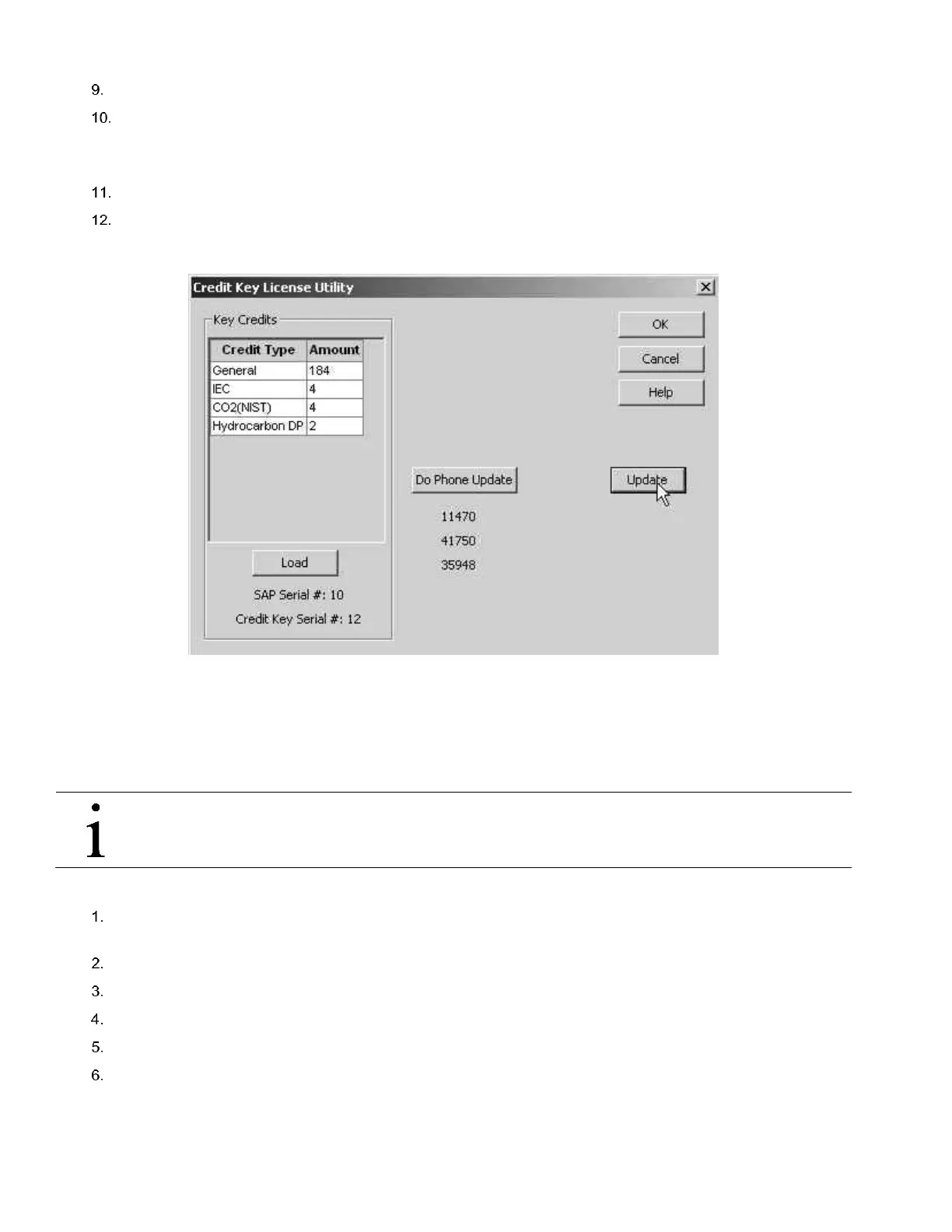
Click the Update button, three more codes will be displayed directly beneath the Do Phone Update button (see
Figure 78).
Read the three codes back to the clerk when prompted to verify the credits have been properly written.
Click Update, when finished.
The credit key now has added credits.
Figure 78 Application Credit Verification Codes
5.6.4 Transferring Credits to the G4 Controller from Credit Key
Credits can be transferred to the device (G4). The user selects the type of credit and the amount of those credits to be
transferred.
IMPORTANT NOTE: If a flow computer has a surplus of credits, these credits can be transferred to the credit key
to be used on other meters. See Section 4.5.5, Transferring Credits to the Credit Key from G4 Device, page 82.
To transfer application credits to the flow computer from the credit key:
Connect the PC running PCCU32 to the flow computer with either an MMI cable (RS-232), a USB cable or an
Ethernet cable.
Open PCCU.
Click on the Entry button from the toolbar.
Select Station ID>Application Licensing tab.
Install the credit key in an available USB port.
Click Load to view available credits.



 To Next Page