Using Wireless LAN 8-5
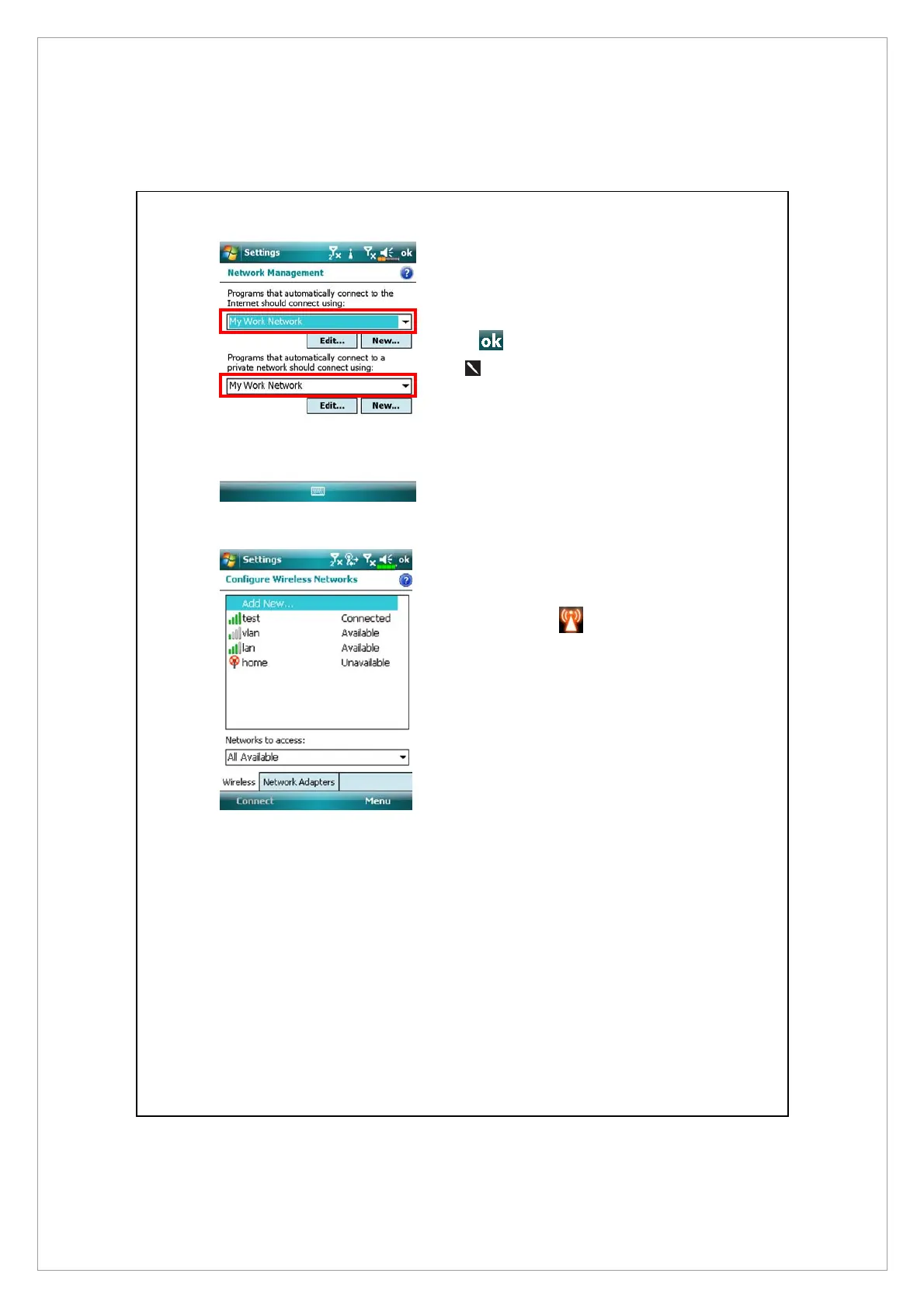
4. As shown on the left, make sure
that My Work Network is selected
for both items, and finally tap
to save and exit.
My Work Network is the WLAN
connection method. As this
option is from a choice of two,
the next time you need to use the
GPRS connection, you will have
to refer to the above listed steps,
select My ISP for the first item.
5. At the Communication Manager
screen, tap and hold, and then
release the
button to enter
the setup screen.
6. Select name of a currently
available network to enter the
WLAN authorization setup
screen.



 To Next Page