8-6
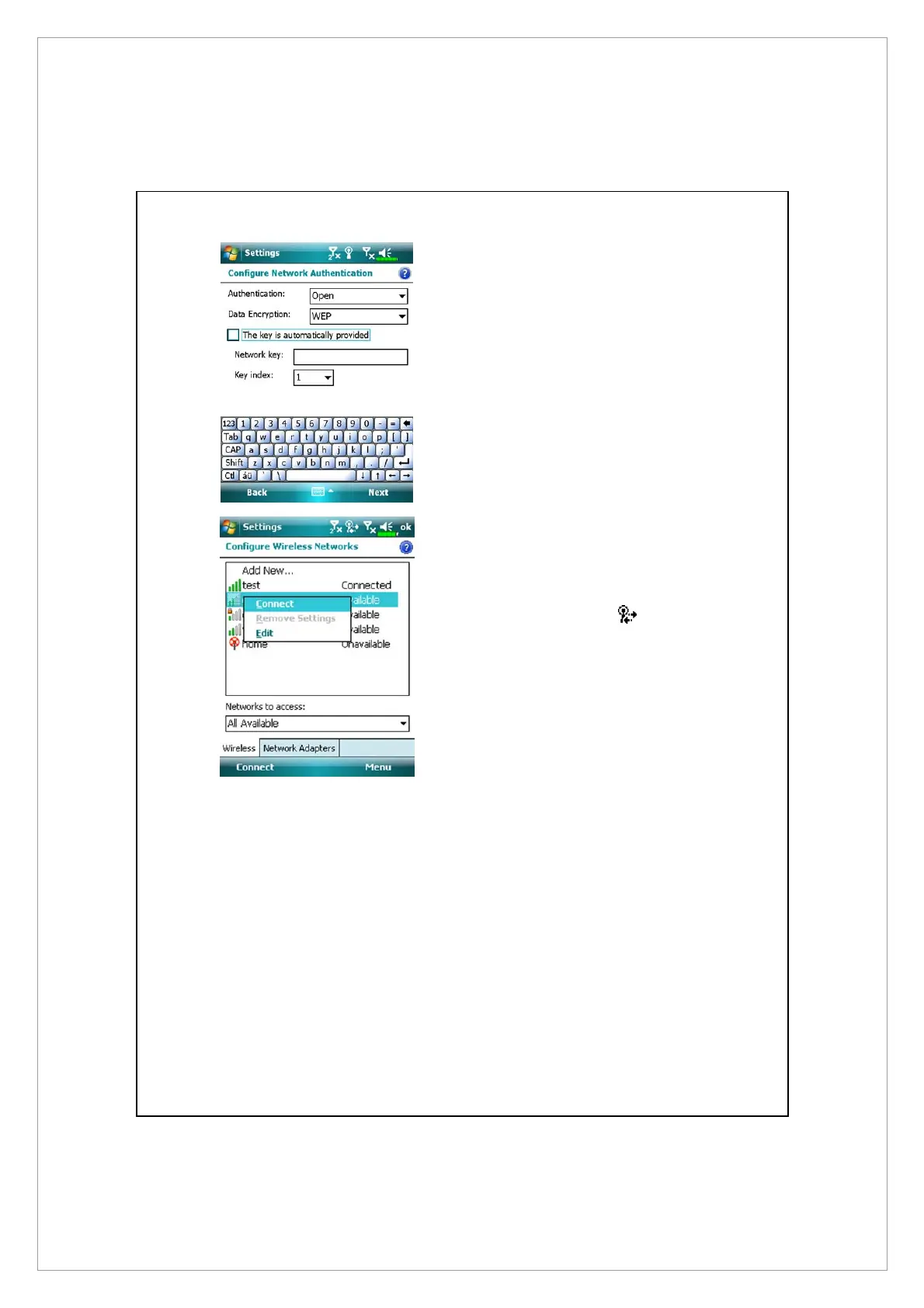
7. Set accordingly to the rules and
information provided by the
hotspot location.
n
Authentication: Select Open
o
Data Encryption: Select WEP to
enable the entry bar about
Network key
p
Network key
q
Key index
8. Tap and hold on the name of the
network connection that you can
currently use, then select
Connect. When the
icon
appears on the top of the screen,
your wireless network has been
successfully connected.



 To Next Page