12-14
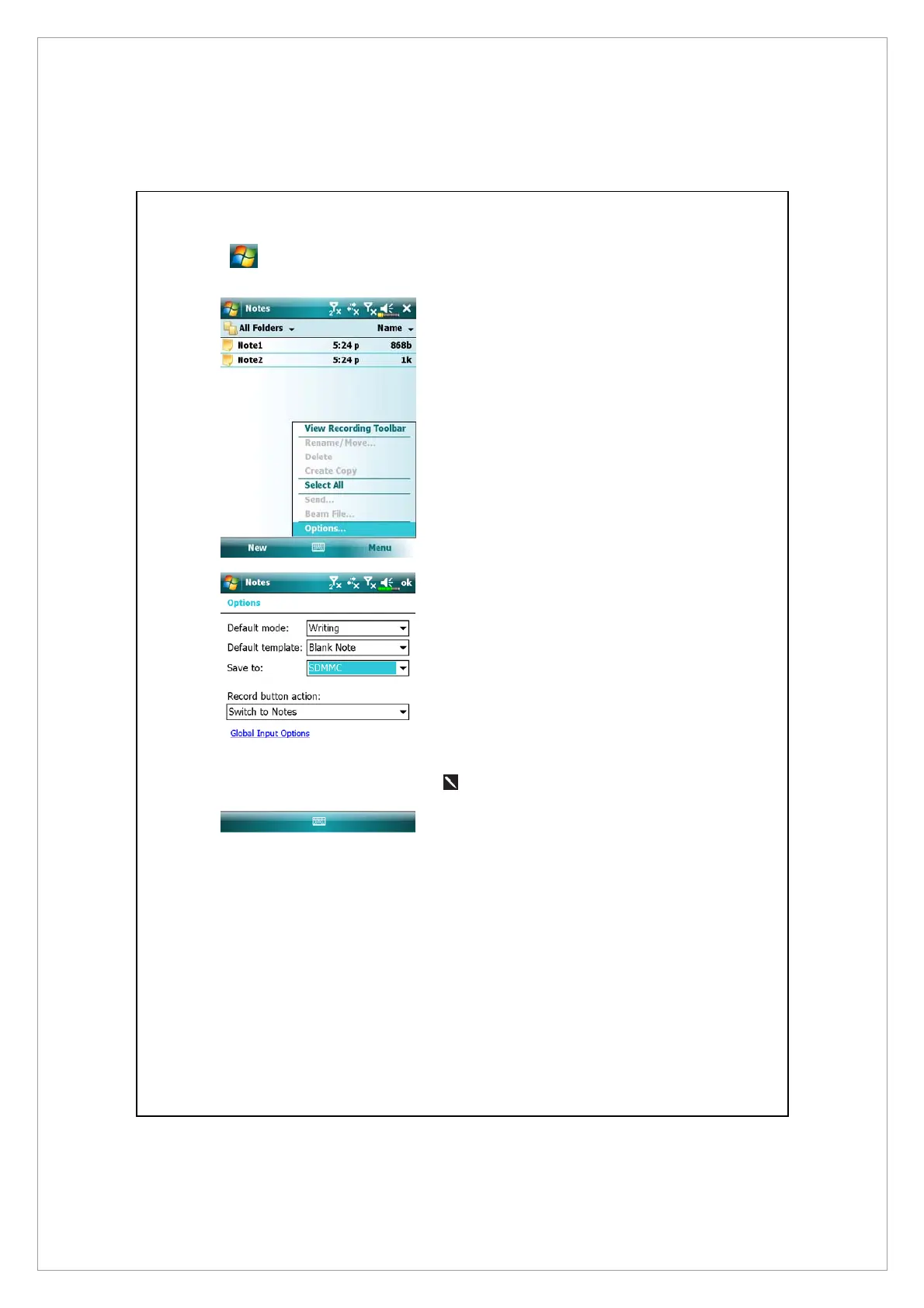
Tap > Programs > Notes/Word Mobile/Excel Mobile > Menu > Options.
1. Enter the Notes file list screen.
2. Tap Menu and then Options.
3. Tap the “Save to” function
button and select SDMMC from
the list. This indicates that you are
using your external storage card.
Hereafter, new files will be
automatically saved to this
storage card.
Follw the same operation
procedure for Notes in Word
Mobile and Excel Mobile.
In addition, you can use the Rename/Move or Save As function provided by the
program above to move or save files to the storage card.



 To Next Page