Using the Phone 4-23
Index Dial
Á
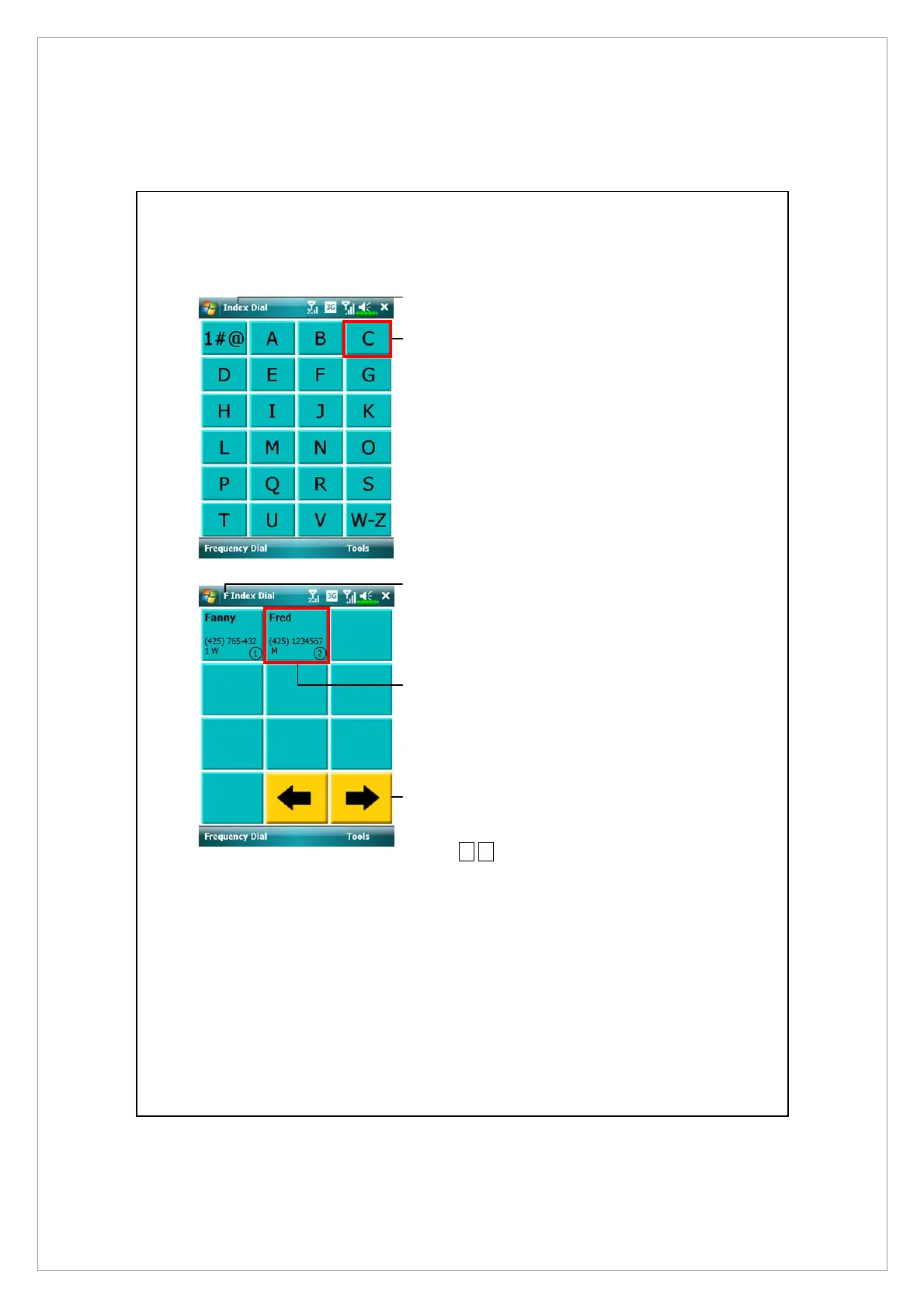
Index Dial screen
n
Switch to the Index Dial screen as
shown on the left.
o
Tap on any letters. The content
displayed are the data created in
Contacts. If you did not create
any data in Contacts, the screen
is blank.
n
The letter “F” appears on the
upper left side of the screen (see
left). This indicates that this page
contains all address data that
starts with “F”. The English
Address Book is arranged
alphabetically using the First
Name.
o
Tap any box to speed dial.
p
§
¨
: Tap to view the previous or
next page.
o
n
p
o
n



 To Next Page