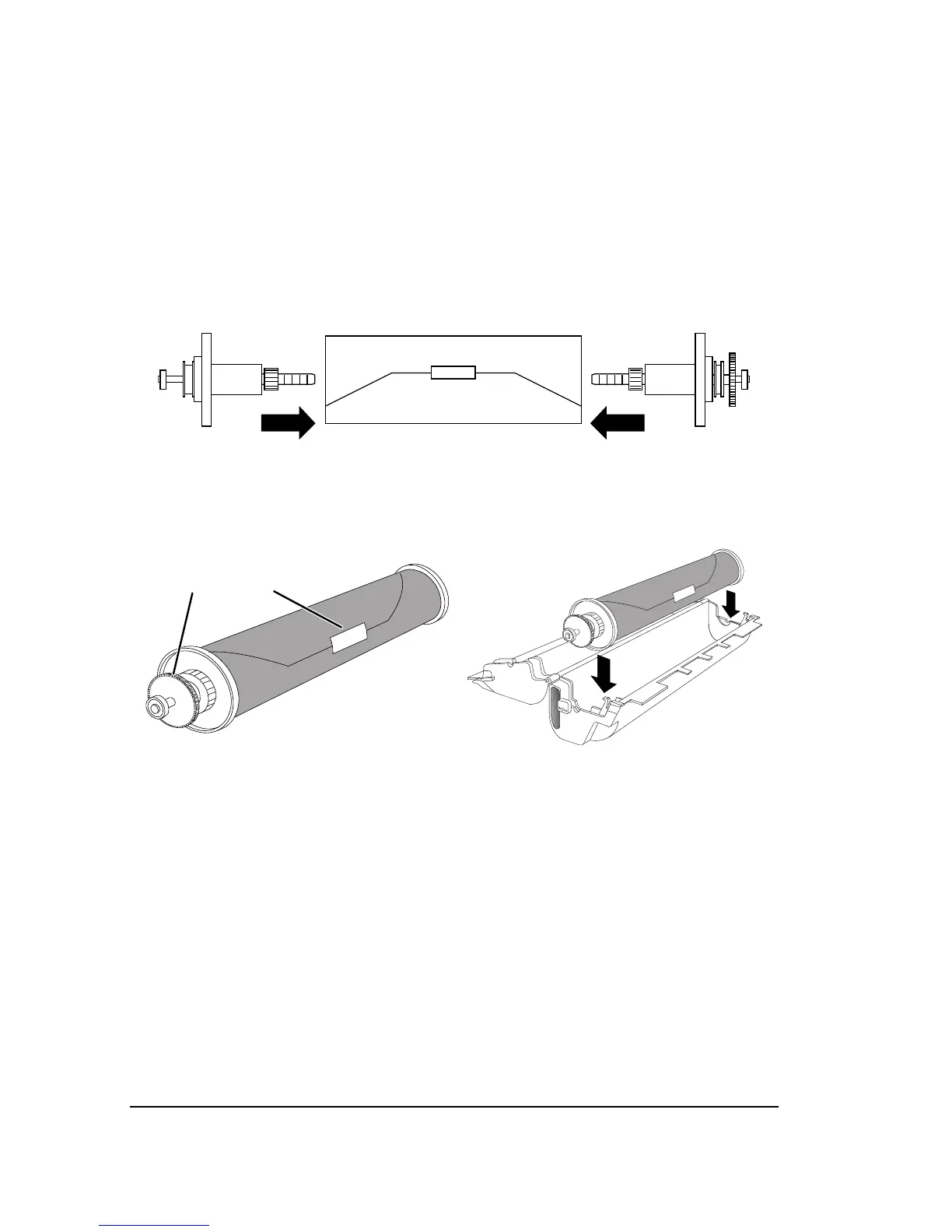
Step 3. Attach the end caps to the media roll.
Hold the new roll of media so that the flap of the light-proof
wrapper is on top of the roll, pointed away from you.
Insert the endcap with no gear into the left end of the media
roll.
Insert the endcap with the gear into the right end of the
media roll.
Figure 4.6. Attach the endcaps to the new roll of media.
Tighten the outer locking knob to secure each end cap.
Figure 4.7. Left, note the orientation of the gear
➀
and the wrapper
➁
.
Right, place the media in the cassette.
Step 4. Place the media roll in the cassette.
Put the new media roll into the cassette.
Make sure that the end cap with the gear goes to the right.
Use your thumb to smooth paper against and over both end-
caps.



 To Next Page