ALIEN MEGA/MAX USER MANUAL
63
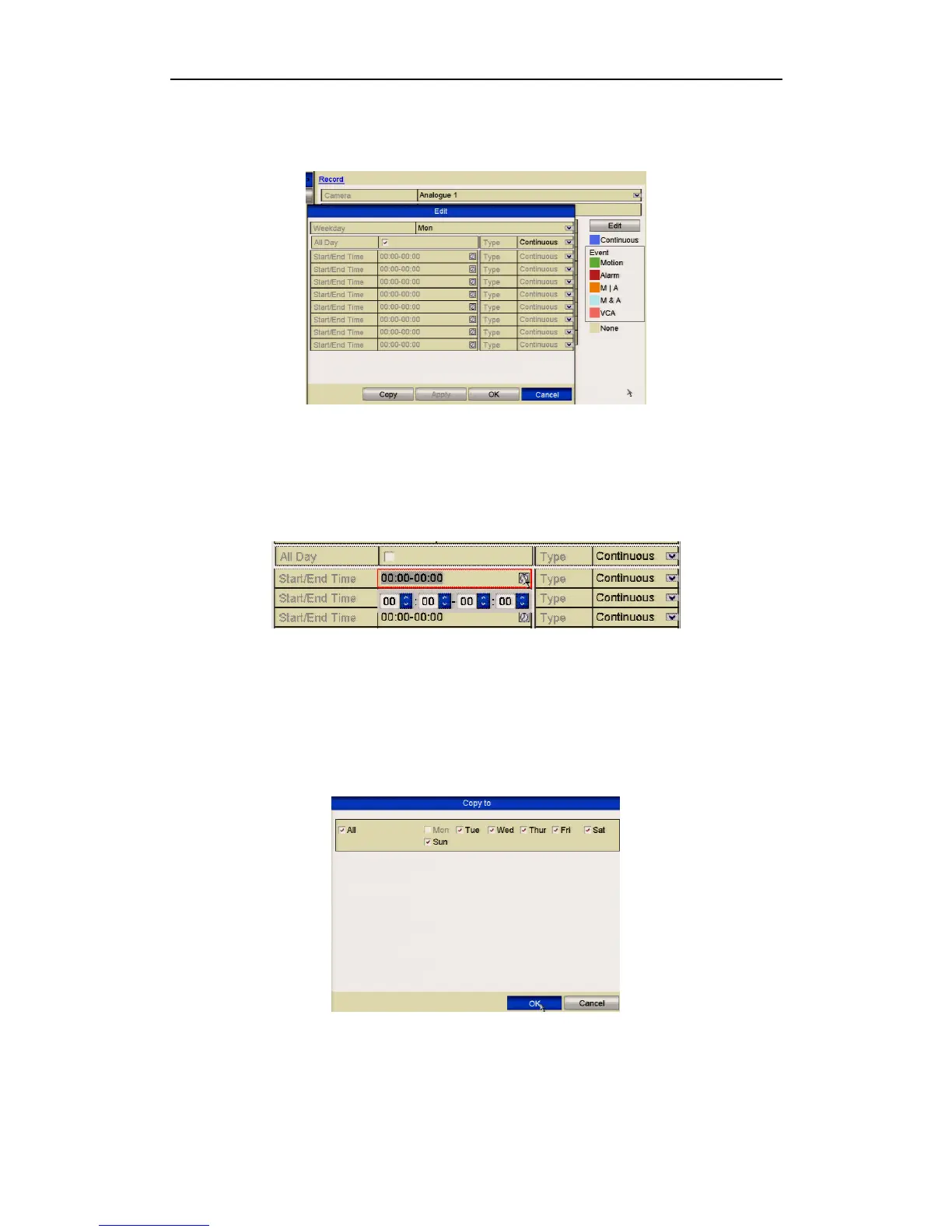
3) To schedule an all-day continuous recording, check the checkbox after the
All Day item.
Figure 5.2.2 Edit Schedule- All Day
4) To arrange event schedules, leave the All Day checkbox blank and set the
Start/End time.
Figure 5.2.3 Edit Schedule- Set Time Period
Up to 8 periods can be configured for each day. The time periods cannot overlap each
other.
Repeat the above steps 1-4 to schedule recording for other days in the week. If the
schedule can also be set for other days, click Copy.
Figure 5.2.4 Copy Schedule for Other Days



 To Next Page