Using the APP Recorder 6-36
6.11.3 Viewing All SER Abnormal or Stopped Channels
Note: The Point Assignment Record contains a setting, under the General Settings tab that
allows you to automatically shut down an SER channel if it changes state too many times
in a fixed period. The SER channel will automatically restart after a user-defined
shutdown period.
To View All SER Abnormal or Stopped Channels
1. In the APP Recorder window, from the Maintenance menu, click Show All SER Abnormal Or
Stopped Channels.
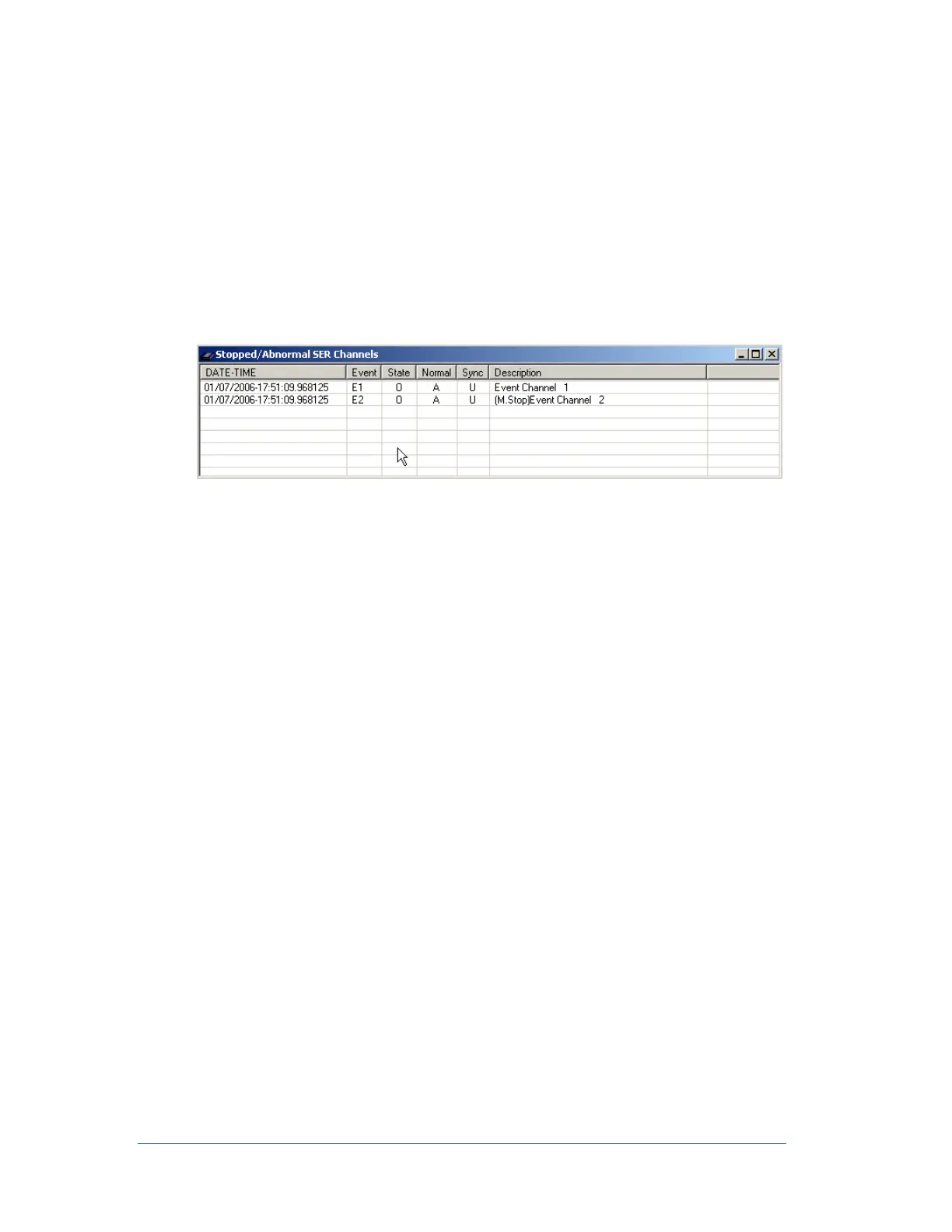
The following window appears and displays SER channels that are in a stopped or abnormal state:
Figure 41: Stopped/Abnormal SER Channels Window
In the State column, an O represents an open contact and a C represents a closed contact.
In the Normal column, an A indicates the channel is currently in an abnormal state and an N
indicates the channel is currently in a normal state.
In the Sync column, a U indicates an unsynchronized time and an S represents a synchronized
time.
If an SER channel is stopped, the word Stop will appear at the beginning of the channel
description, along with either an M or an A:
M indicates that the channel has been stopped manually via the Point Assignment
Record.
A indicates that the channel stopped automatically.
6.11.4 Performing a Test Run
You can perform a test run to test if the APP Recorder is really recording and to check all the channel data.
When you perform a test run, the APP Recorder trips, creating a transient COMTRADE record. The
COMTRADE records contain a snapshot of all the analog channel signals, and the state of all DFR
channels, plus the present status of the event inputs.
In addition, if the extended recording feature is enabled in the Point Assignment Record (General Settings
tab: Sampling tab), an extended RMS COMTRADE record and an extended oscillography COMTRADE
record will also be created. You can view the transient, extended-RMS, and extended oscillograph records
with the APP ClearView program, which is loaded on the APP Recorder computer, or with any
COMTRADE viewer.
The record length will be prefault + post fault. The trigger alarm will not energize during a test run.
However, the trigger front panel LED will illuminate.
If the auto-call feature is enabled (Recorder Configuration window: Automatic Tasks tab), the APP
Recorder will call the master station(s) and upload the records.



 To Next Page