Using the OScope 8-11
Calibration should only be performed by trained, qualified technical
personnel. Never calibrate a system alone. Ensure that another
person is present who knows emergency procedures and is capable
of rendering first aid.
Carefully disconnect station analog input signals from the recorder
before applying a known signal from your calibrated, high-precision,
certified source. Use caution if you are connecting an external
metering device. Be sure to use the proper connecting leads and
equipment.
Note: The following procedure assumes that your known analog signal is connected to a
recorder analog input.
To Calibrate Slope (Perform an External Calibration)
1. In the APP Recorder window from the File menu, click Show OScope.
The APP OScope window appears.
2. In the Show Analog Channels group in the Analog Channel # box, enter the analog channel
number to be calibrated and then click the corresponding OK button.
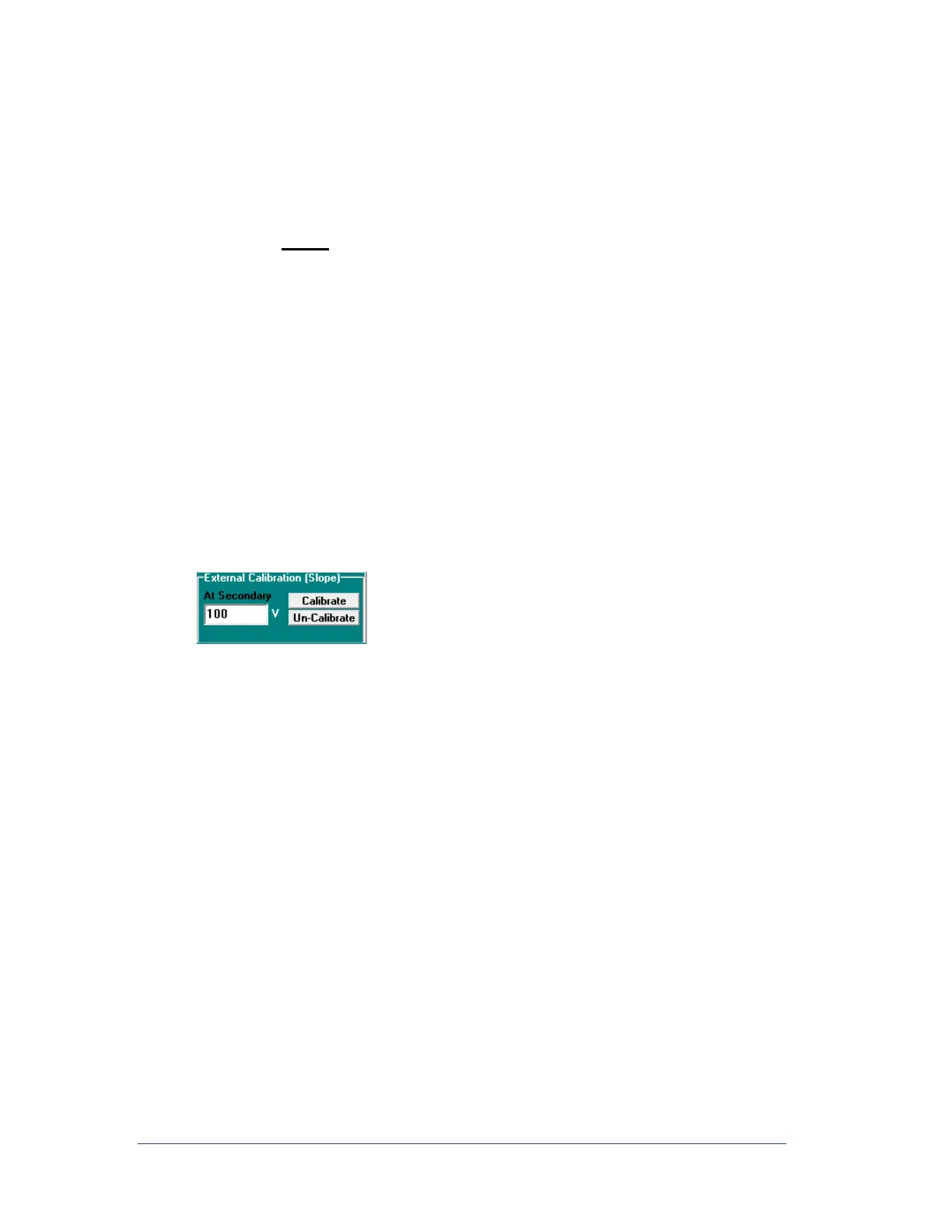
3. In the External Calibration Slope group, in the At Secondary box, enter your known accurate
secondary input calibration voltage or current value.
Figure 65: External Calibration (Slope) Group
4. Click the Calibrate button. A warning message may appear saying, “Entered value (xxx.xx) is >10%
different to the measured value (xxx.xx). Do want to continue?”
5. Click Yes to proceed or No to abort the calibration process.
6. Repeat steps 3-5 to calibrate additional channels.
The calibration process creates an ASCII file named RxxExCal.ini in path location
C:\APP Recorder\Setup. The “xx” in the file name is the unique recorder ID number. For example, in the
file name A1=0,0.999965, A1 is the analog channel number, 0 is the internal calibration factor for the DC
offset, and 0.999965 is the external calibration factor.
You can view the file by doubling-clicking it.
The external calibration factor can be reset to 1 by clicking on the “Un-Calibrate” button.
Note: You must click the Stop button before doing a calibration.



 To Next Page