Using the APP Recorder 6-23
2. In the Subject box, type the subject line for the email.
3. In the Message box, type the message.
4. In the Attachments list, select an attachment to include. Use the Add and Delete buttons to select
or remove additional files.
5. Click Send.
6.7.11 Configuring FTP Settings
You can configure the APP Recorder to automatically send the most recently generated transient fault
record to a host directory.
To Configure FTP Settings
1. Open the Recorder Configuration window and open the Automatic Tasks tab.
2. Select the FTP check box.
Note: You must set this up if you want the APP Recorder to send transient records through
FTP.
3. Click the FTP Settings button.
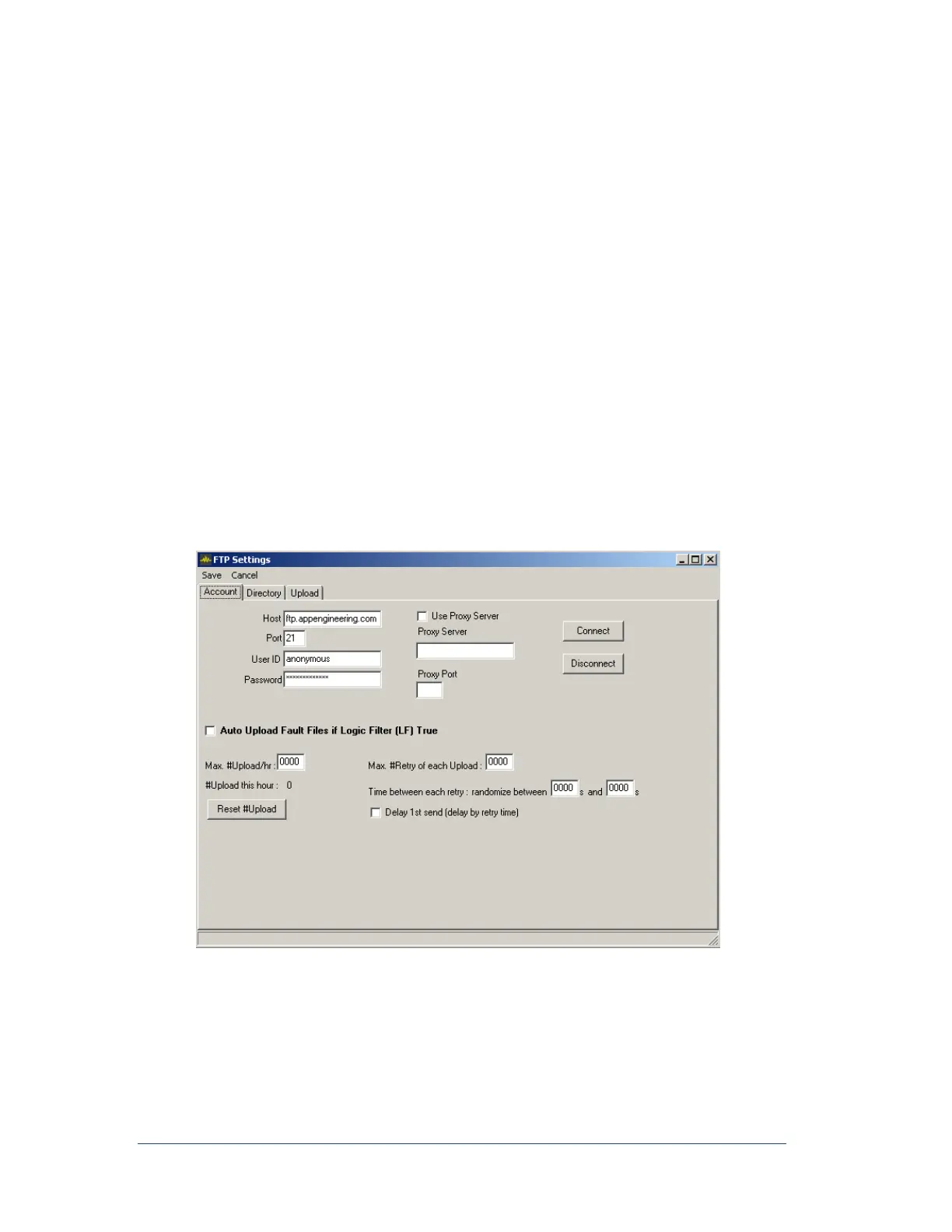
The FTP Settings dialog box appears, as shown in the following figure.
Figure 33: FTP Account Settings Window
4. (Required) In the Host field, type the URL for the host computer.
5. (Required) In the Port field, type the port for the host.
Note: A common port setting is 21.



 To Next Page