Using the APP Recorder 6-40
6.12 Continuous Recording
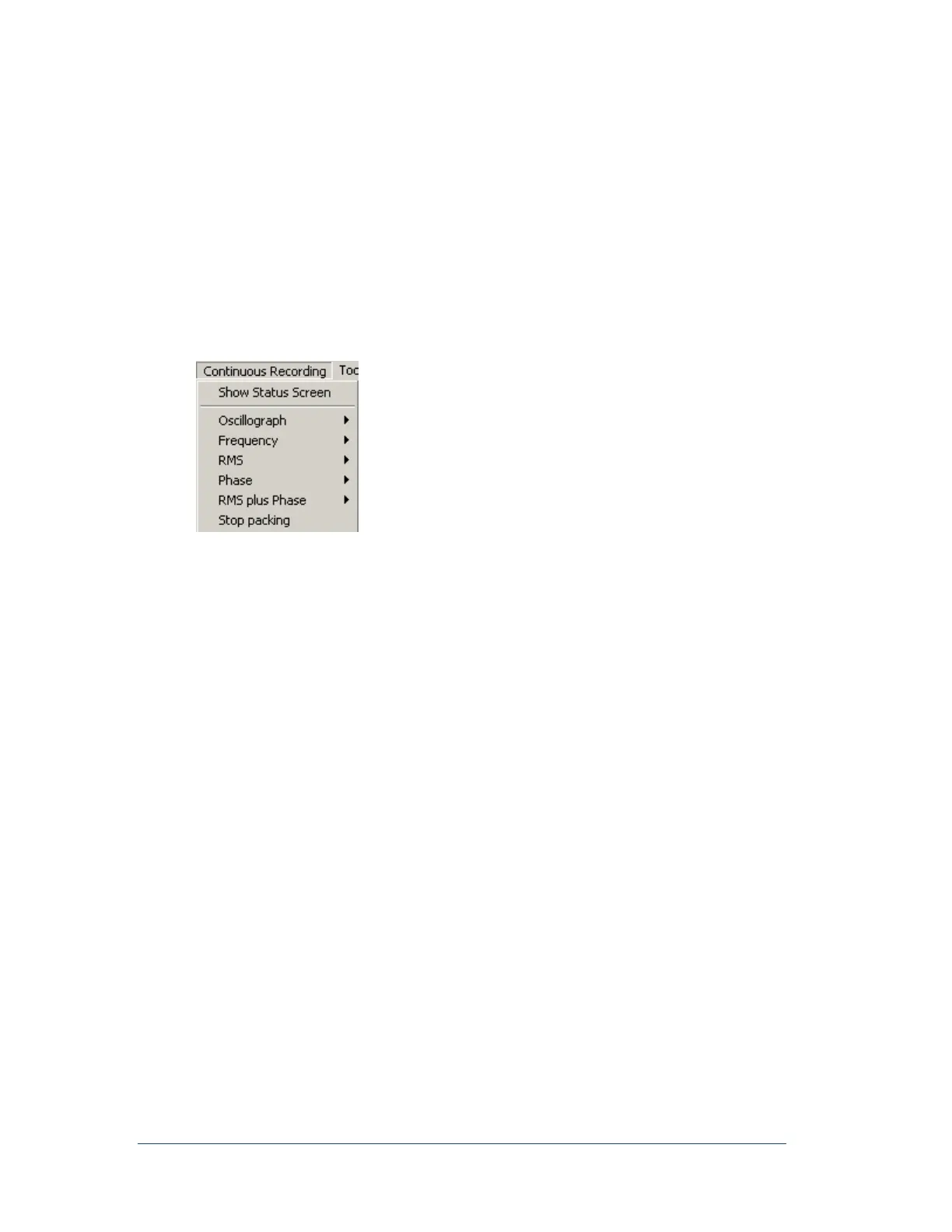
You can enable or disable continuous recording in the Point Assignment Record. Two types of continuous
recording can be enabled:
A combination of continuous RMS, Frequency, and Phase. You enable or disable these three
choices together. They have a 99-day maximum circular buffer. You can view these types of
continuous recording in near real-time in the APP Recorder window.
Note: Phase angle is shown relative to a selected channel.
Continuous oscillography recording. This has a 99-day maximum circular buffer however, 15
days is more practical and depends on the number of analog channels and hard drive size.
Figure 43: Continuous Recording Menu
6.12.1 Viewing the Continuous Recording Status Window
You can verify that the APP Recorder is actively calculating quantities and saving data by viewing the
status window. The APP Recorder stores the continuous oscillography data and calculated RMS,
Frequency, and Phase quantities in the following folders:
{C:, D:}\APP Recorder\Data\OsclgrDatq
{C:, D:}\APP Recorder\Data\RmsData
{C:, D:}\APP Recorder\Data\FreqData
{C:, D:}\APP Recorder\Data\PhaseData
Trend files are created in the RmsData and FreqData Folders as well. COMTRADE files are created for
the Trend files automatically every 10 minutes.



 To Next Page