Using the APP Recorder 6-56
These values can be sent for several lines. The limit on the number of lines that can be sent is
dependent on the total analog channel count, sampling rates, and system computer selection.
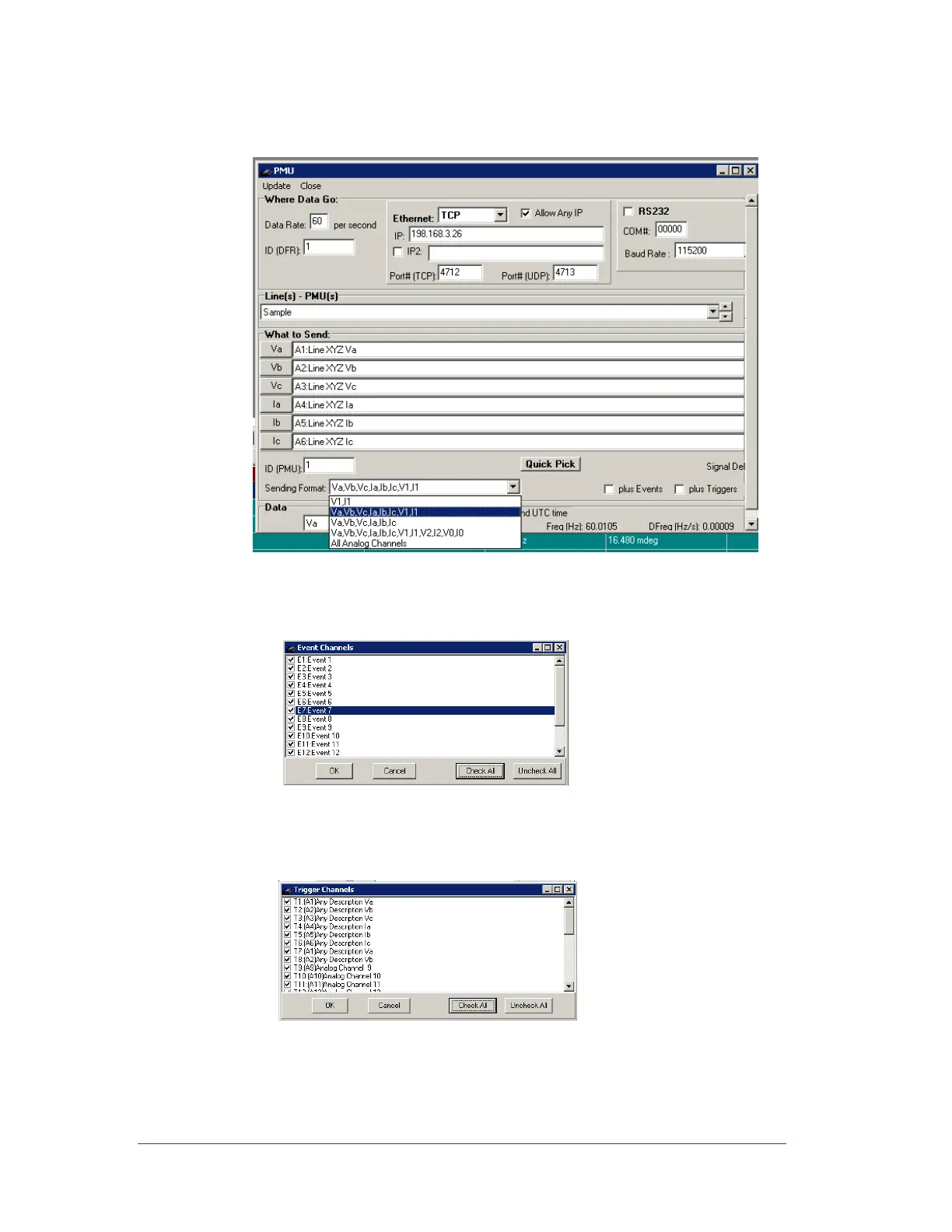
Figure 56: PMU - Sending Format
10. Plus Events check box allows you to add event channels to the PMU to include the state of each
event channel. When you click the Plus Event check box a list of events appears for you to choose
which events to include.
Select the channels and click OK
11. Plus Triggers check box allows you to add trigger channels to the PMU to include the state of
each analog channel. When you click the Plus Triggers check box, a list of the trigger channels
appears for you to select the channels to include.
Select the Channels and click OK
12. Send UTC time, If you want to send the time stamp to the PMU in Coordinated Universal Time
(UTC), click the check box for Send UTC Time. This will not affect the local time stored on the
DFR.



 To Next Page